Setup
To access all AI Facial Skin Analysis features within the GlamAR Shopify Plugin, you must first authenticate by connecting your GlamAR account. This requires generating an Access Key and API Token from the PixelBin console.
Generate Credentials
- In the Shopify plugin configuration window, click Generate Credentials.

- You'll be redirected to the PixelBin Token Generation Page.
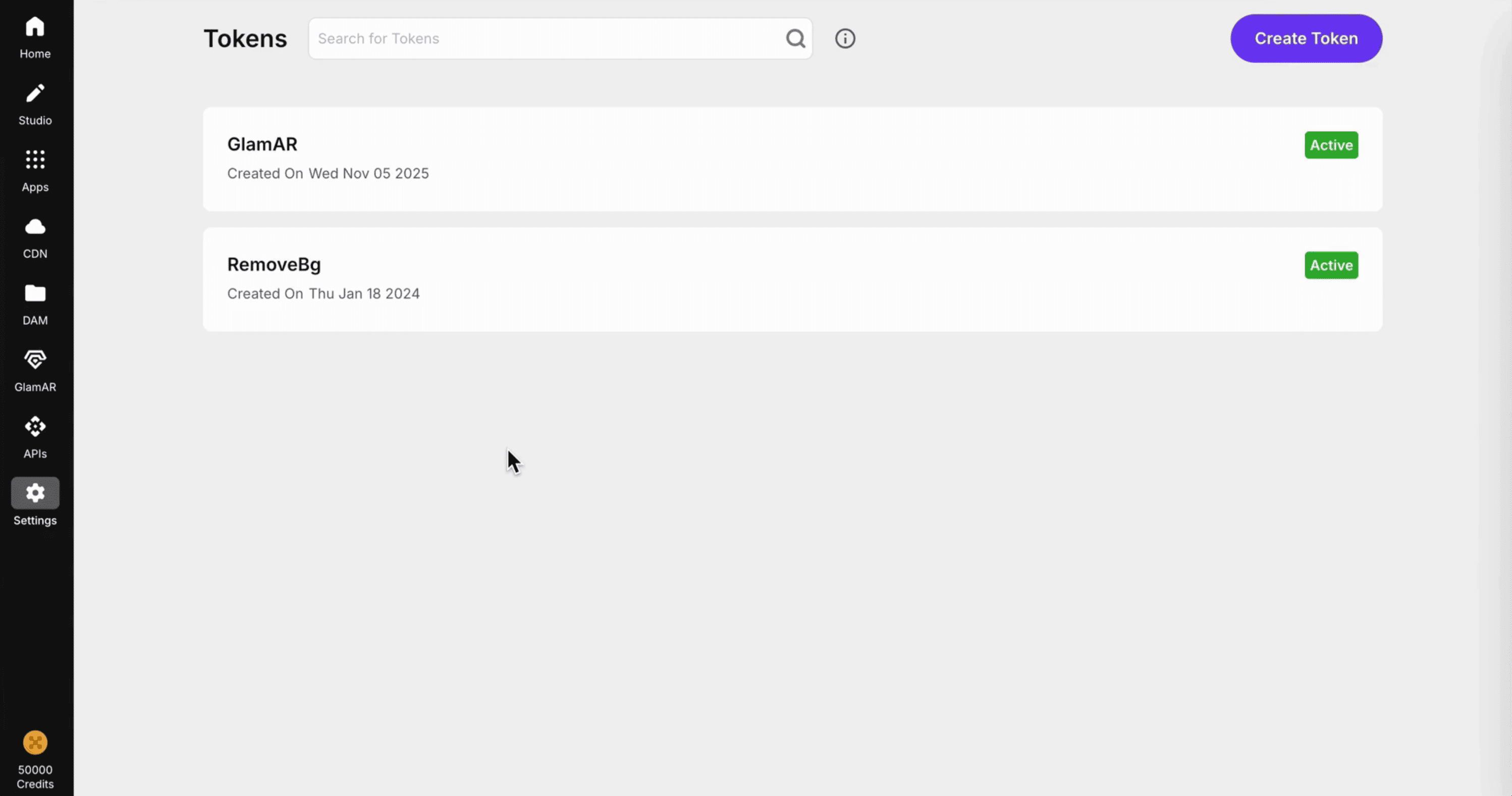
- Follow the same steps described earlier in the Getting Started section of this documentation to generate:
- Access Key
- API Token
If you already have active tokens, you can reuse them here instead of generating new ones.
Enter Token Details
Once you've generated your credentials:
- Return to the GlamAR Plugin Configuration page in Shopify.
- You'll see two fields:
- Access Key: Paste your Access Key here.
- API Token: Paste your API Token in this field.
- After entering both credentials, click Submit Token to complete authentication.
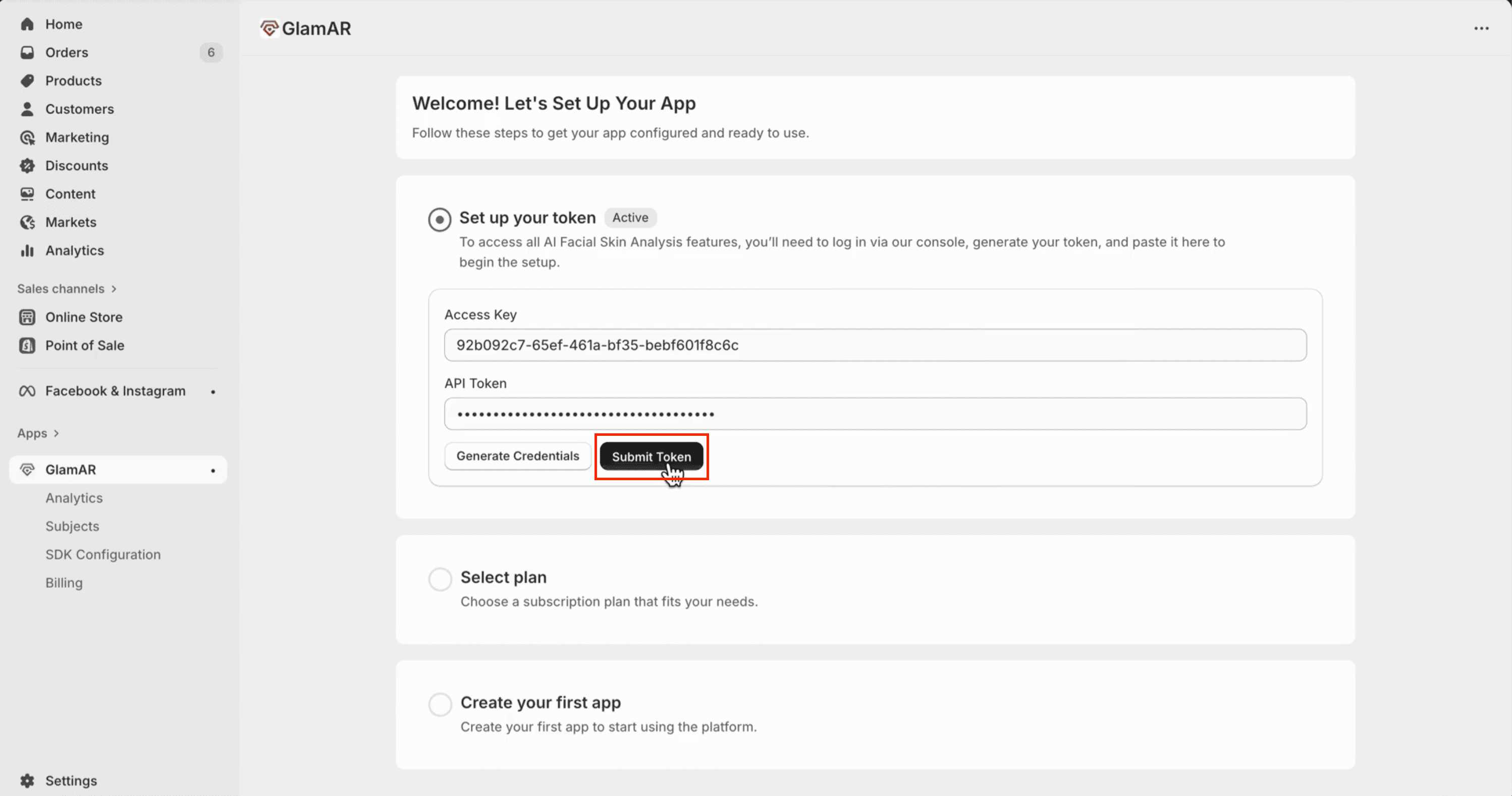
Once validated, your store is connected to the GlamAR platform and all AI Facial Skin Analysis features become active.
Editing Tokens
After the initial setup, you can update or replace your credentials at any time:
- Click the Edit Token button.
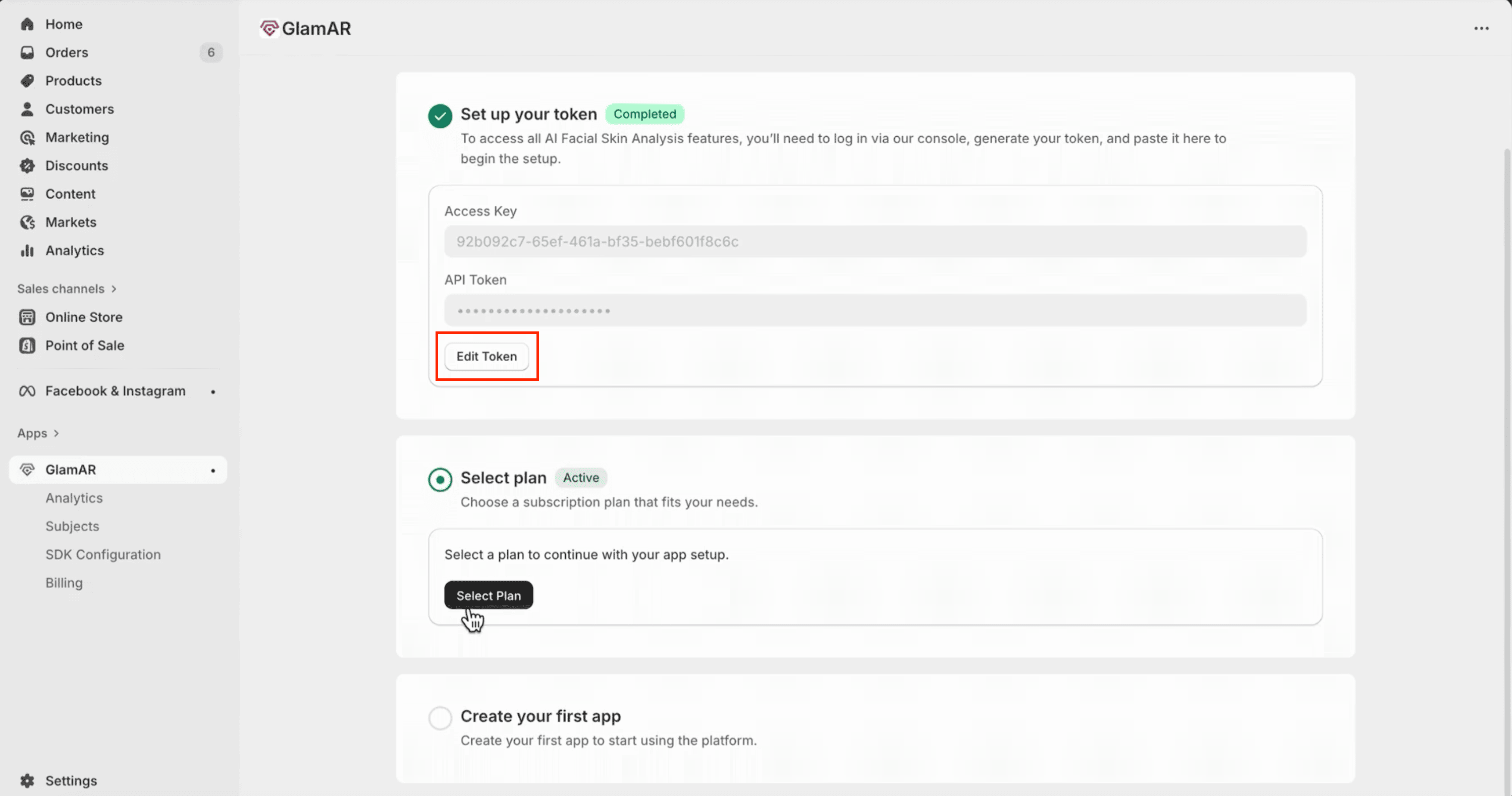
- Update your Access Key or API Token as needed.
- Click Submit Token again to revalidate and apply the new credentials.
Editing tokens immediately updates your authentication link. Ensure the new credentials are valid to prevent service interruptions.
How It Works
- The Access Key establishes the connection between your Shopify store and GlamAR’s platform.
- The API Token authorizes access to GlamAR’s AI services (e.g., skin analysis, try-ons, and reports).
- Both credentials must remain valid for the plugin to function properly.
Select Plan
After connecting your GlamAR account, the next step is to choose a subscription plan that fits your business needs. The plan you select determines the number of face scans, available features, and the depth of AI-powered analysis included in your Shopify integration.
Available Plans
| Plan | Price (per 30 days) | Face Scans | Skin Concern Scores | Additional Features |
|---|---|---|---|---|
| Starter Plan | $250 / 30 days | 10,000 | 8 | – |
| Growth Plan | $599 / 30 days | 50,000 | 12 | - Future Skin Simulator - Product Recommendation (Coming Soon) |
| Scale Plan | $699 / 30 days | 100,000 | All 18 | - Future Skin Simulator - Product Recommendation (Coming Soon) |
Choosing a Plan
- In the Select Plan section, review the available subscription tiers.
- Compare each plan based on the number of scans, analysis depth, and included AI features.
- Once you've selected the plan that suits your store’s needs, click Select and then Approve subscription.
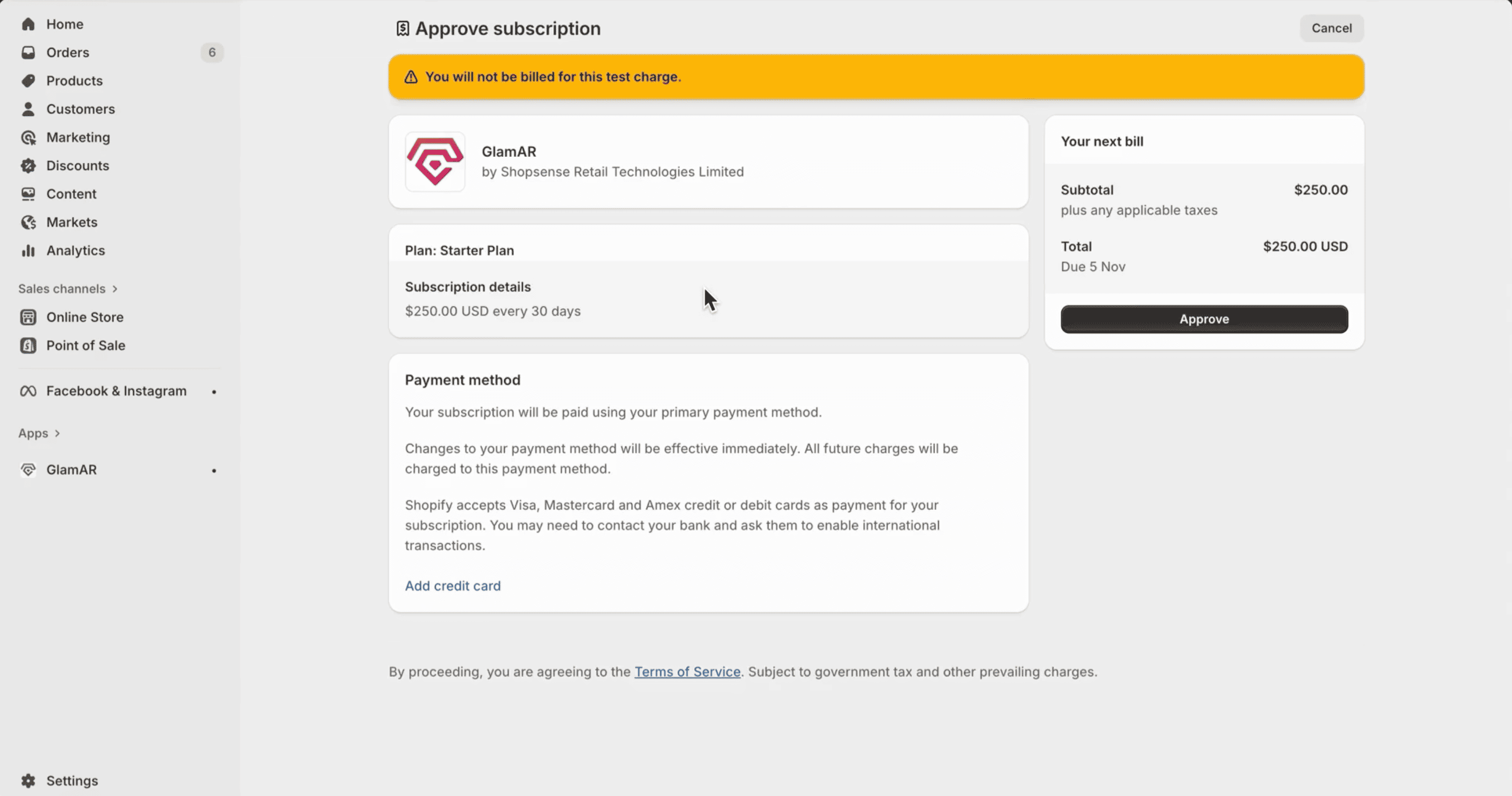
- Your subscription will be applied immediately, unlocking the associated features and scan limits.
- You can upgrade or downgrade your plan at any time through your GlamAR console or Shopify plugin settings.
- Unused scans do not carry forward to the next billing cycle.
- The Growth and Scale Plans unlock advanced AI capabilities, including Future Skin Simulation and Product Recommendation.
- The Starter Plan is ideal for small businesses or pilot testing with limited scan volume.
Watch the GlamAR Shopify Plugin Demo
Want to see the entire setup in action? Here's a quick walkthrough of installing, configuring, and integrating the GlamAR SDK within Shopify.