12 Best AI skin analyzer apps for iOS (tested by me)


Most people can tell when their skin feels off, but knowing why is a different story. Is it dehydration? Too much sun? A product that didn’t suit you? That’s where skin analyzer apps come in. They help you understand what’s really going on without needing a clinic visit. These apps use your phone’s camera to scan your face and break down everything from fine lines to pore visibility.
Some track changes over time, while others give instant product suggestions based on what they see. It’s a smart way to take the guesswork out of your skincare routine, especially if you’re trying to build one that actually works.
For this list, we tried out a bunch of skin analyzer apps available on iOS and narrowed it down to the top 11. All of them offer something different. Some are simple and easy to use, while others go deeper with advanced diagnostics. No fluff, no filters, just tools that can help you get to know your skin better.
12 best skin analyzer apps
1. Glamora: AI Skin Scanner
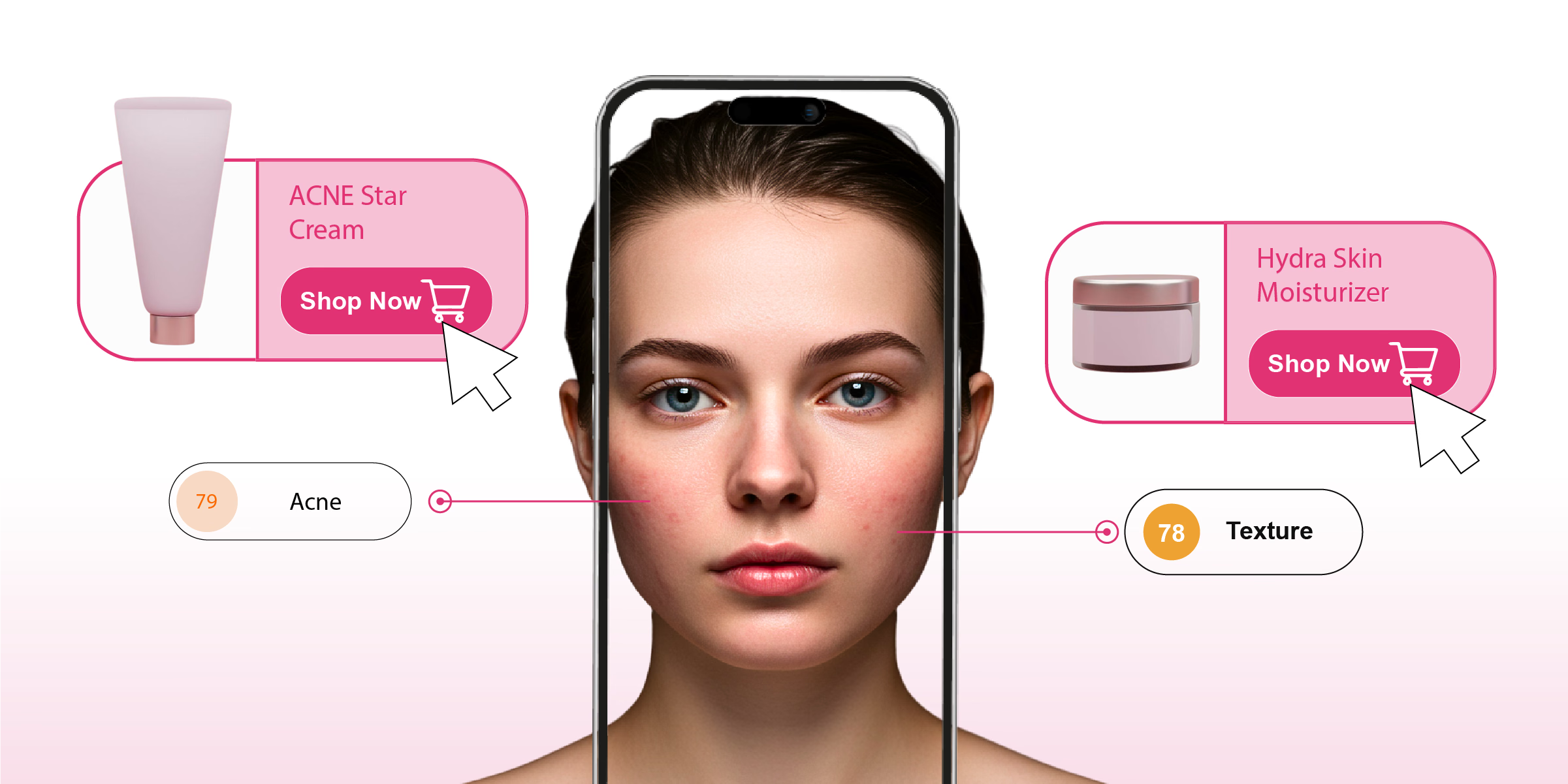
Glamora feels different the moment you launch it. The interface is minimal with a clean background, centered camera view, and no distractions. You take one photo and answer some questions, and within seconds, the app breaks your face down into specific categories: acne, pores, scars, whiteheads, wrinkles, dark circles, eye bags, etc.
I tried it after a long day with no makeup, just bare skin. It picked up on pigmentation around my nose, visible pores near my cheeks, and a few acne spots I hadn’t even noticed yet. What I appreciated most was the visual layout. Each concern was marked with different colors, and the report was actually easy to read. No overwhelming medical terms, no overpromising.
The app doesn't just analyze, it suggests skincare routines based on the results. The suggestions are practical and categorized by concern. There's even a quick chatbot inside that helps answer questions like “Can I use a retinol with this routine?” or “Is niacinamide safe for acne?” It feels like a personal assistant for your skin.
Features
- Breaks down 14+ skin concerns: The app checks for things like acne, pores, dark circles, whiteheads, wrinkles, and a few others.
- Shows exactly where the problems are: After the scan, it gives you a face view with colored markings that show where each issue is. For me, it highlighted my under-eyes and cheeks the most, which made sense. It’s not very technical, but it’s easy to get.
- Routine suggestions based on what it finds: If the app detects something like pigmentation or whiteheads, it’ll suggest what kind of ingredients or steps you could add to your morning or night routine.
- Built-in chat feels like a shortcut: There’s a small chat box in the app you can use when you’re unsure about something. Like if you’re confused about mixing certain ingredients or want to know what a specific concern means, it gives you a quick reply.
- No login, no cloud, just your phone: You don’t have to create an account or upload anything. Whatever scans you do, stay saved in the app. I liked that it doesn’t push you to sign up or share your data.



2. Mary Kay Skin Analyzer
I downloaded Mary Kay Skin Analyzer, and it didn’t disappoint. The app guides you through a few quick selfies under soft lighting, then peels back the layers on your skin’s current state. You can see details like oily zones, pore distribution, and wrinkle depth laid out clearly. It felt more intuitive than I'd expected.
Once the scan is finished, the app displays your skin health in easy-to-understand sections. No jargon, just simple tags like "moisture" or "texture." What made a difference was the personalized product matches. Based on what it saw, the app suggested specific Mary Kay products, which felt more relevant than a generic recommendation.
It keeps track of your skin over time, and I found that visiting the “Progress” tab after a week gave me a sense of improvement. You don't have to log in or wade through ads, just straightforward tracking and helpful insight.
Features
- Custom selfie scan under lighting prompts: The app asks you to take a photo in soft lighting (not bright, not dark), and then it scans for things like oiliness, fine lines, and pore visibility.
- Clear, easy-to-follow results: After the scan, it breaks things down in simple terms, like how smooth or textured your skin looks or where pores are more visible. You don’t need to be a skincare expert to get it.
- Smart product suggestions from Mary Kay: It doesn’t just throw out random tips. Based on what it finds, it shows you which Mary Kay products might help.
- Progress is easy to revisit: If you use it more than once, the app keeps your past scans right there in the same view. I liked being able to look back at mine after a few days to see if anything had changed.
- No account, no fuss: You don’t have to sign up or hand over your email. I opened the app, scanned, and that was it. Everything stayed in the app, and that honestly made it feel a lot more comfortable.
3. AI Dermatologist: Skin Scanner
If you’ve ever googled a skin concern at 2 a.m. and panicked over the results, AI Dermatologist feels like a more grounded alternative. You open the app, take a photo of the area you’re concerned about, and it gives you a breakdown of what it might be, ranging from acne and eczema to rosacea or even more specific conditions.
What stood out to me was the medical angle. This isn’t a skincare product matcher or a beauty tool. It’s designed more like a virtual skin checkup. Of course, it doesn’t replace a real dermatologist, but the app is CE-marked as a Class I medical device, and it tells you when to see a doctor.
The tone is careful, not alarmist, which lends it a more trustworthy feel. I tested it on a mild breakout on my cheek, and it picked up acne and mild irritation. The report it gave felt straightforward. No ads, no distractions, and you don’t need to sign in unless you want to save scans long-term.
Features
- Condition-focused scanning: You take a photo of a specific area on your face or body, and it analyzes over 60 skin conditions.
- Built-in info for each result: Once you get a result, the app explains what the condition usually means, what may cause it, and when you should see a doctor.
- Uses licensed data: The app is trained on real clinical images, which gives it a more reliable feel than a standard AI skin app.
- No sign-up to get started: You can run a scan right away without creating an account. If you want to save your reports, you can log in later, but it doesn’t force you to.
- Works for face and body: Unlike most apps that only work with selfies, this one lets you scan other parts of the body too, like your arms, chest, or back, which makes it more flexible.
4. Skinive AI
Skinive takes a slightly more clinical route compared to other apps on this list. It’s built around early detection, especially for things like moles, rashes, acne, or pigmentation changes. You point your phone’s camera at the area you're concerned about, and it scans it using a trained AI model. You can use it on your face or anywhere else on your body.
What I liked is that it doesn't rush you through the process. It actually asks you to take a clear, well-lit photo and then gives you a few different possible results with confidence scores. It doesn’t tell you it’s 100 percent certain, which is a good thing. Instead, it offers suggestions based on similar clinical images it’s been trained on.
It’s not a product recommendation app. It’s meant for skin awareness. If you have a spot you’ve been ignoring or something that’s changed over time, this app helps you keep track of it without immediately jumping to conclusions.
Features
- You can scan specific spots: Skinive lets you focus on just one area. I tried it on a mole on my arm, and it scanned that part directly without needing a selfie.
- It gives a few possible results: After the scan, it showed different conditions the spot could be, with a confidence rating for each. It doesn't claim to know exactly what it is, which made it feel more honest.
- Your scans stay saved: Every scan gets stored in the app, so if you check the same area again, you can actually see how it looked earlier.
- No sign-up or account required: You can use it straightaway without logging in. That makes it a lot more comfortable and easier to trust.
5. Lovi - Smart Skin Care
Lovi feels like one of those apps that tries to keep things simple and actually does. You can just open the app, click a selfie, and it starts scanning for common concerns like acne, oiliness, and rough patches.
When I tested it, the process was quick. It asked for one clear photo and then showed me which parts of my face had more texture or redness. Nothing felt too technical or confusing. The results were short but clear enough to give me an idea of where I should focus.
What I liked is that it doesn’t throw product ads at you. It just gives basic advice, like switching up your cleanser or paying more attention to certain areas. It’s a good pick if you want to understand your skin without diving into complicated details.
Features
- Scans your skin with one photo: You don’t need to move your face around or take a bunch of angles. I took a quick selfie, and it scanned everything it needed from that.
- Shows which parts of your face need attention: It doesn’t just say “your skin is oily” and leave it at that. It pointed out that my T-zone had more oil than the rest, and that my cheeks were looking dry.
- Suggests small changes: The advice felt pretty normal. Nothing fancy. It just told me to maybe try a different face wash or be careful around dry patches. No big routine changes or product lists.
- Doesn’t try to sell anything: No brands popped up. No product links. It didn’t even mention a company. Just gave the results and moved on.
- You don’t need an account: I didn’t sign up or enter my email. I just downloaded it, opened it, and scanned. That’s it.
6. Glow - AI Skin Scanner
Glow surprised me with how friendly it feels from the moment you open it. No clutter or extra tabs, just a prompt to take a selfie. Within seconds, it tells you where your skin stands on things like texture, hydration, and spots, and explains it in a way that actually makes sense.
When I took my first scan, there was a section for hydration that showed if I was dry or well-moisturized, which was a first for me. The chances of getting hydration info are rare in most apps, so that stood out.
It also tracks your progress over time and uses before-and-after sliders, so you can literally see what’s changing week to week. Glow doesn’t push brands right away. It nudges you gently with product suggestions, but it always tags them as optional. To me, this felt like guidance and not pressure.
Features
- Quick selfie scan: One photo checks things like hydration, texture, and acne without extra setup.
- Hydration indicator: It tells you if your skin is dry, balanced, or too oily, which I thought was pretty useful.
- Progress sliders: Compare your skin’s current state to older scans in side-by-side images.
- Gentle product hints: You get suggestions without feeling sold to, just a light nudge if you ask for it.
- Tracks trends over time: Saves every scan so you can go back and see slow changes, not just immediate results.


7. Skan – AI Skincare and Beauty
Skan feels like a full skincare toolkit. After a selfie scan, it gives you more than a single score. It actually dives into hydration, acne, wrinkles, dark circles, and more. When I tried it, the breakdown was honest and sometimes surprising, but helpful.
The app also recommends actual products that match your results. I liked how it grouped them by routine, like a morning cleanser or evening serum. It didn't feel random or spammy. The privacy settings were solid, too, and none of it made me feel awkward.
It can feel a bit like a beauty advisor in your pocket, and I appreciated that it didn’t overload you with info. The notifications gently remind you to scan again or check your progress.
Features
- In-depth selfie analysis: Covers hydration, acne, wrinkles, dark circles, and more in just one scan.
- Recommended routines: Suggest products tied to your results, so it feels more effective and helpful.
- Progress: Lets you revisit earlier scans and see which concerns have improved or stayed the same.
- Gentle reminders: Send soft prompts to scan again or stay consistent with your routine.
8. Skins - Skincare Analyzer
Skins came across as the simplest app in design but very focused. I opened it, took a selfie, and seconds later saw a breakdown across categories like acne, redness, and pigmentation. There’s no fluff, just direct results.
It also gives you a daily skin score that shows how well your skin is doing today. I noticed that on days I went heavy on coffee, my score dropped and that felt oddly validating.
There’s also a tip section that suggests habits like drinking more water or using gentler products. You don't need an account or log in. You just use it, see your score, and it updates each day. That kind of simplicity felt refreshing.
Features
- Straightforward selfie scan: Takes one photo and gives you a score based on acne, redness, and pigmentation.
- Daily skin score: A simple rating each day that reflects how your skin looks or feels in the moment.
- Simple habit tips: Offers easy suggestions like hydrating more or using a calming cleanser if your score dips.
- Minimal and no sign-up: No account needed. You just start using it and get results.
- Daily tracking: Keeps your daily scores and lets you flip back to compare how your skin changes over time.
9. SkinIQ AI
SkinIQ AI looks pretty clean when you first open it. Nothing flashy. I tapped through a couple of steps, took a selfie, and it started analyzing without making me wait. It showed skin conditions like acne, oil levels, dark circles, and fine lines, all broken into little sections.
What I liked is that the layout wasn’t confusing. Each issue had its own slider, and it felt more like a check-in than some heavy report. I tried it in regular room lighting and it still gave results that actually made sense.
It also doesn’t ask you to log in right away, which I always appreciate. You just open it, scan, and go through the results. If you want to unlock extra features later, that’s up to you.
Features
- Scans your face in seconds: I just took a quick selfie, and it pulled up things like acne spots, oil levels, etc.
- Each concern shows up on its own scale: instead of one big score, it splits it up so I could see that oil was high but pigmentation was low.
- Tells you what the terms actually mean: Next to each issue, there’s a short line explaining it. Nothing complicated. Just a sentence or two so you’re not left guessing.
- You don’t need to log in: I didn’t sign up or give any info. Just used the app, checked my scan, and closed it.
- Everything’s laid out super simply: The design doesn’t confuse you with too many tabs. It’s just scan, results, and done.
10. Skin Bliss
Skin Bliss is a little different from the usual scanner apps. It’s more about helping you build a routine based on your skin type, not just analyzing a photo. When I opened it, it asked a bunch of questions, like how oily my skin is, what products I already use, and if I’ve had any reactions. It felt more like a conversation than a quiz.
There’s no selfie scan, but the app uses your answers to figure out what ingredients are good for you and which ones you should avoid. I put in that I had sensitive skin, and it flagged a few harsh ingredients I didn’t even know were in my moisturizer.
That part honestly surprised me. You also get product suggestions, but they’re based on the filters you choose. You can say no to fragrances, parabens, or specific brands, and the app will adjust. That kind of control made it feel super personal.
Features
- No camera, just skin info: It asks questions instead of using a scan and builds your profile from that.
- Flags ingredients that don’t suit your skin: Based on your skin type, it warns you about stuff that might cause breakouts or irritation.
- Custom product suggestions: You get recommendations, but they match your filters. I said no fragrance, and it actually listened.
- Great if you have sensitive skin: It takes allergies and product reactions seriously, which not every app does.
11. Skin Beauty Pal
Skin Beauty Pal has a bit of everything, like skin scanning, product tips, even dermatologist consultations if you want to go that far. But the part that stood out for me was how detailed the scan was. I took a selfie, and within a few seconds, it showed me results across multiple categories like acne, pigmentation, texture, and even something called “glow.”
There’s a score system too, which changes every time you scan. It felt kind of like a progress tracker. I did one scan in the morning and another a few days later and noticed the glow score had improved, which was fun to see. You can also store your past scans in the app and compare how your skin has changed over time.
The product part is optional. You can explore skincare routines, but it doesn’t force you into buying anything unless you want to. And there’s also a quiz section if you’re into exploring skin knowledge a bit more.
Features
- Scan works with a regular selfie: I took a photo in my room lighting, and it picked up everything from acne marks to uneven tone. No need for special lighting or angles
- Gives you a skin score that changes: Each scan gives a score. Mine went up a little after I started using a new face wash, which was honestly kind of fun to track.
- Lets you compare past results: I checked my older scans and it showed exactly how the oiliness around my nose changed over the week.
- You can talk to a dermatologist if you want: There’s an option to chat or book a session, but it’s not in your face if you’re just scanning for now.
- Has quizzes and learning stuff: There’s a part where you can take quick quizzes about skincare habits or ingredients. Just something extra if you’re curious.
12. MDacne – Custom Acne Treatment
MDacne feels more like a treatment program than just a scanner. It starts off with a selfie scan, but instead of just giving results, it offers to build a whole skincare routine based on your acne level. The app feels like it’s meant for people who are serious about clearing breakouts, not just checking their skin once in a while.
When I tried it, the scan focused on the cheeks and forehead. It asked a few follow-up questions about how long I’d had acne, what kind of breakouts I usually get, and whether I’d used anything before.
Then it gave a full set of product recommendations, like cleanser, treatment cream, and moisturizer, with the option to order them directly. You can also message a dermatologist through the app. I didn’t try that part, but it’s nice to have. The whole thing felt very focused on routine and results, not just tracking.
Features
- Creates a full acne routine after scanning: I took one photo and it gave me suggestions for a cleanser, treatment cream, and moisturizer that matched how my skin looked.
- Focuses mostly on breakout areas: It didn’t just scan my whole face randomly. It looked more closely at my forehead, nose, and chin, where I usually get pimples.
- Option to get the products it recommends: After the scan, it offers to ship the products they suggested. You can skip it, but it’s there if you want to try their routine.
- There’s a chat to talk to a real doctor: I didn’t use it myself, but you can send messages inside the app and get replies from a dermatologist.
- Keeps all your older scans saved: If you scan regularly, you can check how your skin looked a few weeks ago and see what’s getting better or worse.

Brands using AI skin analyzer apps
1. L’Oréal – Skin Genius
L’Oréal’s Skin Genius is one of the earliest AI skin tools launched by a major beauty brand, and it still holds up. It works by analyzing a selfie you upload to their website or app, and within a few seconds, it identifies visible skin concerns such as dullness, wrinkles, fine lines, and pores. What makes this tool interesting is that it doesn’t feel too robotic.
The results are explained in a way anyone can understand. Once your analysis is done, you get a full skincare routine using L’Oréal Paris products. It feels more like a guided recommendation than a hard sales push, and that balance really helps make it approachable.
2. Neutrogena – Skin360
Neutrogena’s Skin360 app was built to make skin analysis accessible from home, and it does a pretty good job at it. The app uses your phone’s camera to scan your face and highlight concerns like texture, tone, firmness, and dark circles. What’s nice is that it tracks your results over time.
So if you use it regularly, you can actually see if your routine is working. It connects all of this with Neutrogena’s product line, of course, but it does so in a way that still feels helpful. The tone of the app is more like a personal skincare check-in than a marketing tool.
3. Olay – Skin Advisor
Olay's Skin Advisor tool has been around for a while, but it still feels ahead of the curve in terms of how user-friendly it is. You upload a selfie, and within a few seconds, it estimates your skin age and compares it to your actual age.
Then it highlights concerns like fine lines, wrinkles, and skin tone. It’s not overloaded with jargon. The whole thing feels pretty casual. After that, it shows you a few product suggestions based on your results. It doesn’t flood you with options, and the layout feels clean, so you’re not overwhelmed.
4. Cetaphil – AI-Powered Consultations
Cetaphil takes a quieter, more practical route with AI. Instead of launching its own scanner, it collaborates with platforms that use your phone’s camera to assess skin conditions. It’s made for people who want something gentle and simple.
The results lead into personalized routines featuring Cetaphil’s products, but what’s good is that it doesn’t feel aggressive. It keeps the focus on comfort and skin safety, which makes sense for a brand that’s always been about sensitive skin.
5. Sephora – Smart Skin Scan
Sephora’s Smart Skin Scan is a built-in feature inside their main app, and it’s actually one of the smoothest to use. You take a selfie, and the tool scans your face for signs of dryness, uneven tone, texture, fine lines, and blemishes. What stands out is how clearly the results are presented.
It doesn’t try to be too techy, just straight to the point. Once the scan’s done, it links your skin concerns to real product suggestions from brands Sephora carries. The best part? It doesn’t feel like it’s just pushing products. It’s more like having a quick check-in with someone at a Sephora store, just digitally.
6. Lancôme – E‑Skin Expert
Lancôme’s E‑Skin Expert brings a full skincare consultation into a simple selfie scan. The moment you upload a photo, the tool checks things like hydration, pores, firmness, and dark spots. What sets it apart is the way it connects clinical analysis with actual skincare steps.
You don’t get overwhelmed with numbers. It’s just a clean report and a personalized product lineup using Lancôme’s range. It gives off the feel of a luxury skin advisor, but it’s something you can use casually from home. That mix of depth and ease makes it one of the most polished AI tools among big brands.
What to look for in a skin analyzer app

Choosing a skin analyzer app sounds simple until you actually go to the App Store and see a dozen that all promise the same thing. What really helps is figuring out what you want from the app first. Some people just want a quick scan to check acne or pores, while others are looking for full routines and product suggestions that make sense for their skin type.
One thing I’ve noticed with a lot of these apps is that the good ones don’t make you feel lost. They walk you through the scan, show you results in a way that’s not confusing, and actually explain what those results mean. Some even give you side-by-side photos so you can compare how your skin looked a week ago versus now, which is honestly really helpful if you’re trying to track progress.
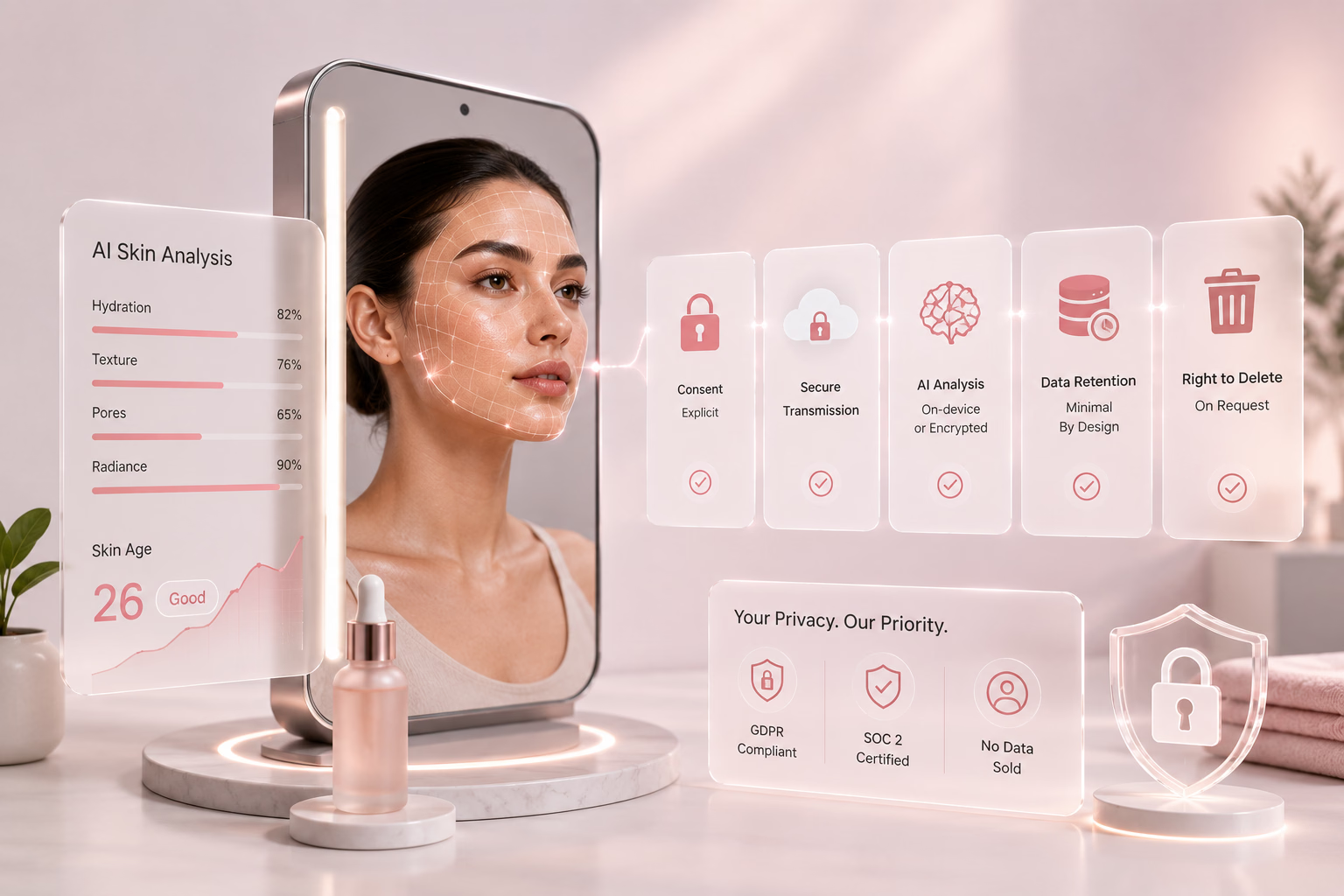
Also, check whether the app saves your scans securely. If you're not comfortable uploading selfies to a server, go for something that stores your history locally. And avoid apps that start throwing five-step routines at you without understanding your concerns. The better ones usually ask a few questions, like your skin goals or sensitivities, before showing you any products. That extra bit of effort makes a big difference.

Conclusion
AI skin analyzers have completely changed the way we approach skincare. What used to be something you'd need a dermatologist or facialist for can now be done with your iPhone in your own room, with no appointments and no pressure. Whether you're tracking breakouts, checking for early signs of aging, or just trying to understand your skin better, these apps actually make it easier to take care of yourself.
The key is finding the one that fits how you like to do things. Some people want something quick and simple. Others want all the data, the charts, and the comparisons. And now that big names like L’Oréal, Lancôme, and Neutrogena are using AI in their own tools, it’s pretty clear this tech isn’t just a passing trend; it’s becoming part of everyday skincare. If you haven’t tried one yet, it’s definitely worth a shot. You might be surprised by how much your skin can tell you.