Eyeliner-Filter virtuell anprobieren


Virtuelles Anprobiererlebnis

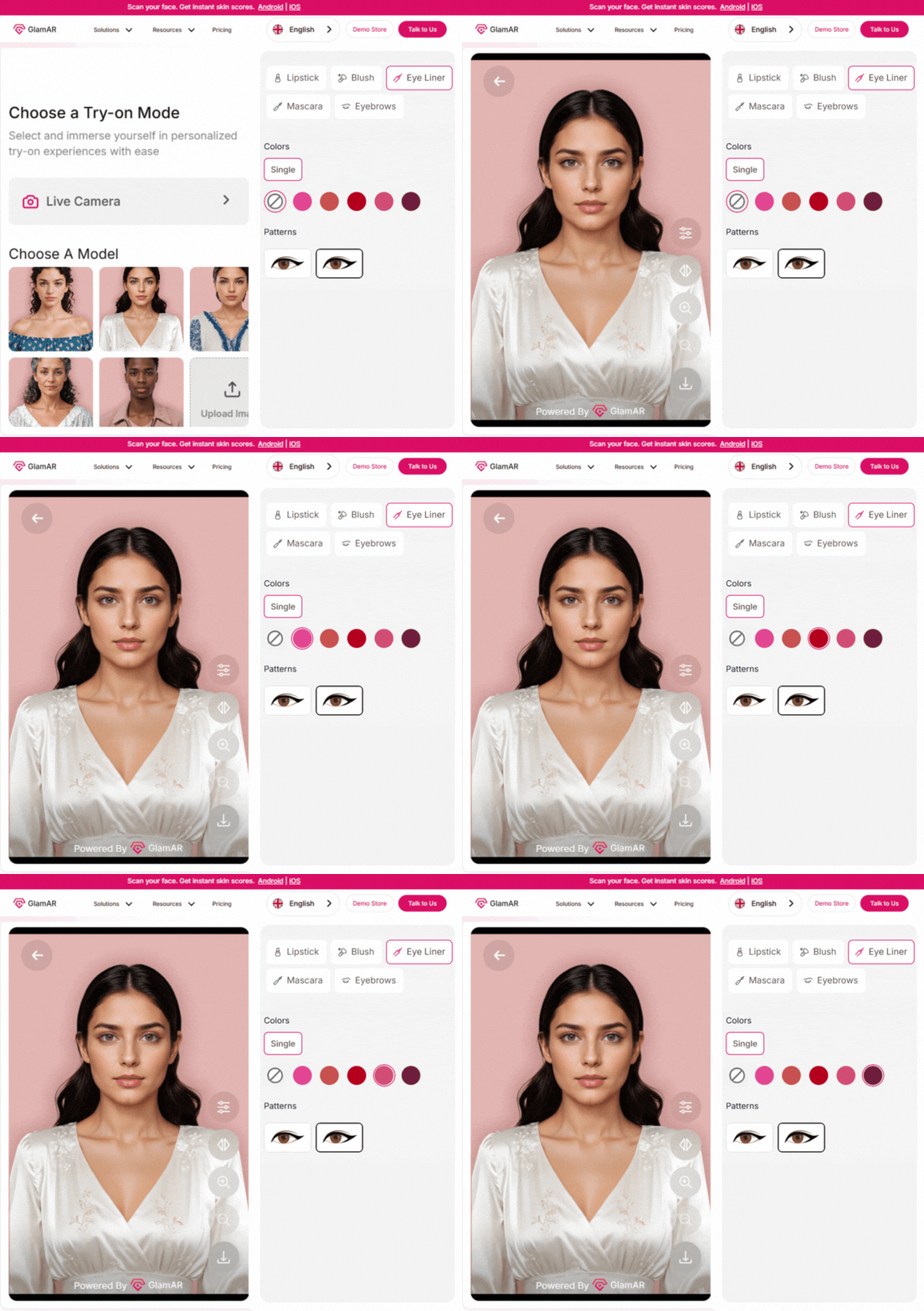
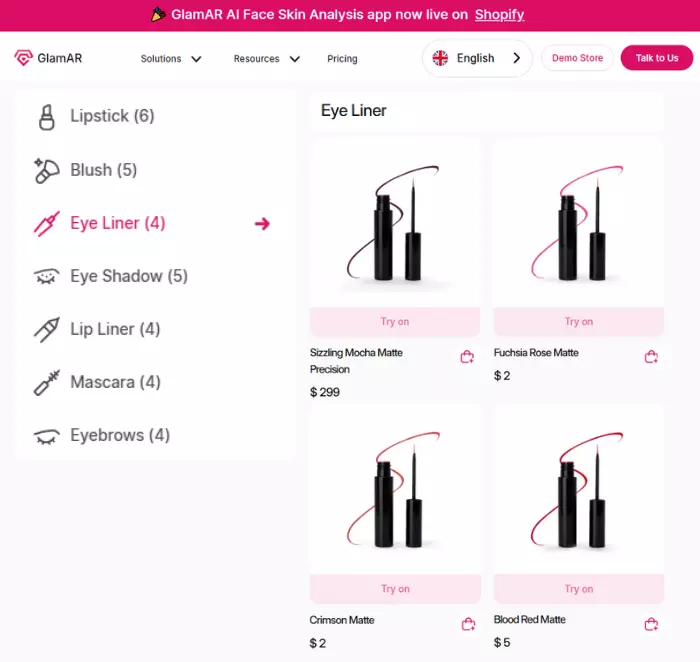
Integrieren Sie mehrere Eyeliner-Stile
Kundenspezifischer Eyeliner-Filter

Frequently asked questions
Das virtuelle Anprobieren des Eyeliner-Filters ist ein digitales Tool, mit dem Benutzer verschiedene Eyeliner-Stile auf ihren Gesichtern anprobieren können. Das Tool verwendet Augmented Reality, damit Benutzer in Echtzeit über ihr Telefon oder ihre Computerkamera sehen können, wie verschiedene Eyeliner-Farben oder -stile auf ihren Gesichtern aussehen. Es scannt und erkennt die Gesichtszüge des Benutzers. Zeichnen Sie dann einen geeigneten digitalen Eyeliner, der über seine Smart-Geräte in Echtzeit auf dem Gesicht des Benutzers erscheint. Make-up-Marken können dieses Tool für eine effektive Kundeninteraktion und Kundenzufriedenheit nutzen.
Mit dem virtuellen Anprobieren des Eyeliner-Filters kann Ihr Benutzer die Eyeliner-Farben oder -Styles per Smartphone oder Computerkamera anprobieren. Nachdem das Gesicht des Benutzers erkannt wurde, wird der Eyeliner-Filterstil in Echtzeit angebracht. Es kann der Gesichtsbewegung oder dem Gesichtswinkel folgen. Einige dieser Tools sind mit einem benutzerfreundlichen Navigationssystem ausgestattet (je nach Anbieter), das den Benutzern eine bessere Erfahrung ermöglicht. Die Kameraqualität des Benutzers kann jedoch die Klarheit beim Anprobieren beeinflussen.
Ja. Sie können Ihren Eyeliner explizit virtuell anprobieren oder eine SDK-Integrationsoption verwenden, mit der Benutzer den Eyeliner-Filter während der virtuellen Anprobe an ihre bevorzugte Form anpassen können. Mit dem Tool können Benutzer die Dicke des Eyeliners erhöhen oder verringern und Deckkraft, Farben, Länge oder Winkel anpassen, je nachdem, ob Sie eine solche Option im Tool eingerichtet haben. Dies stellt sicher, dass die Kunden ihre Präferenz erhalten und fundierte Kaufentscheidungen treffen.
Virtuelle Eyeliner-Anprobefilter verwenden die Augmented-Reality-Technologie, die fortschrittliche Gesichtsverfolgung und Anprobeerfahrungen in Echtzeit bietet. Benutzer können Änderungen sehen, wenn sie den Eyeliner-Stil auswählen oder anpassen. Das Tool ist so konzipiert, dass es die Gesichtsbewegungen des Benutzers genau verfolgt und so eine realistische Platzierung ermöglicht. Die Kameraqualität und der Prozessor des Smartphones können jedoch die Klarheit des Erlebnisses beeinflussen.
Durch das virtuelle Anprobieren des Eyeliner-Filters können Benutzer je nach Implementierungsprozess ihr virtuelles Aussehen speichern oder teilen. Dies hilft Kunden, sie in sozialen Netzwerken zu teilen oder zu speichern, um Vergleiche zwischen verschiedenen Anprobeerfahrungen anzustellen. Make-up-Marken können auch aggregierte Analysen wie beliebte Farben und Stile verwenden, um fundierte Produkt- und Merchandising-Entscheidungen zu treffen.
Mit dem virtuellen Anprobieren des Eyeliner-Filters können Benutzer eine fundierte Entscheidung treffen. Nach dem Anprobieren können Benutzer in Echtzeit sehen, welcher der Eyeliner-Stile, Farben oder Produkte auf ihnen besser aussieht. Dies hilft Kunden bei der Präzision beim Kauf und bei der Auswahl ihrer Präferenzen. Das Tool kann auch bestimmte Markenprodukte empfehlen, die verwendet werden können.
Die meisten virtuellen Anprobieren von Eyeliner-Filtern können mit modernen Computern und Smartphones verwendet werden. Die Kamera und der Systemprozessor des Geräts des Benutzers können jedoch die Klarheit und Geschmeidigkeit des Erlebnisses beeinflussen. Von Benutzern wird erwartet, dass sie Smartphones oder Computer mit guten Kameras und guten Systemprozessoren verwenden, um eine hohe Leistung und Tracking-Genauigkeit zu gewährleisten.
Je nach Anbieter und Konfiguration verarbeitet das Tool Bilder möglicherweise lokal oder sendet sie an Server. Ob Bilder oder Gesichtsdaten gespeichert werden sollen oder nicht, hängt absolut von den Datenschutzbestimmungen Ihres Tools und Ihrer eigenen Implementierung ab. Sie müssen Anbieter und Konfigurationen auswählen, die Ihren Richtlinien und den geltenden Gesetzen entsprechen. Denn in den meisten Fällen können Sie nicht auf magische Weise kontrollieren, was ein Drittanbieter-SDK speichert, wenn Sie sich für einen geschlossenen SDK-Integrationsprozess entscheiden. Daher können Sie möglicherweise nicht ändern, wie das Backend Daten speichert oder aufbewahrt. Wenn Sie den Prozess jedoch selbst hosten, können Sie das Tool möglicherweise so ändern, dass Bilder oder Daten nach jedem Anprobieren gelöscht werden.
Nicht wirklich. Das virtuelle Anprobationstool für den Eyeliner-Filter kann jedoch mehrere Gesichter erkennen, sofern der Kamerawinkel die Gesichter genau erfasst. Filter mit mehreren Gesichtern können mehrere Gesichter verarbeiten, während einige speziell entwickelte Tools aufgrund ihres Filterfokus, der meistens nur ein einzelnes Gesicht erfasst, am besten mit jeweils einem Bild verwendet werden. Mehrere Bewegungen von Gesichtern können jedoch zu einer Fehlausrichtung des Gesichts führen, was das Spielerlebnis verzerren kann.
Entdecken Sie, wie AR, VR und 3D das Umsatzwachstum im Jahr 2026 vorantreiben können
Vereinbaren Sie einen Anruf mit unserem Team

.avif)