8 Best Virtual Nose Ring Try-On SDKs for Jewelry Brands in 2026


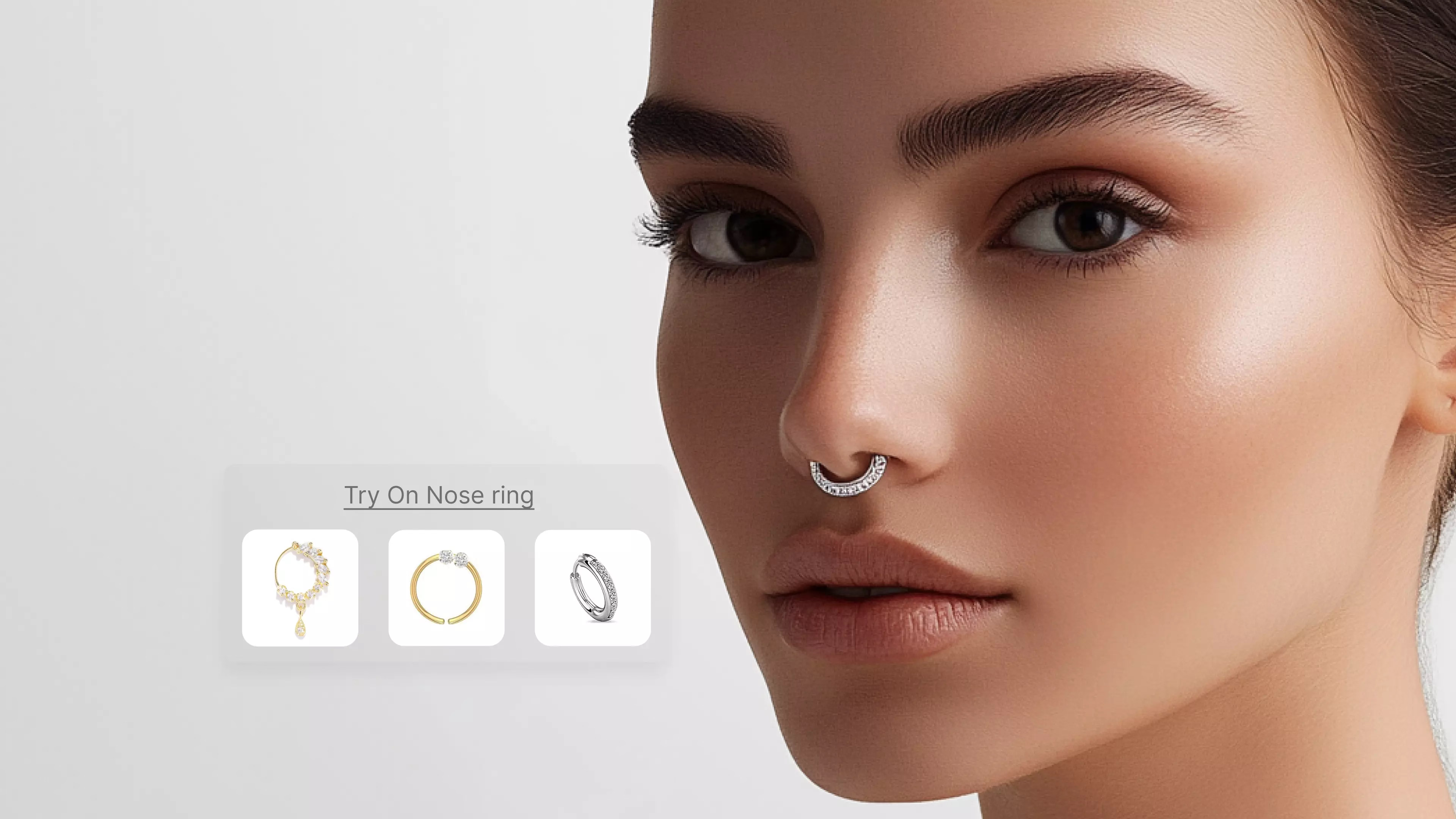
Shopping for a new nose ring no longer means imagining how it might look. Virtual try-on tools now let you see the possibilities instantly, right from your device. These tools use advanced computer vision and augmented reality to let shoppers see how a nose ring would look on their face, all in real time. Shopping for jewelry online has changed a lot in recent years. More people now expect to see how a piece will actually look before they buy it.
With virtual try-on platforms, customers can quickly see how different nose ring styles suit their face without having to leave home. This helps shoppers feel more sure about their choices and makes it easier to try out new looks in a fun, low-pressure way
In recent years, this category has rapidly evolved thanks to improvements in artificial intelligence and smartphone camera quality. Leading jewelry brands and independent retailers now depend on jewelry try-on SDKs (Software Development Kits) to embed these experiences into their websites and mobile apps. As a result, users can make more informed decisions, while businesses see reduced returns and higher customer engagement.
What are virtual nose ring try-on SDKs?
These SDKs provide a modern solution for retailers looking to enhance online sales with interactive features. The main advantage of these SDKs is their ability to offer accurate placement and realistic visuals that adapt as the user moves. They also reduce returns by helping shoppers choose the right style the first time. These tools make online jewelry shopping interactive, giving a near in-person experience through advanced technology.
With virtual try-on technology, the digital shopping experience becomes more immersive and fun. Seeing how a nose ring lines up with their features while they move or smile makes it much easier for people to pick something they’ll actually love. It’s a practical way for customers to feel more sure about their choices before making any purchasing decisions.


What makes a nose ring try-on SDK stand out?
Not every virtual nose ring try-on tool is the same, and some make a much better first impression than others. Imagine someone landing on a website, curious about how a nose ring might suit them. What keeps them interested are the subtle things, like whether the jewelry stays in place as they move or whether it awkwardly floats across the screen. The most impressive SDKs handle these details smoothly. The digital nose ring fits just right, whether the user is facing forward or turning their head.
Flexibility is another mark of a strong SDK. Retailers often want their customers to see not just one or two options but to scroll through dozens of styles and metals, switching between them easily. Good software supports this without slowing down or causing glitches. If a shopper wants to try something bold, like a large septum piece, or something subtle, like a tiny stud, the experience should feel seamless every time.
There’s also the matter of reach. People don’t just shop on one kind of device anymore. Some are on older phones, others use tablets, and quite a few are browsing late at night on laptops. A reliable SDK adapts to all of these, not requiring users to jump through technical hoops just to see how a nose ring looks on their face.
A few extra features can also set an SDK apart. Brands appreciate the ability to upload their own jewelry designs easily. Quick-sharing options mean that customers can send their virtual looks to friends, turning the shopping process into something social, even if everyone’s on their own sofa. And for companies, having clear data about which styles get tried on the most is a simple but powerful advantage.
But perhaps most important of all is how these tools treat privacy. Users need to feel safe when it comes to their personal data. The reliable SDKs do not store any personal data and make privacy a priority
Best virtual nose ring try-on SDKs
1. Artifutech

Artifutech gives jewelry retailers a way to bridge the gap between in-store and online shopping, especially for customers who want to “try on” nose rings before buying. The platform is built with both flexibility and realism in mind, providing an experience that closely mirrors trying on actual jewelry. For brands, it makes it easy to display new designs and let shoppers see every detail as if they were holding the item in their hands.
What really makes Artifutech stand out is its accurate facial mapping, which easily adapts to all kinds of face shapes and lighting situations. This gives users a true-to-life look at how each nose ring will actually appear on their own face, no matter where or when they're browsing. On the business side, retailers have an easy time adding Artifutech to their site or app, and responsive support means their workflow isn’t disrupted during setup or afterwards.
No matter if someone is scrolling through nose ring options late at night on their phone or exploring styles from their computer during a break at work, Artifutech keeps the experience consistently smooth. The platform invites shoppers to play around with different looks at their own pace, adding a bit of fun to the process.
Features:
- Moves with you in real time: The nose ring shifts right along with your head, creating the feeling that you’re actually wearing it.
- Easy to add to your site or app: Bringing Artifutech’s tool into your store or website is a no-fuss setup, and their team provides 24/7 support in case needed.
- Consistency: Whether people are shopping on a phone, laptop, or tablet, and no matter the lighting, the nose ring try-on remains clear and true to life.
- Easily swap and add new styles: Store owners can update their collection whenever they want, so customers always see the latest designs.
- Personalized: You can easily personalize their own nose ring designs or new collections, so shoppers always see a selection that matters.
2. TryNDBuy
TryNDBuy is designed for people who want to see how a nose ring, among other jewelry, clothing, makeup, etc., products, might look on them before making a purchase, all from the comfort of their phone or computer. The experience feels straightforward and friendly: after a few quick steps, shoppers can flip through different nose ring designs, watch as each style appears right on their face, and swap looks without any hassle.
For store owners, getting started with TryNDBuy doesn’t require much technical work. The support team guides retailers through setup. No matter where or when someone decides to browse, late at night on their phone or during a lunch break on their laptop, TryNDBuy keeps the virtual try-on smooth and reliable. It’s built to work in all sorts of lighting and on any common device, so the jewelry always looks its best and feels as close to real as possible.
Features:
- Designed for mobile and desktop: It feels just as natural on a phone as it does on a computer, making it easy for anyone to use wherever they’re shopping.
- Keeps the ring steady: The jewelry aligns with your nose and stays right where it is supposed to be even if you move.
- Privacy is a priority here: Your personal info and photos aren’t stored, so you can use the tool without worrying about your data.
- Allows you to update product offerings: Brands can change up their selection, introduce new designs, or highlight seasonal styles whenever they like.
- Works well in any conditions: No matter the device or lighting, the try-on experience looks sharp and stays consistent.
3. YouCam Makeup by Perfect Corp
YouCam Makeup is made for anyone who's ever been curious about how a nose ring might suit them, without the pain or the commitment of actually getting pierced. The whole process is friendly and no-fuss: you can either switch on your camera for a live preview or upload a photo and try out all sorts of nose ring designs in seconds. There’s no steep learning curve, and you don’t have to download anything complicated.
The technology behind it is sharp, using AR to map out your face and position the virtual nose ring so it looks like you’re actually wearing it. If there’s a certain look you have in mind, you can type in your description and get an instant mockup of that style. And when you land on a look you like, saving it or sending it to friends is just a tap away, making the experience feel as close to in-store shopping as you can get online.
Brands and businesses can add YouCam Makeup’s virtual try-on to their own online shops or apps. It works just as well on phones as it does on computers, giving everyone a smooth experience regardless of where or how they’re browsing. The selection of nose ring styles is broad, and the platform is built to be straightforward for both everyday shoppers and the brands that want to reach them.
Features:
- See it live or in a photo: Try a nose ring instantly with your camera, or pick a photo you already have to see how a style looks on your face.
- Jewelry lines up with your face: The ring is placed just right, matching your nose’s shape and angle for a natural effect.
- Plenty of looks to explore: Scroll through a collection of nose rings like studs, hoops, septum rings, etc. to find styles you want to try out.
- Try custom styles with a quick description: Want something unique? Type in what you’re looking for, and get a virtual preview of that exact style.
- Save and share in a tap: Like the way something looks? Download the image or send it to friends if you’d like another opinion before deciding.
- Works anywhere you shop: The try-on is just as fast and smooth whether you’re using your phone, tablet, or computer.
- No pressure to commit: Play around with as many designs as you like, with no need for a real piercing or any appointments.
4. Fotor
Fotor makes it easy for anyone to picture themselves with a new nose ring, without stepping foot in a shop or booking a piercing. The tool is straightforward: all you need to do is upload a selfie or choose one of the recommended photos and then try on various nose ring looks right away.
The nose ring filter isn’t just a simple sticker; it automatically adjusts to your face, so the jewelry lands where it should and follows the shape of your nose. Fotor gives you control over size and placement, so every virtual try-on looks natural. Whether you’re considering a delicate stud or a bold hoop, you get a sense of how each style fits your features.
People often use Fotor both for fun “what if” moments and for getting a real idea of how a certain nose ring would look before committing. It’s also popular with anyone wanting to share their look with friends or social followers, since saving and posting edited photos is built right in.
Features:
- Upload a selfie: Instantly see how a nose ring fits your face with no app download or account required.
- Always lines up with your face: The nose ring filter stays stable, so the jewelry looks like it truly belongs there.
- Mix and match until you find your style: You can flip through different nose ring sizes and shapes, tinkering with each one until something clicks and actually feels “you.”
- Fine-tune your photo easily: Brighten things up, smooth out shadows, or play with effects right in the editor, giving your try-on a polished or personal touch before saving.
- Social media: Show off your look by sending your photo to friends or posting straight to social media.
5. OpenArt
OpenArt allows people to see how a nose ring or other facial jewelry will look without stepping into a piercing studio with its nose piercing filter. You don’t have to download anything or set up an account; just open the platform, let your photos do the work, and start checking out different nose ring styles on your own face. The whole process is straightforward, making it simple for newcomers and regular online shoppers alike.
One of the standout features of OpenArt is its attention to detail. The digital nose ring responds to your facial features, matching angles and lighting to keep the effect as true-to-life as possible.
OpenArt appeals to people looking for a low-pressure way to “try on” jewelry before making a choice, and is also trusted by businesses worldwide. Sharing is built in, so if you need advice from friends, showing off different looks only takes a moment.
Features:
- Try on nose rings with photo uploads: Upload a selfie or any portrait to see how different nose ring styles look on your face.
- Smart, natural placement: The platform adapts the jewelry to fit your nose in the photo, aligning the ring realistically to your features.
- Browse a range of designs: Switch between various styles, from subtle studs to statement pieces, to see which works best.
- Social media sharing: Download your edited photo or share it with friends for quick feedback.
- Easy process: Everything works directly from your computer or phone browser, with no installations required.
6. Snapchat
Snapchat lets you see how different nose rings would look on you in seconds, all by using their fun AR lens filters with no actual piercing needed. Users simply find the nose piercing lens, upload a selfie or take a new photo, and the filter adds a virtual nose ring that matches the features of their face. It’s straightforward for beginners, yet engaging enough for those who want to see several styles in seconds.
Brands and creators can use Snapchat’s Lens Studio to design custom nose ring filters, letting jewelry shops show off their own collections in an interactive way. Shoppers get to try on signature styles, share looks, and get feedback from friends right inside the app.
Snapchat’s lenses handle different lighting and skin tones well, so the virtual nose rings look natural and give a better idea of how they will look in real life. With millions of regular Snapchat users, this tool often reaches a wide community.
Features:
- See a nose ring on in seconds: You can just open a lens, and you’ll see the digital nose ring pop onto your selfie or live camera.
- The ring settles in naturally: Once you use the filter, the nose ring lands right where it should, shaped to fit your nose in the photo so it feels like it truly belongs there.
- Browse all kinds of styles: Whether you're in the mood for something understated like a simple stud or want to make a statement with a bold hoop, you can scroll through tons of different looks until you find the one that suits you.
- Shops can design their own lenses: Jewelry brands can build custom nose ring filters in Lens Studio, so you get to see how their actual pieces would look on you before you buy.
- Share your style: You can snap a pic or video with your favorite look and send it straight to friends or add it to your story.
- Works smoothly everywhere: Whether you’re on iPhone or Android, Snapchat’s try-on consistently looks good and keeps up, no matter the device or lighting.
7. LightX
LightX gives people an easy way to imagine how a nose ring would look with no piercing needed and no complicated setup required. Whether you’re at home or on the go, you just upload a selfie and start experimenting with different nose ring options right on your photo. There’s no live video or AR, but the tools are clear and direct, making it simple to see what you like before making any decisions.
The editor makes it easy to fine-tune your look. You can quickly move, resize, or rotate the nose ring to get the placement just right for your face. With a wide selection of ring styles and extras like stickers, backgrounds, and filters, the experience is flexible: people use it for everything from planning out a real piercing to making playful photo edits for social media.
LightX works in your web browser and has mobile app versions, so you aren’t tied to any one device. You have both free and paid options available depending upon the level of editing tools and features you would require.
Features:
- Try-on with photo uploads: Upload your selfie and place a nose ring directly onto your face for a quick, realistic preview.
- Adjust for a perfect fit: Easily move, scale, or rotate the ring so it lines up exactly how and where you want.
- Range of nose ring styles: Browse plenty of designs in the editor and switch between different types until you find your favorite.
- Extra editing choices: Use built-in tools to add effects, touch up your image, or play with backgrounds for a custom look.
- Works in browser and as an app: Edit your photo from a computer or mobile device.
- Free and paid options available: Most try-on features are free to use, with more in-depth tools available for paid users.
8. YouCam Online Editor
YouCam Online Editor offers an easy and fast way to see what a nose ring would look like in the most realistic way possible. There’s no need for an app download or a complicated sign-up; you just upload a photo and start trying on virtual jewelry. The interface is uncomplicated, making it easy for anyone, whether you’re testing out a style for the first time or searching for your next piercing inspiration.
Placing the nose ring is just a matter of a few clicks. The tool allows you to adjust the jewelry for a good fit, shift it around on your image, and tweak the size until it matches your features. You get to see exactly how each nose ring will look on your own nose, so you can decide what feels right for you.
Since YouCam Online Editor works right in your web browser, it doesn’t matter if you’re on a laptop in your living room or sneaking a quick look during lunch on your phone. You get plenty of style options and can save or share your final look as soon as you’re happy with the results.
Features:
- Quick photo try-on: Just upload a selfie, pick your favorite nose ring, and place it right where you want with no tricky steps involved.
- Easy fit adjustments: Drag, resize, or spin the ring until it looks just right for your face and style.
- Browse by look: Try out everything from tiny studs to bold hoops, switching up the design as many times as you like.
- Simple photo editing tools: Brighten your picture, touch up little details, or add your own creative tweaks directly within the editor.
- Save and share with a click: Download your finished look or send it to friends if you want a second opinion or just feel like showing off.
- Works anywhere, any device: Hop on from your laptop, tablet, or phone with no app download or extra setup needed.

Evaluation Process and Criteria
While working through these nose ring try-on SDKs, I wanted to see which ones actually delivered on their promises, so every platform you see reviewed here was put through its paces as a real user would. My evaluation always started with a simple question: does this tool feel convincing and easy to use, or is it just another flashy demo that falls apart with real faces and lighting?
The very first thing that stood out to me was accuracy. If it settled in with the shape and angle of my nose without floating or looking stuck on, it gave the whole experience a much more realistic feel. Tools that managed to blend the jewelry into my features smoothly, even as the lighting changed a bit, always seemed more convincing and made me trust what I was seeing.
I was also quick to judge how smooth and straightforward the entire process felt. Some SDKs made it effortless to upload a selfie, swap between different nose ring styles, and adjust the fit so it worked for me. But whenever I had to fight through awkward menus or struggled to get the jewelry placed just right, I found it frustrating and imagined most shoppers would feel the same way. The whole experience works best when it’s intuitive, quick, and doesn’t get in your way.
Platform compatibility was very important. I kept switching between my phone, laptop, and tablet to see if the nose ring try-on looked just as real throughout. That clarity and stability went a long way.
From the retailer’s side, I looked for platforms that didn’t demand a developer on standby just to get up and running. I went through integration steps and checked if uploading new jewelry styles (or swapping them out) was something you could do without digging through dense documentation.
Little extras made a real difference, too. If the SDK let me save a favorite style, share my look with a friend, or adjust photo details, it genuinely felt like the developer considered the real user journey. Finally, I gave each tool a shot under less-than-perfect conditions like dim lights, mediocre cameras, and average WiFi speeds since that’s how most people shop at home. If the try-on still felt lifelike and easy despite all of these conditions, it left a lasting impression.
Benefits and limitations of virtual nose ring try-on SDKs
Benefits
Virtual nose ring try-on SDKs have a real impact for brands and retailers looking to improve the way people shop for jewelry online. These tools remove much of the uncertainty from browsing, since shoppers can see how different nose rings will actually look on their own faces, making it far easier for them to find something that really works for their style. This usually translates to greater confidence at checkout, fewer change-of-mind returns, and a lot more interaction with product pages.
These SDKs also help stores keep things current. Rolling out new collections or highlighting special pieces can be done quickly, which keeps the digital storefront fresh and encourages people to come back for another look. Customers tend to stick around longer, exploring options and even sharing their favorite looks with friends, which boosts engagement.
Most platforms come with analytic insights. It's easy to spot which nose ring styles grab attention and where people lose interest or stop experimenting. With that kind of feedback, it becomes much simpler to focus on the designs that matter most for new launches or to tweak the shopping experience so it better matches what people are actually looking for. And when a brand offers this kind of modern try-on, it sends a clear signal: the business gets what today’s shoppers want and doesn’t mind standing out with something interactive and forward-thinking.
Limitations
There are a few real-world obstacles that come with offering virtual nose ring try-on tools online, especially on the business side. One thing that often comes up is the heavy dependence on customer-uploaded photos. If someone uses a picture that’s poorly lit or not very clear, the digital nose ring might sit oddly or look flat. This means some shoppers might walk away unsure, since the preview doesn’t always match what they’d see in good conditions.
There’s also the challenge of accurately mapping every face. Unique features or certain angles can throw off the placement, so the jewelry sometimes looks great on one person but not quite right on another. That’s something even the best technology in this space is still working to improve.
For businesses, the setup itself isn’t always as quick as software companies promise. Integrating these SDKs, particularly the versions with deeper analytics or advanced custom branding, means getting technical help, working through documentation, and occasionally updating other parts of the website or app to keep everything running smoothly. It’s not plug-and-play if you want a polished, branded experience.
Cost is another reality. Many of the most useful features end up being a part of paid plans, which puts pressure on budgets, especially for smaller retailers or newer brands. And at the end of the day, there’s only so much a screen can do. So, no doubt a virtual try-on can spark interest, but there will always be customers who want to see, feel, and try the jewelry in person before they’re truly convinced.
Conclusion
After spending real time on these nose ring try-on SDKs, I can see how much they change the online shopping experience for both customers and brands. Being able to preview jewelry on my own face, without any commitment, removed a lot of the hesitation I usually feel with buying something as personal as a nose ring online. Exploring different styles felt easy and even a little fun, and it’s clear this kind of tool helps people make choices they’re much more confident about.
Of course, there are certain drawbacks. The tech sometimes struggled with tricky angles or low-quality photos, and I did run into a few hiccups getting things set up. There’s also no replacing the feeling of holding real jewelry in your hand. But overall, the benefits truly stand out. These SDKs make the whole experience feel more personal and less like a guessing game which, in my opinion, is exactly what both shoppers and brands need as online jewelry shopping continues to evolve.