The Ultimate Guide to 3D for Businesses


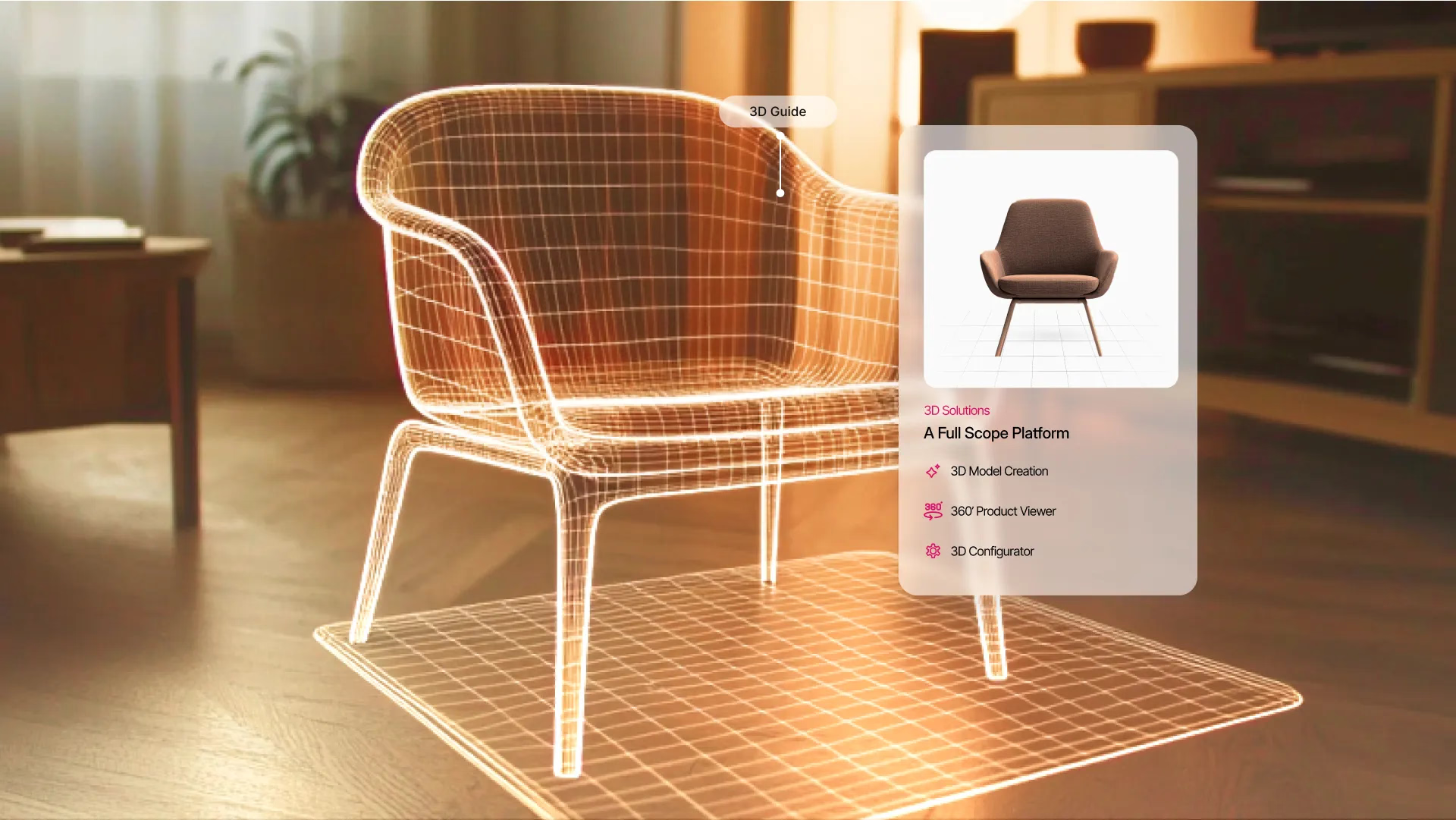
Incorporating 3D technology into your business strategy can transform customer engagement, boost sales, and provide immersive experiences that set your brand apart. This guide explores the essentials of implementing 3D technology, covering tools, file formats, optimization techniques, integration strategies, and more. Let’s dive into how businesses can harness the power of 3D.
Why 3D Matters for Businesses
3D technology is revolutionizing industries, from e-commerce and real estate to fashion and healthcare. Its benefits include:
- Enhanced Visualization: Customers can explore products or spaces in detail, leading to better-informed decisions.
- Increased Engagement: Interactive 3D content captivates users, encouraging longer interactions.
- Higher Conversion Rates: Seeing is believing; realistic 3D models instill confidence and drive purchases.
- Reduced Returns: Accurate 3D representations reduce the gap between expectations and reality, minimizing return rates.
- Improved Branding: Companies that adopt 3D technology position themselves as innovative leaders in their industries.
Choosing the Right 3D Modeling Tools
The foundation of any 3D strategy lies in choosing the right software. Popular options include:
Blender: A free, open-source tool ideal for startups and businesses seeking a cost-effective solution. It supports modeling, animation, and rendering, making it versatile for various industries.
Autodesk Maya: Perfect for high-end animations and immersive environments. Often used in film, gaming, and complex product visualizations.
Autodesk 3ds Max: Suitable for architectural visualization and detailed modeling work. Its extensive library of plugins enhances functionality.
Rhino: Known for precise, NURBS-based geometry, making it great for intricate designs like jewelry, automotive parts, and industrial applications.
CLO 3D: Tailored for the fashion industry, enabling realistic garment simulation for virtual try-ons. It helps reduce production time and costs by visualizing designs before manufacturing.
When selecting tools, consider your industry, budget, and team’s expertise. Also, assess whether you need cloud-based solutions for collaborative work or local software for advanced rendering capabilities.
Understanding 3D File Formats
Choosing the right file format ensures compatibility and performance. Here’s an in-depth look at the most common formats:
- OBJ: Ideal for static models, it’s widely supported across platforms and retains texture information, making it perfect for non-animated objects.
- FBX: Developed by Autodesk, this format supports animations, lighting, and textures. It’s a go-to choice for creating interactive content.
- GLTF/GLB: Lightweight and optimized for web use, GLTF (GL Transmission Format) is often called the “JPEG of 3D.” It’s efficient for delivering high-quality 3D content with minimal load times.
- USDZ: Apple’s proprietary format for AR applications. It’s particularly useful for showcasing products on iOS devices.
- STL: Popular in 3D printing and prototyping, STL is a simple format that describes the surface geometry of a 3D object without color or texture.
Pro Tip: Use converters or plugins if your preferred format isn’t supported by a platform. For example, tools like Blender support exporting in multiple formats, ensuring flexibility.
Optimizing 3D Models for Performance
Efficient 3D models ensure smooth performance and quick loading times. Optimization is particularly critical for web and mobile platforms. Here’s how to achieve it:
- Reduce Polygon Count: Simplify models by reducing the number of polygons. Tools like Decimation Master (ZBrush) or the built-in decimation modifier in Blender can help.
- Compress Textures: Large textures can slow down rendering. Use tools like Adobe Photoshop or online compressors to optimize image files without losing quality.
- Implement Level of Detail (LOD): Create multiple versions of your model with varying levels of detail. Lower-detail models load for distant views, while high-detail versions appear for close-ups.
- Bake Textures: Combine multiple texture maps into a single map to reduce rendering complexity.
- Use Real-Time Rendering Engines: Platforms like Unity or Unreal Engine provide real-time rendering capabilities, ensuring smooth interaction and high-quality visuals.
Integrating 3D into Your Business
To effectively use 3D in your business strategy, follow these steps:
- Choose a 3D Viewer: Platforms like Sketchfab, Vectary, or custom-built viewers can display interactive 3D content seamlessly.
- Ensure Cross-Platform Compatibility: Test your models on various devices and browsers to ensure consistent performance.
- Embed Seamlessly: Use WebGL, APIs, or iframes to integrate 3D models into your website or app. Tools like Three.js simplify WebGL development.
- Provide AR/VR Support: Enhance user experience by enabling augmented or virtual reality interactions. Platforms like Apple’s ARKit or Google’s ARCore can help.
- Monitor and Optimize: Regularly assess performance metrics like load times, interaction rates, and conversions. Use analytics tools to identify areas for improvement.
Industries Leveraging 3D
E-commerce
Interactive 3D models allow customers to view products from all angles, try them virtually, and customize options. This technology significantly enhances user experience and drives sales.
Real Estate
Virtual walkthroughs enable clients to explore properties remotely, offering a realistic sense of space and layout. This saves time and resources for both buyers and sellers.
Fashion
Virtual try-ons and 3D garment simulations let customers visualize clothing fit and style without physically trying them on, reducing returns and increasing satisfaction.
Healthcare
3D imaging aids in diagnosis, treatment planning, and education. Surgeons use 3D models to practice complex procedures, improving patient outcomes.
Automotive
3D configurators allow customers to personalize vehicles, view them in real-time, and make confident purchasing decisions.
Manufacturing
Prototyping with 3D printing and simulations speeds up product development and testing, reducing costs and time to market.
Conclusion
3D technology is no longer a luxury; it’s a necessity for businesses aiming to stand out in today’s competitive market. By understanding the tools, formats, and optimization techniques, you can unlock the full potential of 3D for your business. Start small, experiment, and scale as you discover what works best for your audience. Embrace the future with 3D—the possibilities are endless!