How to add a 3D viewer to an eCommerce store (3 best ways)


Technology has played a crucial role in the growth of the e-commerce industry because it helps online sellers and manufacturers to provide their customers with an engaging and immersive experience. Nowadays, customers are looking for engaging online shopping that offers them a realistic experience through 3D viewers, 3D configurators, virtual try-ons, and virtual stores, building stronger relationships with customers.
By using three-dimensional models to showcase products and services, the e-commerce industry has been helping its customers to understand product details and providing them with an in-store-like experience during online shopping. The global e-commerce market is expected to reach a value of $15.1 billion by 2030, growing at a CAGR of 19.9% from 2024 to 2030 by integrating 3D models, viewers, and configurators on their website.
Therefore, using a 3D viewer for any product or service on the e-commerce platform will help the brand or company to bridge the gap between online and offline shopping experiences, helping their customers make more informed decisions. Since using a 3D viewer helps businesses in multiple ways, many users don’t know how to integrate or add the feature into their e-commerce platform.
In this blog, I will help you understand how to add the 3D viewer to your e-commerce website or app to provide your customers with an engaging and immersive online shopping experience.

What is a 3D viewer, and what are its key features?
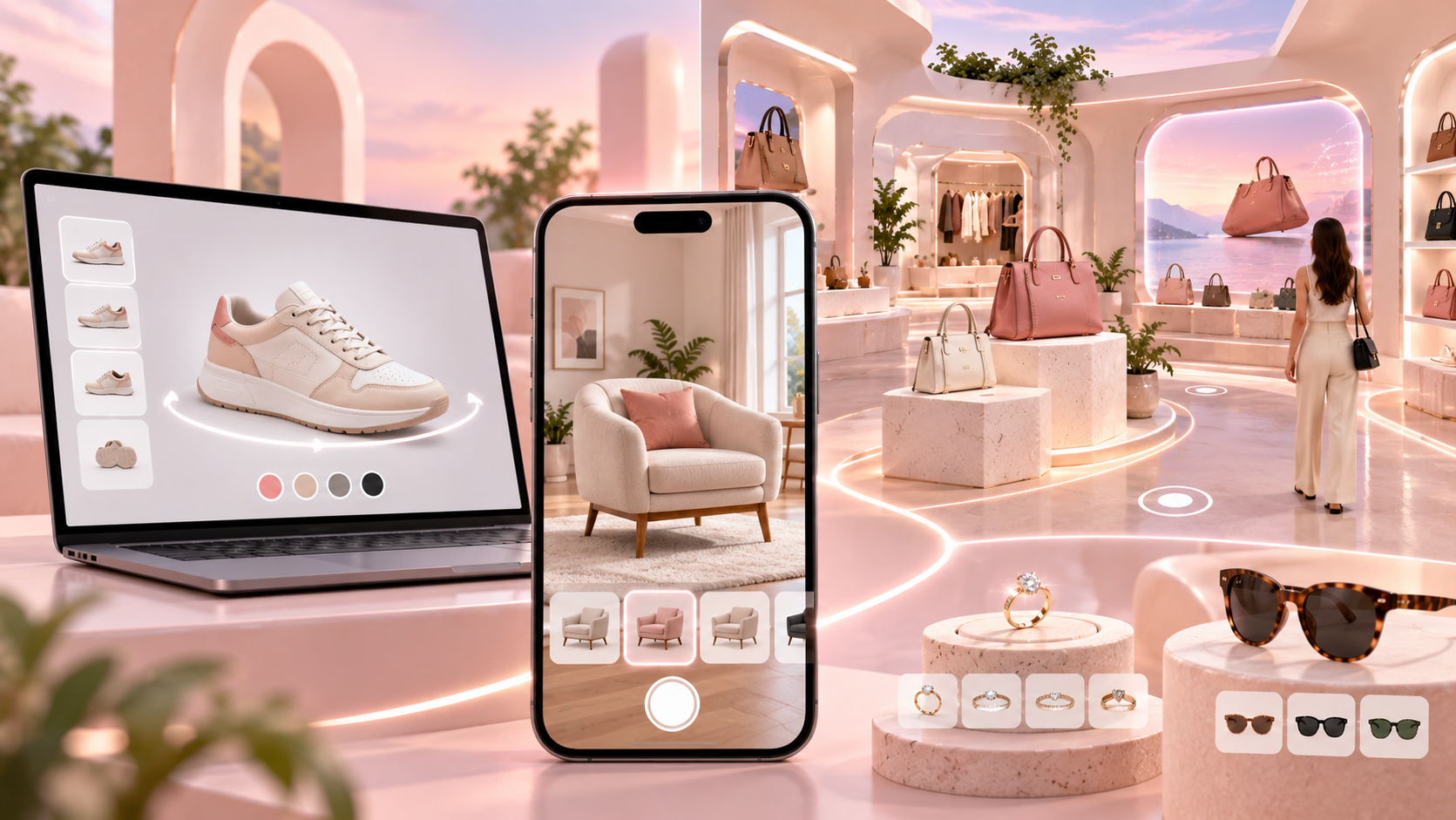
A 3D viewer is an AR-based software application that helps users to visualize and interact with the three-dimensional models of products virtually, providing them with the ability to explore products while sitting at home through the device's screen. By using these 3D viewers, brands can provide their customers with an engaging and immersive online shopping experience, which will bridge the gap between online and offline shopping realistically.
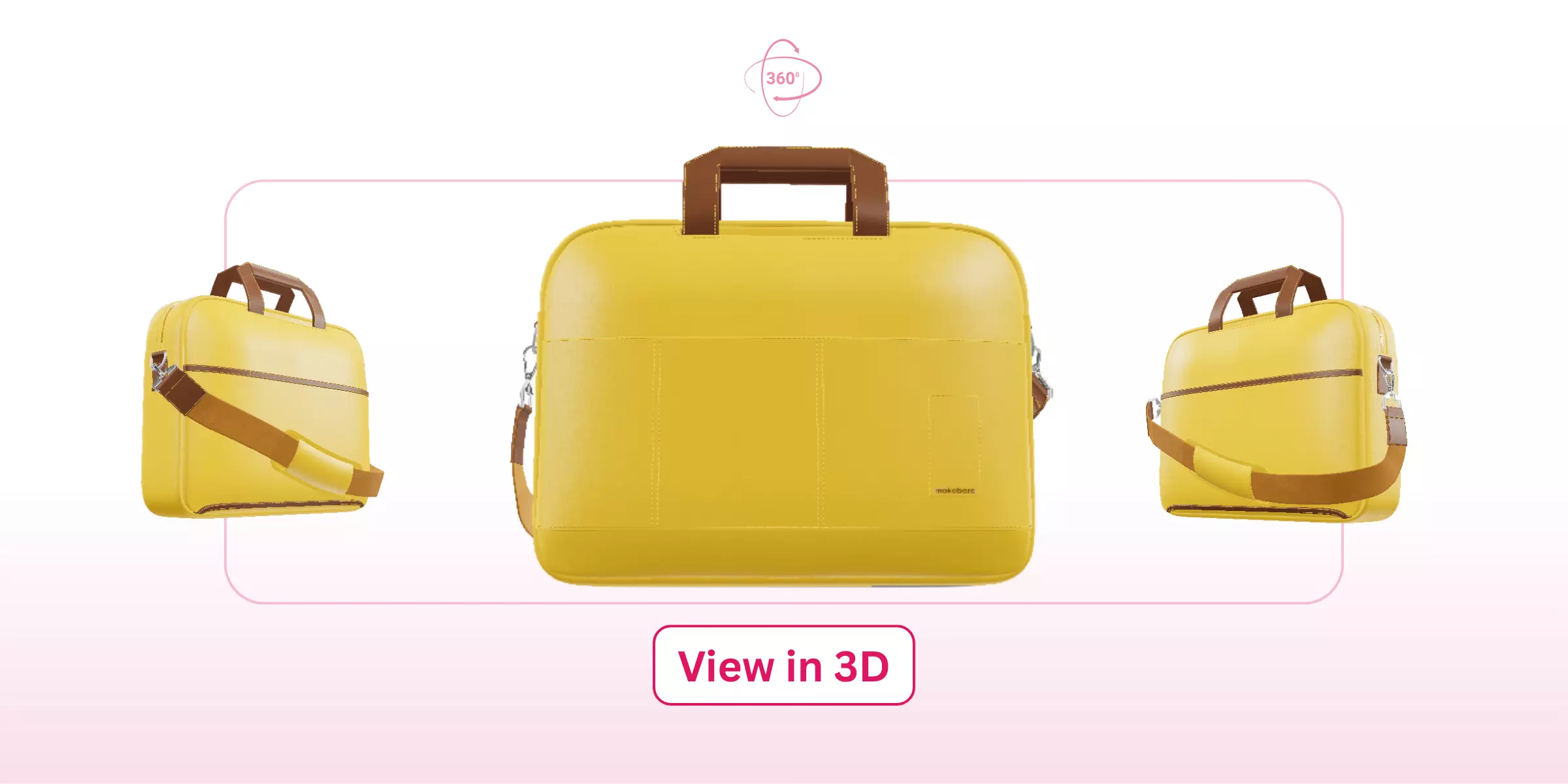
It provides them with some key features, such as rotation, zoom, and pan around objects for a detailed view, integration into websites, and tools for measurement and annotation. With the help of a 3D product viewer, brands can provide their customers with an accessible and interactive way to explore new products by using 360-degree spin and zoom features.
Key features
- Interactive features: It provides end-users with immersive and interactive features, such as zoom and rotate, enabling them to explore products from different angles and perspectives, and providing them with an in-store-like experience during online shopping.
- Accessible solution: It allows users to understand the product details more closely when compared to static 2D images, enabling them to visualize the products with the help of 3D models. It also makes online shopping easier and more accessible because customers can explore products while sitting at home without any geographical limitations.
- Integration: It provides businesses with seamless integration options, enabling them to integrate the software application by using HTML, CSS, and JavaScript, making it accessible to a wider audience without the need for any plugins.
- Configuration options: It provides users with various customization options, enabling them to customize products according to their requirements and providing them with the ability to adjust lighting to inspect the model's appearance.
Introducing GlamAR’s 3D viewer SDK for various industries

GlamAR is an AR-based solution provider for online businesses that deal in the fashion, beauty, and furniture industries, offering their customers an engaging and immersive online shopping experience. It provides brands with multiple solutions, such as 3D product viewers, 3D configurators, virtual try-ons, and virtual store creators, helping them to keep their customers engaged during online shopping by providing them with an in-store-like experience.
I tried the 3D product viewer SDK that allows online sellers and e-commerce manufacturers to provide their customers with the ability to zoom and rotate products, providing them with the ability to explore products from different angles and perspectives. By using the 3D product viewer, brands can increase their sales by 30% because it provides their customers with 360-degree previews, unlimited customization options, and realistic product visualization through AR integration.
Features
- Unlimited customization options: It provides users with the ability to customize and configure the product according to their needs and requirements, offering them a wide range of configuration options, such as colors, specifications, and materials.
- AR integration: It helps brands to increase user experience by offering their customers elevated shopping experiences by integrating augmented reality features that will enable them to visualize products in their environment, providing them with a real-time experience.
- 360-degree spin: It helps users to understand the detailing of the product by offering them a 360-degree view of products, providing them with the ability to explore products from different angles and perspectives, and offering them an in-store-like experience.
- Photorealistic renders: It provides businesses with WebGL-based rendering technology that helps them to create stunning thumbnails and marketing visuals, enabling them to attract more customers with high-quality models.


Benefits
- Increases add-to-cart rate: It helps online sellers and manufacturers to increase their add-to-cart rate by 50%, enabling them to showcase their products using 3D viewers and helping their customers to make more informed decisions with realistic experiences.
- Enhances page views: With the help of 3D viewers, brands can enhance their page views and user engagement up to 94% by offering them engaging features, such as zoom, spin, and rotate, enabling them to have a closer look at product details and features.
- Reduces return rate: It helps brands to reduce the product return rate by 60%, as it allows their customers to make more informed and confident purchases during online shopping, which depends on their needs and requirements.
3 best ways to add a 3D viewer to an eCommerce store
Using a 3D viewer helps brands in multiple ways, such as increasing business revenue and reducing product return rates, enabling them to build stronger relationships with their customers. However, adding a 3D viewer to an e-commerce platform is a time-consuming task for online sellers and retailers because there are multiple ways to integrate the 3D viewer into an online website or store.
In this section, I will tell you more about different ways to add a 3D viewer to an e-commerce store or website, enabling brands to showcase their products using an interactive three-dimensional model.
1. Using GlamAR 3D viewer SDK
By using the GlamAR 3D Viewer SDK, businesses can integrate a real-time 3D and AR product viewer directly into e-commerce websites or apps. It enables online sellers and businesses to easily integrate the 3D viewer by using modern web frameworks such as React, React Native, or Vanilla JavaScript, which will help them to provide their customers with an immersive product visualization experience.
Here is a user-friendly and technical walkthrough on how to add a 3D viewer to an e-commerce platform with the help of the GlamAR SDK using React.
1. Functional capabilities:
- It helps online sellers to create engaging 3D models by using multiple 3D model formats, such as OBJ, FBX, and GLTF, keeping their customers engaged.
- It allows online sellers to perform AR-based integration to help users visualize products in real-world environments.
- It provides customers with some engaging and real-time features, such as 360-degree rotation and zoom, allowing them to explore products from different angles.
2. Dynamic model loading:
- It uses products that can be displayed or swapped dynamically by using SKU IDs linked from GlamAR’s model library.
- It supports real-time updates within product pages.
3. Event handling: Built-in events (e.g., “loaded,” “applied,” “error”) let brands track viewer state, show preloaders, or trigger custom UI updates.
4. Domain configuration: Authorized website domains must be added via GlamAR’s Model Config → Domain Config to activate viewer rendering securely.
2. Using an e-commerce platform app or plugin
Various e-commerce platforms, including Shopify, WooCommerce, and Magento, provide brands with ready-made apps that they can use to perform 3D and AR product visualization. For example, Shopify AR supports .glb and .usdz formats that allow users to interact with 3D products via rotation, scaling, and AR placement directly in browsers.
Various e-commerce platform plugins, such as Visody by WooCommerce, help online sellers to embed 3D models by using shortcodes to provide their customers with real-world previews.
3. Using manual integration
By using the manual integration method, brands can embed a 3D viewer by using HTML, JavaScript, or custom libraries such as model-viewer or Autodesk Viewer. It also enables developers to implement custom UI/UX flexibly, optimize performance, and integrate the back end deeply.
For example, Shopify provides its users with a manual embedding method or by using web components, such as the <model-viewer> tag, for .glb or .usdz assets uploaded to the platform.
Comparison of different ways of adding a 3D viewer to an e-commerce platform
Impact of using a 3D viewer for online sellers and businesses
With the help of a 3D viewer, online sellers and businesses can provide their customers with an engaging shopping experience that will help them bridge the gap between online and offline shopping. However, a 3D viewer provides multiple benefits for businesses, such as reducing product return rates, enhancing user engagement, improving product understanding, and boosting sales.
In this section, I will tell you more about the impact of using a 3D viewer that online sellers and businesses experience, which will help them to increase their revenue and provide their customers with a better experience.
1. Increased sales and conversions
With the help of a 3D viewer, brands can see a positive and growing impact on their overall sales and conversion rates because it helps them to engage their customers by using three-dimensional models and configurators. It also helps them to provide their customers with a real-time shopping experience by using augmented reality and 3D rendering technologies, which will help the brand to increase their overall sales and conversion rates.
2. Reduced product returns
Using a 3D viewer helps online sellers and businesses to reduce the product return rate by helping their customers make more informed and confident decisions during online shopping. It also helps customers to configure products according to their requirements, helping them to reduce the uncertainty about color and size mismatch, which will also increase their satisfaction with the product.
3. Enhanced engagement and satisfaction
It helps brands to increase the user engagement rate on the e-commerce website or app by providing their customers with user-friendly features, such as spin, zoom, and rotate, enabling them to explore products in detail from different angles. It will also help the brand to increase user satisfaction and loyalty by providing them with an in-store-like shopping experience virtually, while sitting at home.
4. Improved product understanding
With the help of a 3D viewer, customers can explore products from different angles and perspectives that will allow them to examine every minor detail of the product virtually, such as texture and features. It will provide them with a better understanding of the product quality and functionality, offering them a better grasp of products with interactive three-dimensional models as compared to traditional and static 2D images.
Conclusion
A 3D viewer helps online sellers and businesses to provide their customers with an engaging and personalized online shopping experience, enabling them to explore products by using 3D models and customize them according to their needs. It also helps brands to increase their overall sales and conversion rates by building strong relationships with their customers and boosting their satisfaction rate during online shopping.
Since using a 3D viewer is beneficial for sellers and manufacturers, adding it to an e-commerce platform is still a time-consuming process, as it requires technical expertise and custom setups. Therefore, to help you understand the process of adding a 3D viewer to a website or app, I covered three different ways, including GlamAR SDK, platform app or plugin, and manual integration, which brands can use to showcase their products using 3D models.