12 Best 3D Product Viewer SDKs and Software for Ecommerce in 2026


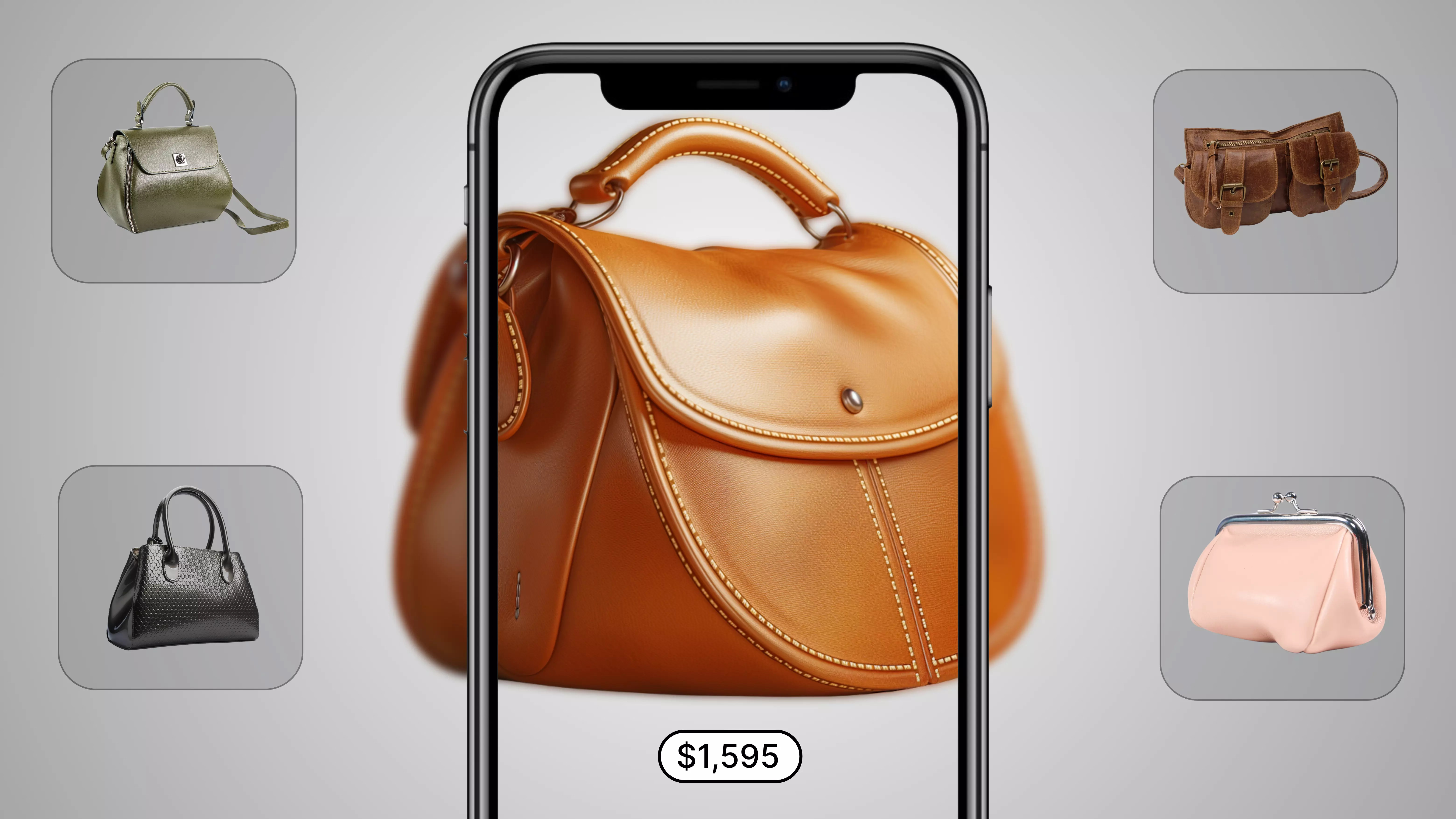
Ecommerce brands have 12 widely used 3D product viewer SDKs to evaluate for displaying an interactive, rotatable product model on a product page. Below is a comparison of each on rendering quality and file format support, integration method, platform compatibility with Shopify, WooCommerce, and headless storefronts, and pricing, since those four factors determine whether a viewer actually performs well on your own site rather than how impressive its demo reel looks.
Rebecca Minkoff's deployment with Modelry, one of the vendors compared below, documented through a Shopify Plus customer story, found that shoppers who interacted with a 3D model were 44 percent more likely to add a product to cart and 27 percent more likely to complete an order, with shoppers who used the AR view specifically 65 percent more likely to order. That's one brand's specific result, not a guarantee for every catalog, but it's a useful, well-documented reference point for what a well-implemented 3D viewer can actually move.
This guide is deliberately focused on the viewer layer itself, the software that renders and displays a 3D model to a shopper, rather than the broader category of 3D visualization services that also cover asset creation workflows and CAD tooling. If your evaluation is more about how to get 3D assets built in the first place, that's a related but distinct decision worth researching separately. The twelve providers below are specifically about what happens once a 3D model exists and needs to be displayed convincingly, quickly, and reliably on your actual storefront.
What Is a 3D Product Viewer, and How Does It Work?
A 3D product viewer is a piece of software that renders an interactive 3D model of a product directly in a browser or app, letting a shopper rotate, zoom, and sometimes reconfigure a product rather than viewing a fixed set of static photos. Technically, this depends on three things working together: a 3D asset in a web-deliverable format, a rendering engine that displays that asset smoothly in real time, and an embed method that puts the viewer on your actual product page without breaking page load performance.
The asset itself is usually the most overlooked variable when comparing viewer software. A beautifully built rendering engine still produces a poor result if it's working from an oversized, poorly optimized 3D file, and a viewer's own documentation on supported formats and recommended file sizes tells you more about real-world performance than its marketing page does.
What to Consider Before Choosing One: Assets, Formats, and Performance
File format support is the first thing worth confirming with any vendor, since it affects both how easily you can bring existing assets into a new platform and how well the viewer actually performs once live. glTF and its binary counterpart GLB are the closest thing to a modern standard for real-time 3D on the web, built specifically for fast loading and small file size, and they're also the format both Google Merchant Center and most browser-based AR experiences expect for 3D product listings. USDZ, developed by Apple, matters specifically for native AR viewing on iOS through Safari's built-in Quick Look feature, which glTF and GLB cannot trigger on their own. Older formats like OBJ and FBX remain common as source files from traditional 3D modeling software, but a vendor accepting them typically converts internally to glTF or GLB for actual web delivery, which is worth confirming directly.
This distinction between input format and delivery format is worth asking about explicitly, since the two questions have different implications for your business. Input flexibility matters for onboarding assets you already have, while delivery format matters for whether your viewer actually loads quickly and whether it can trigger native AR on both iOS and Android. A vendor that accepts a wide range of input formats but delivers everything as optimized glTF or GLB is handling this correctly, while one that serves a heavier, unoptimized format directly to the browser is likely to produce a slower-loading experience regardless of how good the underlying model looks.
Rendering engine choice affects both visual quality and performance. WebGL-based rendering runs natively in a browser without a plugin, which is why nearly every vendor in this category builds on it, but implementations vary meaningfully in how they handle lighting, material reflection, and frame rate under load, particularly on a mid-range mobile device rather than a high-end demo machine. Physically based rendering, which simulates how light actually interacts with different materials, produces noticeably more realistic results than simpler shading approaches, and it's worth asking any vendor specifically whether their engine supports this rather than assuming all WebGL implementations are equivalent.
Mobile performance deserves separate attention from desktop performance, since a 3D viewer that performs smoothly on a development team's own laptop can behave very differently on the actual mix of phones and connection speeds your real traffic uses. Ask any vendor directly about typical file sizes, loading strategy, such as progressive loading, and tested performance on mid-range Android devices specifically, not just the newest iPhone. Pull your own analytics on the device and browser mix your existing traffic actually uses before assuming a vendor's stated minimum specifications match your real-world conditions, since a meaningful share of ecommerce traffic still arrives on hardware well below flagship specifications.
Platform compatibility is the final piece, and it varies more than marketing pages tend to admit. A vendor with a dedicated Shopify app offers a meaningfully faster path to launch than one requiring a custom integration for the same platform, and a brand running a headless or custom storefront needs to confirm SDK or API access specifically, not just assume a Shopify plugin's existence implies broader platform support. WooCommerce and Magento support also varies meaningfully by vendor, and a brand on either platform should confirm current plugin maturity directly rather than assuming parity with a vendor's more heavily marketed Shopify integration.
The 12 Best 3D Product Viewer SDKs Compared
The table below groups each provider by its primary positioning, since several of these vendors differ meaningfully in whether they're built for pure viewing, configuration, asset creation, or general 3D hosting.
12 3D Product Viewer SDKs, Evaluated for Ecommerce
1. GlamAR

GlamAR's 3D product viewer supports OBJ, FBX, and glTF source formats, with SDK-based integration available through React, React Native, or vanilla JavaScript, giving a development team flexibility in how deeply to customize the front-end experience. Products can be displayed and swapped dynamically using SKU IDs linked directly from your catalog, and the viewer includes 360-degree rotation, zoom, and AR integration for viewing a product in a real-world environment.
Cross-device compatibility spans smartphones, tablets, and desktop, and reported figures show brands increasing sales by up to 30 percent through the combination of 3D viewing and AR. Because the same underlying platform extends to virtual try-on and a 3D configurator, a brand wanting to add configuration or try-on capability later can do so from the same vendor relationship. Review the 3D product configurator solution and the 360-degree product viewer solution directly for current platform and format specifics.
For a brand prioritizing multi-category coverage over a single-purpose tool, this breadth is worth weighing specifically against a vendor built only for viewing, since the same catalog, analytics, and vendor relationship can extend into try-on or configuration without a second integration project down the road.
Features:
- User-friendly zoom-in: The 360-degree zoom-in viewer helps you offer your online shoppers an in-store-like shopping experience. It enables them to view the products in a magnified frame. In this way, they will get better clarity of details, such as texture, finish, shape, and patterns, of your specific product.
- 360-degree rotation: Consumers can rotate your product and visualize it from all angles with a simple touch. It gives them the feeling that the product is in their hand and results in interactive engagement. Thus, the 3D product viewer helps your shoppers make a confident purchase.
- Customization: The 3D viewer enables brand owners to display multiple product configurations. They can showcase different colors, materials, and specifications of your products. So, consumers will get ample options to choose from.


2. Modelry
Modelry converts existing 2D product photography into interactive 3D and AR-ready assets at scale, with specific strength in background customization, letting a brand generate consistent lifestyle imagery and viewer scenes from the same underlying 3D model. This matters for a brand wanting the viewer experience to feel native to its existing visual identity rather than a generic, vendor-styled frame around the product.
Rebecca Minkoff's deployment with Modelry, cited earlier in this guide, is a useful reference point for what's achievable specifically in fashion and accessories, categories where background and lighting context around the product matter as much as the product rendering itself.
Features:
- Interactive 3D viewer: The software enables your customers to see your products from every angle and spin them around for a 360-degree view. It also allows them to zoom in and out of the products for further details. This, in turn, results in minimal return rates and enhanced customer engagement.
- 3D animations: You can create animations and quick product demos to display hard-to-show features and functionalities of your products within a 3D viewer platform. Trigger the interactive workflows with a click. It will allow your shoppers to peer inside, move elements around, and see the products in action.
- 3D lifestyle scenes: If you like to feature your product’s 3D models in different settings, insert them in custom 3D interiors. For 3D lifestyle scenes: You need to select the color palette, interior designs, etc., and determine the features or properties of your products you want to highlight. Then, the 3D artists turn the items into photorealistic ones.
3. Zakeke
Zakeke brings 3D rendering to existing static product images, with zooming and panning built into the standard viewer experience, and it's delivered through both an API and SDK aimed at generating web-based and app-based integrations with a single line of code for standard deployments. Its advanced configuration tools, including UI control for complex product options, extend the viewer into a full product configurator for brands needing that depth.
A brand should confirm whether its specific catalog, particularly products with complex geometry or multiple material variants, is well suited to Zakeke's 3D-from-2D approach, since this method generally performs best on products with a relatively standard shape rather than highly irregular or reflective surfaces.
Features:
- 3D model generation: You need to upload 2D images. It will allow you to showcase hundreds of variants in seconds. On this platform, you will get dynamic marketing materials, such as automated 360° GIFs and videos. You can use them to boost your campaigns and increase customer engagement.
- 3D asset management: If you have a brand of furniture or home decor, you can use it to manage multiple 3D models with less effort. I also love that the 3D DAM offers easy bulk edits and endless storage. As a result, you can optimize your operational efficiency.
- 3D configurator: The 3D configurator has advanced CPQ software. It allows your customers to customize with tailored components, materials, and styles. The best part is that it can create product-ready files directly from customer designs. E-commerce owners can integrate it with Zapier, Orderdesk, WebHooks, and Google Tag Manager to reduce return rates.
4. Threekit
Threekit combines 360-degree product previews with AI-powered real-time customization, aimed at brands wanting visual commerce that goes beyond a static viewer into live configuration. Its rendering is built to generate interactive thumbnails and marketing images from the same underlying 3D model, reducing the need for separate photography once a model exists.
For a brand with a configurable product line specifically, rings, furniture, or apparel with multiple material and color options, Threekit's configuration depth is worth weighing against a simpler, viewer-only competitor on this list that doesn't offer the same level of real-time customization.
Features:
- AI-powered visual configurator: It helps you transform your product data into 3D visuals. Now, you can sell custom products with ease. Threekit SDK enables you to merge your product catalog with 3D designs and features. It allows you to display multiple configurations to your customers.
- 3D DAM: It would be useful to follow the user guide for every unique feature, like 3D format support, professional touch-up tools, and automatic CAD importing. Plus, you will be delighted to discover that you can organize and access your assets in one place.
- Visual configurator: You can showcase your products to your customers with virtual photography-based visual configurators. It enables you to add your products into a real-world setting with lifestyle shots. To present your products with a white background, you can use silhouette shots. Follow Threekit’s ‘Getting Started’ guide and merge these features with your e-commerce platform.
5. 360 Product Viewer
360 Product Viewer focuses on straightforward 360-degree spin functionality with an emphasis on easy setup, positioned here specifically for its CPQ, configure, price, quote, capability alongside the core viewing experience. This combination suits a brand selling products with meaningful price variation based on configuration, where a shopper needs to see both the visual result and an updated price as they customize.
A brand evaluating this option should confirm how its CPQ logic integrates with existing pricing and inventory systems, since this integration depth varies significantly between a lightweight viewer add-on and a fully connected commerce tool.
Features:
- 3D product configurator: You can turn your physical products into digital ones and display them on your website with every option, with the help of 3D configurators. It is a useful tool for e-commerce websites that will allow your customers to experience the products in 3D within a virtual environment.
- 360 design tool: Beyond 3D product configurations, you can customize your complex products with this tool. Now, you can start designing your products by combining multiple 3D components. It is ideal for configurable systems.
- 360 CPQ: It is the ultimate visual product configurator. 360 CPQ helps automate the process of setting options, combinations, features, and pricing for your products. In your retail store, your sales team can use this web-based solution to record your customers’ specifications and sell them the products directly.
6. Sketchfab
Sketchfab is a web-based 3D viewer and hosting platform with one of the largest public 3D asset libraries available, supporting AR and VR viewing alongside an embeddable player a brand can place directly on its own site. Its customization is more limited than a dedicated ecommerce viewer, generally covering camera angles, animations, and material adjustments configured ahead of time, rather than real-time customer-facing configuration.
Sketchfab's broader identity as a 3D content and community platform, rather than an ecommerce-first tool, is worth understanding clearly. It's a reasonable choice for a brand wanting straightforward embedding of an already-built 3D model, and a weaker fit for one needing deep commerce-specific features like SKU-linked dynamic loading or built-in configuration pricing. Its large public asset library can also be a useful reference for understanding general rendering quality benchmarks in this category, even for a brand ultimately choosing a different, more commerce-specific vendor.
Features:
- Compatible solution: You can embed the 3D models on your e-commerce platforms, such as WooCommerce, WordPress, Magento, Wix.com, Shopify, and Prestashop. The software supports all 3D file formats. Most importantly, the Sketchfab player functions on all browsers with no plugins.
- 3D viewer: The software supports “Physically Based Rendering” (PBR) that generates photorealistic effects for your products. The 3D editor is another highlight: It features 3D annotation and spatial audio for voice-overs. In this manner, you can provide your product features and additional information.
- 3D configuration: In custom-made 3D configurators, you can customize every element, such as colors, materials, etc., of your products. It is user-friendly: Create 3D models > Upload your 3D models > Develop your configurator with the Viewer API. Thus, you can automate your manufacturing process and engage customers, leading to improved sales.
7. Threedium
Threedium is positioned around product customization, and a brand evaluating it should request specifics on supported file formats, integration method, and platform compatibility directly, since detailed public documentation on these technical points is less extensive than some of the more established vendors on this list. A live demo against your own 3D assets is the most reliable way to judge fit here rather than relying on general marketing claims alone.
Features:
- 360-degree viewer: The 3D viewer will allow consumers to see your products from every dimension and provide ultimate accuracy. It incorporates custom shaders for different materials and uses techniques such as mesh decimation, which optimizes the size of 3D models.
- 3D product configurator: Apart from presenting the products in 3D, it enables your shoppers to customize the products. They can change materials, colors, and finishes to make it perfect for them. This personalized shopping experience increases the likelihood of purchase. Plus, it provides you with customer insights and trends. Thus, you can get help in developing your marketing strategies.
- Multi-platform compatibility: You can add it to your eCommerce, CPQ, PIM, and PLM systems. It presents configuration options, looks up pricing, shows inventory, and displays lead times.
8. Milople
Milople is associated specifically with the Magento and Adobe Commerce ecosystem, where it has built extensions for that platform's merchant base. A brand already running Magento or Adobe Commerce should evaluate Milople's current 3D viewer offerings directly against that platform's specific requirements, while a brand on a different platform should confirm whether equivalent support actually exists before assuming broad compatibility.
Features:
- Product specifications: You will have complete control over your product selections. This means that you can use the D viewer for specific products or highlight some particular features of your products. Thus, you will get the flexibility to showcase your 3D visuals for best sellers, premium models, and complex designs.
- 3D rendering: Shopify 3D product view app supports 3D file types .glb and .gltf. For a web-based experience: It works well with 3D rendering. Also, it will provide fast loading and high-quality product graphics. Now, upload your 3D file into the Shopify product settings and view it on the front end.
- Mobile optimized solution: You can display the 3D viewer on any screen size and across any device, such as a smartphone, desktop, tablet, etc. Your shoppers will get an uninterrupted 3D experience without any delay in real-time.
9. Sirv
Sirv combines 360-degree spin customization with fast, responsive image hosting, built to work from a sequence of product images rather than requiring a dedicated 3D model file for every SKU. This image-based approach is a meaningfully lower-friction starting point for a brand without 3D assets yet, trading some of the interactive depth a true 3D model offers for a faster, lower-cost path to a rotatable product view.
Its hosting infrastructure is built specifically for fast loading across devices, which is worth testing directly against your own catalog size and traffic patterns, since image-sequence-based viewers can carry a meaningfully different performance profile than a true 3D rendering engine.
Features:
- 360 spin: Using the ‘Martini Spin’ method, you can enable your customers to experience a 360-degree spin of your products. It uses 36 PNG-24 images with alpha transparency and allows you to place any background behind the spin. Also, you can customize easy-to-spin options, such as changing speed, direction, autospin, infinite spin, interaction behavior, zoom, fullscreen, etc.
- 360 spin with hotspots: Sirv can add hotspots to images in the 360-degree product viewer. To learn how to use hotspots, follow the tutorial. It will take 1-4 hours to configure a spin with many hotspots. But you can make the process simple and swift with a graphical configuration wizard.
- Easy integration: You will find it easy to add Sirv to any website, such as Shopify, Magento, WordPress, WooCommerce, Webflow, etc. As a result, your shoppers can experience one 360 spin, many spins, or a mixture of spins, images, zooms, and videos with Sirv’s media viewer.
10. Rooom
Rooom is positioned around 3D and AR showroom experiences, and a brand evaluating it should confirm catalog scale limits and integration method directly, since its showroom-style presentation may be built more around a curated, smaller product set than a large, fast-changing catalog. Request a demo against your own product range and expected SKU count before assuming it scales the way a dedicated high-volume ecommerce viewer would.
Features:
- 3D product visualization: You can use this tool for your 3D online store and marketing activities. It allows your customers to explore your products from all angles and have the real feel of each item. You can add animations and annotations (explanatory texts, notes, and interactive highlights) to improve your product experience.
- 3D showroom: It makes your products accessible for your shoppers anywhere, anytime, and with any device. To create virtual spaces, you can use the tool roomSpaces. With no code and no installation, you can update your digital showroom via self-service. Also, you can offer personalized shopping experiences through 3D avatars. Upload a picture and customize your digital twin.
- 3D rendering: It will show products in every imaginable environment from all perspectives. The software ensures HD graphics and presents photo-realistic 3D visualizations on your webshop. To get started with 3D renderings, follow the user guide.
11. Simplio3D
Simplio3D is positioned around fast, low-code integration, and as with Threedium and Rooom, a brand should confirm supported file formats and available ecommerce platform plugins directly during evaluation, since public technical documentation is less detailed than some competitors on this list. Its low-code positioning suggests a smaller engineering lift to launch, worth confirming specifically against your own platform before assuming parity with a more established vendor's plugin ecosystem.
Features:
- Accurate customization: Simplio3D CPQ software will streamline your sales process. It offers intuitive 3D visualization, easy customization, and real-time quoting capabilities. Also, your system can generate accurate and tailored quotes based on product configurations. It is a cloud-based platform that will help your customers with minimal errors and maximum accessibility during a purchase.
- Easy-to-integrate solution: You can connect Simplio3D with your present system with API support. It can easily merge with your e-commerce platforms and ERP systems. Thus, you can manage customizable products and process orders with efficiency.
- 3D product viewer: It is an enterprise-grade solution to transform your online shopping experience. Add this 3D visualization technology to your website so that your customers can rotate, zoom, and check items from every angle. As a result, they will get a detailed understanding of your product’s features without visiting a physical store.
12. Imajize
Imajize offers customizable, high-resolution 360-degree product displays with interactive hotspots layered on top of the spin view, letting a brand highlight specific product details, a stitching detail, a material callout, directly within the viewing experience. This hotspot layer is a genuine differentiator for a brand wanting to combine visual exploration with specific product education, rather than relying on separate copy elsewhere on the page.
A brand should confirm how hotspot content is managed and updated over time, since a catalog with frequent product changes needs a straightforward way to update hotspot information without a full rebuild of the viewer asset.
Features:
- 360 viewer: It is mobile-friendly and resolution-responsive. The HTML5 360 viewer can resize all your 3D product images for every screen size. It works by detecting your customer’s screen and loading the appropriate images to match. Apart from this, consumers will get unlimited resolution zooming experiences.
- Interactive hotspots: Engaging 360 hotspots is another highlight. You can add stylized text, images, videos, and custom CSS to each node. Also, you are able to customize with the new hotspot editor.
- 360 viewer API: You can customize the 3D viewer with an API. This means that you will get a range of configuration options for multiple 360 views. Follow either of the two methods: Either you need to add a small snippet into the JavaScript or use URL query parameters.

Other platforms you can explore for the best 3D product viewer
These are far from the only names in the 3D product viewer game. You might have noticed a few big players absent from my list. Here I am presenting some of them that didn’t make the cut:
- WebRotate 360: It offers interactive 360 spin images on the web. For e-commerce and product marketing: You can build 360 product photography studios with the help of professionals. Plus, you will have full control over your published works with this software, aided by instant batch tools. I found it works well on mobile as well as desktop browsers. Choose its Free, Pro, or Enterprise editions to obtain extensive hotspot support and customizable 3D features.
- Coohom: It is a 3D home design software solution for retailers, manufacturers, and designers. By filling out a form, you can access its free trial for your business needs. With its visuals, you can scale your products. It allows you to apply and swap multiple materials and textures to your 3D assets in high resolution. Also, as a shopper, I can experience real-time lighting effects while exploring your products from all angles. It is fully compatible with iOS and Android versions. Consumers can view the 3D products in their own surroundings without any app.
- Binkies 3D: Do you want to get a mobile-ready 3D viewer for online sales? Binkies 3D will provide you with a customizable 3D viewer, paired with fast loading benefits. Your buyers will get detailed visuals of your products while shopping. Also, you can add photorealistic textures, fluid animations, and precise motion when it comes to displaying your products in 3D. I loved its live color switching feature at the time of experiencing the 360-degree view of your product. I can even see the products on full screen and get close-ups.
- Visody: Looking to add a customizable 3D product viewer to your WooCommerce and WordPress platforms? You can do it with Visody within your product pages. I am surprised by its advanced features: Auto-rotate and model shadows. It also provides built-in support for GLB and giTF model types. The good news is that you will get multi-language support for translating 3D viewers. You can download it for free and enjoy its free plan forever. To get more features, opt for the PRO plan.
- Platter: It is a cloud-based product viewer that offers HD 360-degree spinners. It lets you give your customers an uninterrupted 3D view of your product. Plus, it offers zooming and panning facilities on your e-commerce site. Find its advanced features: UI control and complex configurations are proven to be useful. Platter API and SDKs are user-friendly for generating web-based and app-based solutions. Explore its UI/UX templates, which are customizable and have a drag-and-drop interface for better outcomes.
Popular brands that are using the best 360 product viewers
Nowadays, 3D product visualization has become an art of product representation. Most global brands have found that customers seek interactive and high-quality product visualization. The 3D viewer software enables 360-degree rotation, zooming in or out, product personalization, and more. Here are some leading brands that are using 3D product viewers as a part of their marketing tactics:
1. Rolex
A 3D product viewer can enhance the online visual experience of Rolex watches. Many free or paid 3D models of downloadable Rolex-style watches are available online. Third-party platforms offer 360 configurators that enhance visual details from every angle of Rolex products.
It enables product customization, 3D rotation, zooming view, etc. Such in-depth product exploration boosts buying confidence among customers and reinforces an upscale brand identity.
2. IKEA
IKEA has a scalable 360 product viewer for all its items. It enables an option of “View in 3D.” Consumers can easily find it through the Google Search Widget. The option “View in your space” has inserted a feature of real view through AR. Following these features, customers can easily have 360-degree product views. In this aspect, according to the research of IPSOS, more than 77% of customers want an AR 3D product view before purchasing furniture.
IKEA has strategically implemented catalog digitization. It has converted more than 10,000 products and SKUs into 3D assets. This reduces the rate of return through digital marketing and advances online product discovery. Above all, Google search engagement metrics have become trackable through AR and 3D product viewers. It empowers by informing market scenarios, inventory views, and implications of marketing strategies.
3. Nike
Nike has transformed product customization with 3D product configuration. Its immersive 360° customization and preview option provide product design in detail. Most importantly, Nike Fit and AR tools enhance product visibility. It helps track customer choices that ensure fast-moving trends in the market. Its 360 configuration is quite agile and trend-driven.
t rolls out color palettes, material designs, and collaboration with artists. These features keep Nike in trend-relevant. Plus, the integrated DTC ecosystem is configured with apps and official websites. It minimizes Nike’s dependency on third-party retailers. In short, a 360 product viewer with advanced features allows Nike to trend and partner rapidly.
4. Crate & Barrel
Crate & Barrel launched a 3D room designer app for iPad users in 2013. It offers extensive product viewing of furniture items and accessories. Buyers could view more than 3000 products with real-time customization.
Now, Crate & Barrel has introduced an AR tool: “View in Your Room.” It enables a real-space product view of 5000+ items, enhancing customer engagement.
5. KitchenAid
KitchenAid delivers a showroom-like online experience for its built-in refrigerator series. Consumers can have material and color customization options. Clickable pins, compartments, and automatic repositioning of cameras have made the products innovative.
Also, its multilingual annotations enhance global customers' reach and add the convenience of a precise product description. Apart from that, the UI elements are integrated with the API and 3D product data. Therefore, consumers can enjoy guided product navigation, option visibility, and dynamic content adaptation.
Budgeting for 3D Asset Creation Alongside the Viewer
Choosing a viewer SDK and creating the 3D assets it displays are often treated as one decision by brands new to this category, but they're frequently priced, timed, and sometimes vendor-separated in ways worth planning for explicitly. Getting this distinction wrong early is one of the more common reasons a 3D viewer project runs over budget or over timeline relative to what a brand originally scoped.
If you don't already have 3D-ready product assets, confirm whether your chosen viewer vendor offers asset creation as part of its service, as Modelry does by converting existing 2D photography, or whether you'll need a separate 3D modeling vendor or an in-house pipeline to produce them. This single question changes your total project cost and timeline more than almost any other variable, since asset creation for a full catalog is frequently the larger line item compared to the viewer software subscription itself.
Scope your initial asset creation to a pilot range of SKUs rather than your full catalog. Twenty to fifty of your highest-traffic or highest-return products is a reasonable starting point for most brands, since it lets you validate both rendering quality and actual performance impact before committing budget to a full-catalog rollout. This also gives you a real cost-per-asset figure from your actual vendor relationship, which is a far more reliable planning number than a generic industry estimate.
Confirm ongoing asset maintenance costs separately from your initial build, since a catalog that updates frequently, new seasonal products, discontinued SKUs, color variant changes, needs an ongoing production pipeline, not a one-time project. Ask any vendor directly what turnaround time and cost apply to adding or updating assets after your initial launch, since this recurring cost is easy to underestimate when a quote is framed around only the first build.
Finally, weigh asset quality against viewer sophistication honestly. A highly capable rendering engine displaying a poorly built or inaccurately proportioned 3D model will still produce a disappointing result, and conversely, an excellent 3D asset displayed through a limited, low-performance viewer won't reach its full potential either. Both halves of this equation need real attention, and a vendor offering only one half well is not automatically the wrong choice, but it does mean budgeting separately and realistically for whichever half that vendor doesn't cover, rather than assuming a single vendor relationship automatically solves both problems equally well.
How GlamAR Supports 3D Product Viewing
GlamAR's 3D product viewer is built to work from standard 3D file formats, OBJ, FBX, and glTF, with SDK integration available through React, React Native, or vanilla JavaScript, giving a development team real flexibility in how the front-end experience is built rather than being locked into a single rigid embed format. Products load dynamically based on SKU, which matters for a catalog that changes frequently, since new products can be added to the viewer experience without a separate manual integration step for each one.
Because the same platform also supports a 3D product configurator, virtual try-on, and 3D model creation from existing product images, a brand that starts with a viewer can extend into configuration or try-on later without starting a new vendor relationship from scratch. This matters specifically for a brand uncertain about its full roadmap today, since a single technology foundation that can grow with evolving needs avoids the cost and disruption of migrating to a different vendor once requirements expand. For a deeper technical walkthrough of adding a 3D viewer to an existing storefront, see our guide on how to add a 3D viewer to your ecommerce store, and for a focused comparison of 360-degree viewer options specifically, see our guide to the best 360 product viewer software.
Conclusion
The twelve providers compared here split into genuinely different categories, full-service platforms combining viewer, configurator, and asset creation under one vendor, specialized viewers built around one specific strength like hotspots or CPQ integration, and general-purpose 3D hosting tools not built exclusively for ecommerce. The right choice depends on whether you already have 3D-ready assets, how large and fast-changing your catalog is, and which specific ecommerce platform you need to integrate with, not on which vendor's demo reel looks most polished.
If you want to evaluate 3D product viewing against your own catalog and existing assets, talk to the GlamAR team about scoping an integration.