


10 Best virtual eyeglasses try-on apps (2026)


The best virtual try-on tools for glasses are evaluated on frame data requirements, PD measurement accuracy, SDK and API depth, data privacy handling, and the analytics they surface, not on how a demo looks on a single face. Below is a comparison of 10 providers from that buyer's perspective, along with what each one actually requires from your team to go live.
Eyewear brands and optical retailers evaluating a virtual try-on tool are usually comparing consumer-facing demos, which is the wrong lens. Most shoppers are already wondering which frame shape actually suits them, round, oval, square, or otherwise, which is why they end up visiting retail stores multiple times and trying on far more pairs than they need to. Even after purchasing, plenty of people find their glasses unflattering once they're home, a disappointing and costly hassle for both the customer and the brand.
A demo tells you how realistic a frame looks on one face in good lighting. It doesn't tell you what 3D frame assets your team needs to produce, how the vendor's PD measurement holds up across face shapes and camera quality, what your engineering team needs to integrate the SDK, or what happens to your customers' facial data once it leaves their device. This guide is written for the people making that decision: eyewear brand owners, ecommerce managers, and the developers who will actually integrate the tool.
Eyewear is one of the categories where virtual try-on shows the clearest business case, since fit and appearance are close to the entire purchase decision, and returns tied to "it didn't look how I expected" are common and costly. That's exactly the gap a virtual eyeglasses app is built to close, using AI and AR to give shoppers a realistic, at-home trial experience instead of repeat store visits, and virtual eyeglass try-on tools specifically have become one of the clearest ways eyewear brands meet that need.
GlamAR's own eyewear try-on data shows brands averaging a 94% increase in conversion and a 40% decrease in returns after implementation, figures that hold up specifically because eyewear buyers are already primed to want a visual fit check before committing to a purchase they can't easily return in person. The rest of this guide focuses on the operational and technical decisions that separate a tool that delivers those numbers from one that just looks good in a sales demo.
What are virtual eyeglasses try-ons?
Virtual try-ons for eyeglasses are online platforms for shopping for eyewear. They allow your customers to try on eyewear through live video or a photo. Using AI and AR solutions, these apps provide customers with a real-time experience of what different eyeglasses would look like on them. By overlaying virtual glasses onto your customers' faces, virtual try-on apps ensure a satisfactory experience without requiring a visit to a physical store.
Eyewear try-on apps are useful for online shoppers. It offers a wide collection of frames from various brands. Through these apps, consumers can find a perfect fit in terms of look and visual appeal before making a final purchase. According to their budget, style, and preferences, they can instantly choose the best eyewear pair, with the convenience of lens customization, frame adjustments, and more.
Now, from anywhere, your digital shoppers can compare and select AR frames directly within the apps. Thus, online retailers or e-commerce brand owners can provide their customers with an interactive and convenient shopping solution that saves time.
Consumer app review versus B2B platform evaluation
Search results for "virtual eyeglasses try-on" are dominated by consumer-facing app reviews: someone downloads a handful of apps, tries frames on their own face, and ranks them on how flattering the result looked. That's a reasonable way to pick which app to use as a shopper. It's the wrong framework entirely for a brand or retailer deciding which platform to license and integrate.
The questions that actually matter for a business buyer are different. Can the vendor ingest your existing product photography, or does every SKU need a new 3D scan? Does the SDK support your specific ecommerce platform, or does your development team need to build a custom integration from an API? What happens to the facial images or landmark data your customers' cameras capture, and who is contractually responsible for that data under GDPR or similar regulations? What does the vendor's PD measurement actually cost you in returns if it's off by a few millimeters at scale, and what analytics will you get to know if that's happening?
None of those questions have a consumer-review answer. This guide reorganizes the same 10 providers commonly listed in consumer comparisons, along with a few additional B2B-specific ones, around those business questions instead, so a brand owner, ecommerce manager, or developer evaluating vendors can make a procurement decision rather than a shopping decision.
What a virtual try-on tool actually needs from your catalog
Before comparing vendors on features, it's worth understanding what any of these tools require as input, since this determines your actual production cost and timeline.
3D frame models or reference photography. Most platforms, including GlamAR's eyewear virtual try-on, can generate a usable 3D frame model from a small number of 2D reference images per SKU, rather than requiring a full 3D scan for every frame. Others expect a finished 3D asset (OBJ, FBX, or GLTF) delivered by your team or a third-party 3D studio. Ask any vendor specifically which path they support, since building thousands of 3D assets in-house is a materially different cost than uploading photos and letting the platform generate the model.
Frame dimension data. Temple length, bridge width, lens width, and overall frame width all affect how convincingly a frame sits on a face. A vendor that only ingests a visual model without structured dimension data will render a frame that looks plausible but may not reflect true fit, which matters more for prescription eyewear than for sunglasses bought mainly for style.
Material and color variants. Most eyewear SKUs exist in multiple colorways. Confirm whether the vendor treats each colorway as a separate asset (more setup work per launch) or can apply color and material variants to a single base model (faster to scale, but dependent on how well the platform's rendering handles material properties like matte acetate versus metal).
Lens specifications. Tint, polarization, and photochromic behavior are visual details some platforms simulate and others ignore entirely. If lens appearance matters to your catalog, specifically test this rather than assuming it's included.
Multi-category asset reuse. If your brand sells eyewear alongside other appearance-driven categories, makeup, jewelry, or other accessories, it's worth checking whether a vendor's asset pipeline and try-on engine extend across those categories from the same platform, or whether eyewear is a standalone product requiring a separate vendor relationship for everything else. This affects total cost more than any single per-SKU asset fee, since running three or four vendor contracts for different product categories multiplies both integration work and ongoing maintenance.
PD measurement and fit limits: what to actually expect
Pupillary distance (PD) measurement is one of the most commonly advertised features in this category, and also one of the most commonly overstated. Here's what a B2B buyer needs to know before relying on it.
AR-based PD measurement is a convenience estimate, not a clinical measurement. Most platforms measure PD using face-tracking software and a reference object (a credit card, a printed card, or a known-size object held to the face) to calibrate scale. Accuracy depends heavily on camera quality, lighting, and how precisely the customer follows the calibration step. Vendors that publish accuracy figures, such as FittingBox's stated 1mm accuracy for the majority of measurements, are the exception rather than the norm, and even those figures apply under good conditions, not universally.
This is a screening tool, not a prescription tool. For prescription eyewear specifically, PD measurement from a virtual try-on tool should reduce guesswork for the customer and support your customer service team, not replace a proper optical measurement for high-prescription or complex lens orders. Brands selling prescription glasses should be explicit in their own UX about this distinction, since a customer who orders based solely on an app-measured PD and gets an uncomfortable fit will blame the brand, not the underlying technology.
Fit accuracy has a ceiling that visual accuracy doesn't. A virtual try-on can show a customer very precisely how a frame looks on their face. It's structurally limited in showing how a frame will feel: weight, nose pad pressure, temple grip, and where it will actually rest are not things AR can simulate from a camera image. Set that expectation with your own customers, since it's the single most common source of post-purchase dissatisfaction even when the visual try-on itself was accurate.
Cross-platform consistency matters more than peak accuracy. A tool that measures PD reasonably well on iOS but poorly on older Android devices or low-end webcams creates an inconsistent experience across your actual customer base. Ask any vendor for their device and browser compatibility matrix specifically, not just their best-case demo hardware.
Best virtual eyeglasses try-on apps
- GlamAR (Best for perfect fit measurements)
- Banuba (Best for user-friendly interface)
- Perfect Corp (Best for PD measurements)
- VirTry (Best for recommending and comparing)
- Try-on.io (Best for easy integration)
- Luna (Best for PD Reader)
- FittingBox (Best for lens simulator)
- DeepAR.ai (Best for sunglasses try-on)
- Ideofit (Best for manual frame adjustment)
- GlassOn (Best for customization)
10 Best virtual eyeglasses try-ons
I have explored and experimented with around 20 platforms to identify the best virtual eyeglass apps. After evaluating their features, you can pick an appropriate one for your business. Let’s discover the best app that will successfully provide your online shoppers with an engaging and fulfilling shopping experience:
1. GlamAR

GlamAR provides a full SDK and API for eyewear virtual try-on, alongside the same underlying platform for makeup, jewelry, and accessories, which matters for brands that don't sell eyewear exclusively. Its face-scanning technology returns up to 20 anthropic measurements for frame fitting, and the eyewear virtual try-on solution supports web, iOS, Android, in-store tablets, in-store mirrors, and Unity AR from a single integration path.
Integration runs through three steps: uploading SKUs (single or bulk) to the GlamAR console, adding the SDK to your website or app through plugins or a custom integration, then previewing and launching. Brands using the eyewear try-on have reported a 94% average increase in conversion and a 40% average decrease in returns, with buyers 77% more likely to prefer 3D and AR product previews over static images.
Reported figures also show customers spending 4 times longer with products enabled with 3D and an average order value roughly 2 times higher when AR or VR is part of the shopping flow. You can see it running on a live catalog through the eyewear demo store, and PD measurement, 3D configuration, and Apple Vision Pro support are available as custom features on request rather than defaults, which is worth confirming against your specific scope during a demo call.
For a brand comparing GlamAR specifically against a single-purpose eyewear tool, the relevant question is whether that multi-category reach is worth anything to your business. A pure optical retailer selling nothing but glasses may not need it. A lifestyle or fashion brand selling eyewear, sunglasses, and accessories together has a genuine cost argument for consolidating onto one vendor rather than licensing separate try-on platforms per category.
Features:
- Compatible solution: GlamAR is available on websites, as well as on Android and iOS devices. Now, brand owners can easily add their AR VTO solutions, such as eyewear try-ons, to their existing website or e-commerce platform.
- Face scanning tools: The GlamAR eyewear try-on platform's face-scanning software analyzes a person's face and provides PD measurements and face width. This ensures proper eyeglass fitting, which gives your customers ultimate satisfaction and less tendency to return.
- Eyewear try-on: GlamAR offers diversity in style, shape, and color of frames and glasses, while allowing your online shoppers to try on frames and eyeglasses. Customers will have ‘compare’, ‘position’, and ‘scale’ options to customize their eyewear look.
- Easy to use: Your consumers will get clear and necessary instructions while exploring our eyewear try-on platform and enjoy an interactive experience. Live camera and photo mode are available for experimenting with eyewear. After selecting the right one, consumers can save the image for future use and share it on their social media feed.
Drawbacks:
- Some users may find it challenging to access or calibrate face scanning parameters, particularly in certain lighting conditions or with lower-quality cameras.
{{component="/internal/widgets"}}
2. Banuba
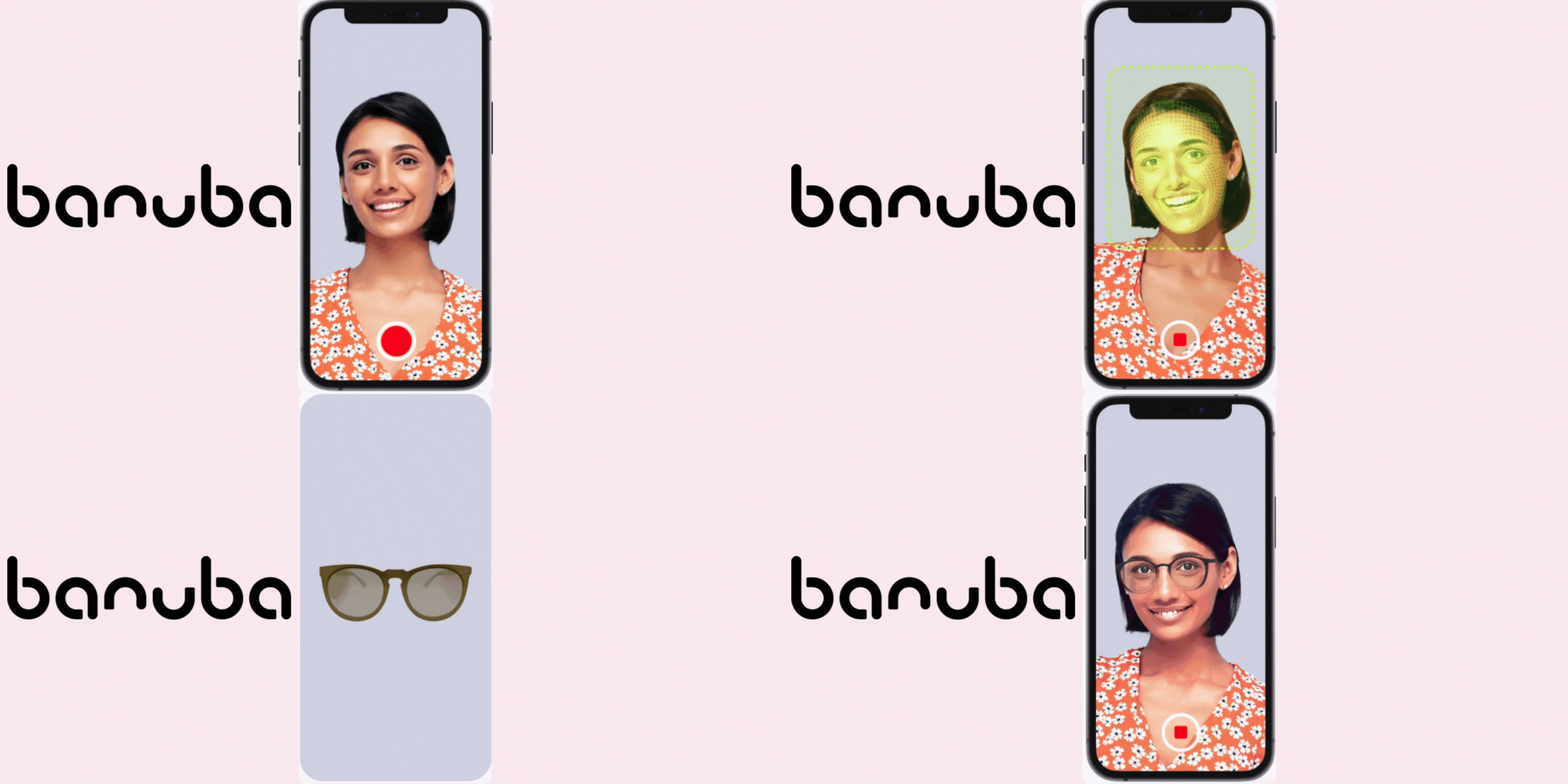
Banuba's TINT platform is a web-based, SDK-first try-on tool that also covers hats, nails, and makeup, positioning it as a broader face-AR toolkit rather than an eyewear specialist. It includes an in-store AR mirror option that combines physical and digital retail, and its face-tracking is built to hold accurate frame placement without requiring a reference object for calibration. It does not offer a dedicated PD measurement tool, which is worth flagging for optical retailers specifically, since that's a meaningful gap versus PD-focused competitors on this list.
Banuba's positioning as an AI lab that expanded into commerce AR, rather than a company built specifically for optical retail, shows up in its feature set: strong general-purpose face tracking and rendering, but no optical-specific tooling like PD measurement or prescription workflow support. Brands evaluating Banuba for eyewear specifically should plan to pair it with a separate PD tool if that capability matters to their catalog.
Features:
- Multi-platform accessibility: It is available across various platforms, including desktop, mobile, and in-store smart mirrors. Besides, its in-store AR mirror combines a physical and digital shopping experience where customers can try on multiple products with no assistance.
- Eyeglasses Try-on: Banuba’s advanced face tracking solution ensures the accurate placement of eyewear, allowing your customers to try on eyeglasses and prescription lenses.
- User-friendly: Customers will not need special devices or reference items to measure pupillary distance on your virtual try-on platform. It's a safe, easy-to-use, and accessible option.
- Real-time impact: Banuba’s rendering technology offers a camera-based virtual try-on experience that transfers natural colors, texture, and lighting, providing a realistic representation.
Drawbacks:
- Even lighting is required.
- No comparison tool.
3. Perfect Corp

Perfect Corp bundles automatic AR-based PD measurement directly into its eyewear try-on, which is one of its clearer differentiators for optical retailers evaluating multiple vendors. Frame and lens customization (tint, color, goggle settings) is available during the try-on itself, and 3D asset creation from 2D reference images removes the need for a full photography or scanning setup. Its entry-level plan has more limited feature access than its higher tiers, which is standard for this category but worth budgeting for if PD measurement specifically is a requirement.
Because Perfect Corp operates across a broad range of beauty and eyewear brands, its platform is generally built to scale to large catalogs and enterprise support needs, which is worth weighing against the higher cost tier that typically comes with that scale. Smaller or newer eyewear brands should confirm pricing against their actual SKU count before assuming a larger platform automatically justifies a larger spend.
Features:
- AR PD measurement: Customers can get automatic, accurate, and instant PD measurements based on their face shape. AI technology provides a satisfactory online purchasing experience for everything from prescription glasses to sunglasses.
- Customization of AI glasses: Your customers can take advantage of customization options for the detailed features of AI glasses. While trying on virtual glasses, they can adjust features such as lens tint, frame color, and goggle settings.
- Easy to integrate: Brands can introduce virtual eyeglass try-ons on their online websites, following the step-by-step guide available in Perfect Corp’s AR try-on platform.
- Real-time 3D view: Your shoppers will require no expensive or time-consuming 3D product scanning or modeling to try on eyeglasses online. On this platform, you can easily create lifelike 3D virtual AI glasses with 2D images.
Drawbacks:
- Limited options are available in its basic ‘Essential’ Plan.
4. VirTry

VirTry, built by IDMR using Visage Technologies' face-tracking, is a mobile-app-first try-on tool covering both glasses and headphones rather than eyewear exclusively. It has no dedicated PD measurement feature and no direct web-based try-on option, both of which limit its fit for a brand wanting a browser-embedded experience on its own ecommerce site rather than a standalone app.
Its comparison and save functionality, letting a shopper store multiple try-on results in a profile for later review, is a genuinely useful feature for higher-consideration purchases, but the lack of a web integration path means any brand without a strong owned app already in place would need to weigh building app-based distribution before this becomes a viable primary channel rather than a supplementary one.
Features:
- Face tracking technology: VirTry’s face detection and tracking solution can identify consumers’ facial features in real-time. With their head movements, the tracker will follow them continuously and showcase the product from every angle.
- Convenient-to-compare: Using VirTry, shoppers can save images or videos to compare them later on the ‘My Profile’ page. It helps them select the best one if they cannot check the fitting without their glasses.
- Recommendation option: If your customer wants to recommend glasses for others and buy gift items, they must go to the rear camera. Through this, they can make their friends and family try on eyeglasses.
- Photo and live camera mode: Consumers can access the try-on solution through a live camera or photo mode. From their phones, they can explore different eyeglasses virtually.
Drawbacks:
- No direct web try-on option.
- No PD measurement option available.
5. Try-on.io

Try-on.io covers glasses alongside apparel, earrings, bags, watches, and makeup, positioning itself as a multi-category try-on layer rather than an eyewear specialist. It's app-free and works across web and in-store mirror deployments, with real-time shadow and lighting estimation built into its face and body tracking. Detailed PD measurement isn't confirmed as part of its standard offering, and its demo process is scoped per product, which is worth accounting for when planning an evaluation timeline.
Its patented tracking and real-time rendering approach reads as a genuine technical differentiator, but because pricing and onboarding are scoped per product rather than published, brands should budget extra time in procurement for back-and-forth scoping calls compared to vendors with clearer published tiers.
Features:
- Custom patented tracking: Its AI tool detects face and body elements with accuracy in real-time shadow generation, lighting estimation, etc. Thus, it can showcase how the product would look on the consumer in real-time, especially when trying on glasses.
- 3D rendering: Try-on.io utilizes modeling to display products in crisp, high-definition details so your customers can see your products' exact textures, colors, and patterns before making a purchase.
- AR try-on for eyeglasses: Your shoppers can freely switch AR try-on through their smartphone cameras, enhancing the “try before you buy” experience. Capturing every detail of the consumer’s face will provide an ultra-perfect fit and size, just like real glasses.
- Accessible solution: The application is an app-free web virtual try-on that is accessible on online devices and offline in-store mirrors. It is a fast and simple solution for eyewear businesses to implement virtual try-ons on their e-commerce platforms and in-feed ads.
Drawbacks:
- I need to schedule a free demo call for just one product.
6. Luna

Luna is built specifically around vision and PD tooling rather than visual try-on as the primary feature, which makes it a distinct category from most other vendors on this list. Its myRx PD reader covers a 44 to 80mm range (covering over 95% of the adult population) with stated accuracy of plus or minus 1mm for 95% of scans, and it also offers a lens scanner for customers reordering without a current prescription, plus an ECP-approved online refraction exam in some markets. For an optical retailer where PD and refraction accuracy matter as much as visual try-on, Luna is worth evaluating alongside a separate visual try-on tool rather than as a single all-in-one solution.
Luna's refraction exam feature, which lets customers get an ECP-approved prescription without a doctor visit in supported markets, is a materially different regulatory category from a standard try-on tool, since it touches actual optical prescribing. Any brand considering this feature specifically should confirm regulatory approval in each market they operate in before promoting it to customers, since requirements vary by country and even by state or region.
Features:
- PD meter: Luna’s myRx PD Reader offers every customer an accurate and unique PD. It facilitates shopping and checkout flows with a hassle-free user experience. So, your customer support team will have to manage fewer consumer complaints.
- PD range: Its PD meter supports a PD range of 44-80 mm, covering more than 95% of the adult population. Your customers can receive accurate and consistent results within ±1mm for 95% of scans and ±2 mm for 100%.
- Lens scanner: If your customer doesn’t have a prescription when buying glasses online, Luna will let them scan the lens in their current glasses to get the details. They will get audio-video prompts for this process.
- Refraction exam: Your customers will get an ECP-approved prescription online on their mobile phone. It is clinically tested and CE-approved. They can install this app and skip their doctor’s appointment.
Drawbacks:
- Ten feet of space is required during an online refraction vision exam to receive an ECP-approved prescription.
7. FittingBox
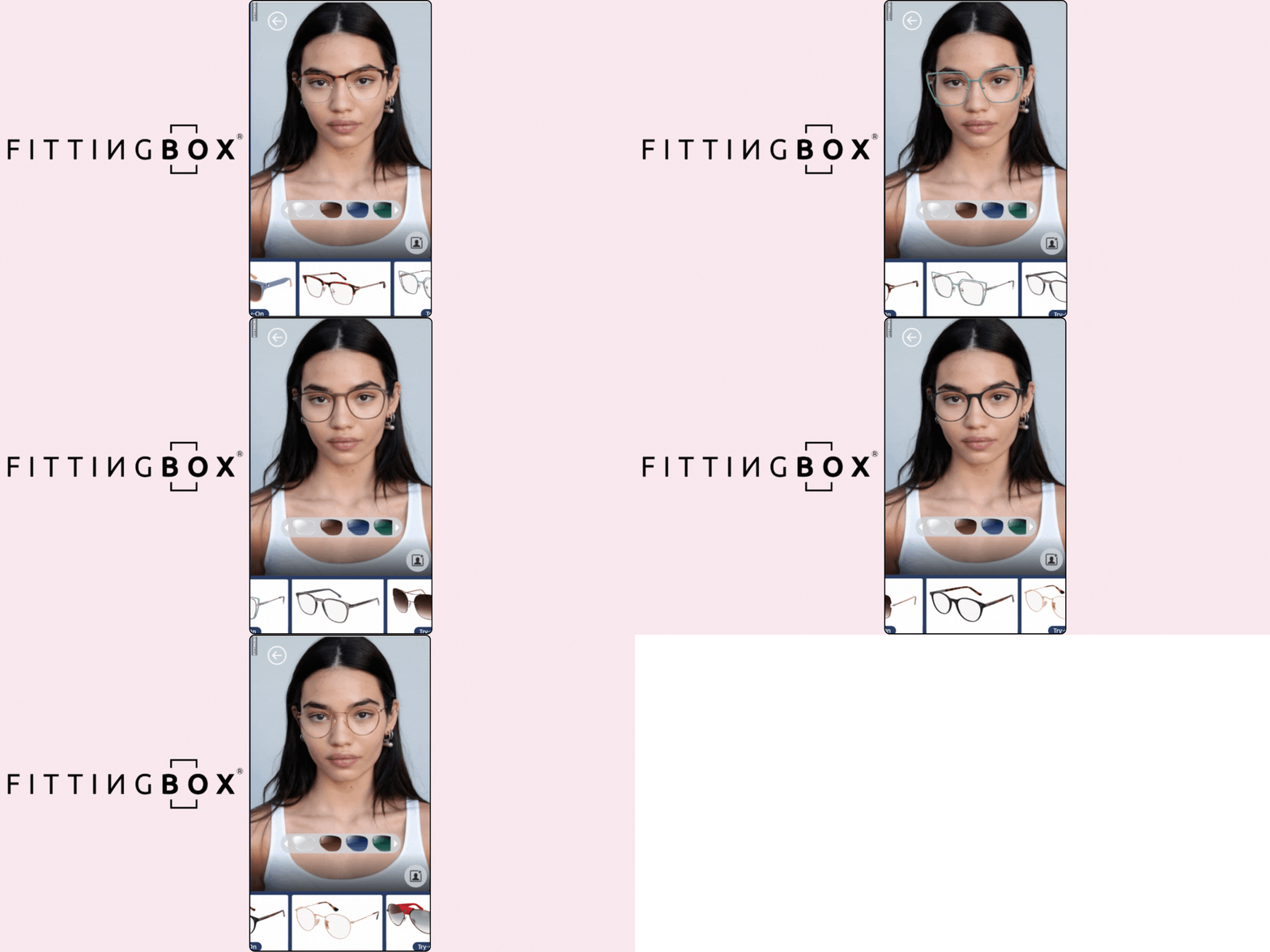
FittingBox pairs a card-protocol PD measurement tool (claiming sub-1mm accuracy for 7 out of 10 measurements) with a lens simulator for tint and photochromic behavior, and a 3D packshot service for generating catalog imagery. Its website-based try-on detects faces and renders frames within roughly 400 milliseconds. It doesn't offer manual frame adjustment, which some brands consider a limitation if their customers expect to fine-tune frame position themselves rather than relying entirely on automatic placement.
FittingBox's packshot service, generating 360 degree catalog images from a single 3D asset, is worth evaluating as a standalone cost saver even independent of the try-on feature, since it removes a traditional product photography step for brands that don't already have a 3D asset pipeline in place.
Features:
- PD measurement: FittingBox AI offers online PD measurement solutions. It works with an intuitive card protocol that provides user-friendly suggestions due to its easy tutorials, precise directions, and orientation advice. Such easy guidance accurately measures the Pupillary Distance within 1 mm (for 7 out of 10 measurements).
- Lens simulator: The Lens Simulator tool allows consumers to try on sunglasses with different lens colors. Your customer can also view how photochromic lenses improve visibility by changing colors.
- 3D viewer & packshot: You can try on different frames from every angle with its 3D viewer technology. On this platform, consumers will need high-quality images for their catalogue. Its Photo Packshot service offers 360° views of every frame.
- Compatible & flexible solution: It is compatible with multiple devices. Your shoppers will need only stable network connectivity and a high-quality camera on their device. While trying on eyewear, your customer will enjoy data privacy, product customization options, easy implementation both in-store and online, and more.
Drawbacks:
- Manual frame adjustment options are absent.
8. DeepAR.ai

DeepAR is a developer-first SDK covering glasses, shoes, watches, and hair color try-on, built around its own effects and animation framework rather than a packaged eyewear-specific product. It supports web, iOS, and Android, plus AR video chat integration. It offers no PD measurement and no manual or automatic frame adjustment tools, which reflects its positioning: DeepAR is infrastructure for a team that wants to build a fully custom experience, not a ready-made eyewear fitting tool.
Choosing DeepAR is effectively a build decision rather than a buy decision. It makes sense for a brand with in-house AR development capacity that wants full control over UI and doesn't want to inherit a vendor's default interface, but it is a poor fit for a team looking for the fastest path to a working, fully-featured eyewear try-on with minimal engineering investment.
Features:
- Glasses try-on: Its AR tools and solutions offer your consumers an instant experience of glasses and sunglasses anywhere, anytime. Your digital shoppers can choose from more color options, zoom in on frame details in 3D, or try them on using AR. After scanning their faces using the front camera, the app gives them a choice, tailored to their needs and personality.
- Compatibility: It has web, iOS, and Android features for video chat apps and AR advertising.
- AR video chat: DeepAR features some advanced tools that consumers will need to add AR solutions to their video chat app. It adds fun elements with AR face and body filters.
- 3D AR shopping: By incorporating the DeepAR SDK, e-commerce business owners can provide their customers with a 3D product view and try-on solutions.
Drawbacks:
- No manual or automatic frame adjustment features.
- PD measurements are not available.
- Only live video mode.
9. Ideofit

Ideofit's distinguishing feature is manual frame placement: customers drag frames up or down the nose to match how they'd actually wear glasses in real life, rather than relying solely on automated fit. It's app-based, with a catalog spanning frames from established brands, and includes social sharing for gathering a second opinion. It has no automatic frame adjustment option, which is the flip side of its manual-first design and worth weighing against how much control your customers actually want during try-on.
This manual-placement approach is a genuine philosophical difference worth considering rather than dismissing as a missing feature. Some shoppers, particularly those who already know how they prefer glasses to sit, may find manual control more useful than an automated best-guess placement. A brand should weigh this against its actual customer base rather than assuming automatic placement is always the superior default.
Features:
- Easy-to-use app: You can easily integrate this app into your online eyeglasses shopping platform. It offers your customers easy product selection and a live try-on experience.
- Satisfactory fitting: If the consumer wears glasses lower on the nose, like mini shades or full eye cover, Ideofit allows them to place the frame exactly as they would in real life. They can adjust the glasses with a simple drag up and down, according to their preferred clothing style.
- Social sharing option: Your customers can share their selfies and videos on social media platforms like Instagram and Snapchat, and their opinions can be considered for the final purchasing decision.
- Easy comparison and selection: It allows your shoppers to compare eyeglasses and check how they fit their faces. They need to visit the catalogue, which features every model of eyeglasses. Then, they can sort it out by their favorite filters and go directly to Amazon to buy or add it to their cart for future purchase.
Drawbacks:
- No automatic frame adjustment option.
10. GlassOn

GlassOn generates a high-resolution 3D frame model from two simple photos in under 10 seconds, which is one of the faster and lower-cost asset-creation paths on this list for brands without existing 3D models. Its 3D viewer supports full 360-degree rotation and a real-time polarized lens effect, and its online PD tool works from a card-reference method similar to FittingBox's approach. It offers a bespoke customization tool for frame dimensions but no side-by-side comparison feature, which larger catalogs may miss when customers want to weigh several frames against each other.
GlassOn's fast, low-cost asset generation makes it a reasonable entry point for a smaller eyewear brand or retailer that hasn't yet invested in a 3D pipeline and wants to test whether virtual try-on moves the needle before committing to a larger platform contract.
Features:
- Affordable & user-friendly: If you're an eyewear retailer or brand owner, GlassOn.io is your easy, affordable, and high-quality virtual try-on solution for your website.
- 3D model solution lets you offer your customers a 360-degree view of eyewear products in various lighting environments. It can capture every angle in turnaround mode and apply a real-time polarized lens effect to any selected frame.
- Online PD measurement tool: If your customer knows their PD measurement, they can enter it and proceed. But if you don’t know, they will receive video prompts and only need a card for reference to measure PD. Following instructions, they can do it without any fuss.
- Customization is available: consumers can design their frames and glasses using the bespoke tool. Adjusting height, width, thickness, bridge, and advanced adjustment options can add a personal touch to their preferred eyewear. They can even do it through engraving text.
Drawbacks:
- No comparison tool available.

Other apps that you can use for virtual eyeglasses try-on
Apart from the top 10 virtual eyeglass apps I've selected and presented here, I've also explored many others. Among them, I've picked five apps that you can use to offer your customers a virtual try-on experience for eyewear. Here are my findings:
- Glassify: Is a virtual try-on eyewear and sunglasses app that allows customers to try hundreds of frame styles from different categories in real time. It uses AR and face detection technology to overlay different eyeglasses on a human face virtually. After downloading it on my Android device, I explored this platform through my phone camera. Besides the try-on experience, it may allow for minor automatic or manual adjustments in placement and fit, depending on the device's capabilities.
- Quytech: If you want the best platform to create AR applications for your business, choose Quytech. Its virtual eyewear try-on solutions allow your customers to explore sunglasses and prescription glasses from anywhere, anytime. I've tested the 3D virtual eyewear try-on glasses application. It delivers an interactive, real-time experience that helps customers choose their best eyeglasses. They can customize the chosen eyewear.
- Mister Spex: Is an online eyewear shopping site that offers virtual try-on options. Consumers can find sunglasses, prescription glasses, and more for men and women. I recently explored its large selection of eyeglasses with its virtual try-on solution. I've found it easy to use, as I've tried it with my webcam. Frame width and color are mentioned there, but I couldn’t find any customization options.
- Vooglam: Vooglam is an e-commerce site for eyewear collections. It offers a wide range of eyeglasses, including prescription glasses and sunglasses. Consumers can try on a suite of trendy glasses here. I have tried and tested its prescription glasses through its virtual try-on solution. Buyers can choose from models or upload their photos without glasses to try on any eyewear. But they can't customize the glasses' size, shape, and other elements. They can only choose from a few color options for the selected frames.
- AI Ease: Is a free AI photo editor app that provides virtual try-on glasses online for your customers. I have experimented with its AI-driven glasses try-on tool and found the exact fit for my face shape. Your customers experience multiple pairs of eyeglasses in different styles. If consumers opt for manual try-on, all they need to do is upload a photo, mark the area where they want to wear glasses, and use prompts to customize their look. They can go for the automatic option.
Popular brands that use virtual eyeglasses try-on
Now, brands are finding innovative and trendy ways to enhance their customers' shopping experience. Virtual eyeglasses apps are providing convenience and innovation, making it possible. Using these apps' AR and AI solutions, iconic brands are expanding their market. Let’s have a look at some of them:
1. Lenskart

Lenskart utilizes AR try-on technology on its platform, focusing on 3D virtual eyewear try-ons. It lets consumers test different eyeglasses or sunglasses online. Its AR solution overlays virtual glasses on their face in real time.
Without any physical touch, they can browse through an unlimited number of frames from the comfort of their own home at their own pace. In this manner, Lenskart provides consumers an interactive and convenient way to shop for eyewear.
2. Warby Parker

Warby Parker has introduced a virtual try-on tool for eyewear and aims to increase sales. Here, consumers can find their best frames and all eye care solutions. They can explore their wide selection of glasses, sunglasses, and contact lenses.
Plus, they can save their favorite styles, view recommended frames, and track orders. It also offers PD measurement tools if you don’t have a prescription. So, consumers can have a perfect-fitting experience.
3. Ray-Ban

Ray-Ban offers its customers a virtual try-on solution for a variety of sunglasses. They can customize their eyeglasses by using the ‘get face shape’ and ‘improve fit’ options.
Using photo or live camera mode, they can try on glasses online and select a perfect pair that suits their face shape and style preferences. Consumers can directly purchase it or save it for the future.
4. Zenni

Zenni Optical has introduced an instant tool for trying on virtual eyewear. Through it, customers can easily switch between different frame styles and get a real-time experience.
Accurate and easy PD measurement ensures the perfect fit and lens alignment. For prescription glasses, customers can upload the prescription, then customize and order. Also, they can take a snap after trying on eyeglasses and share it with their friends and family.
5. Prada

Prada has launched virtual try-ons on its website through AR and computer vision technologies. The solution can measure the consumer’s face or body to ensure the product is accurately positioned on them.
Consumers can use the VTO solution to test different sunglasses and accessories before the final purchase. Following the instructions for face positioning and removing prescription glasses, they will try on Prada’s sunglasses. They can even customize their fitting using a live camera or photo mode.
{{component="/internal/widgets"}}
Advantages & disadvantages of virtual eyeglasses try-on
Virtual try-on glasses provide consumers a new way to shop for eyeglasses, using AR try-on technology. Now, they can try on frames at their convenience, either at home or anywhere else. In addition to offering several advantages to the consumers and brand owners, they also have limitations:
Advantages:
- Convenient solution: A virtual try-on app reduces the need to leave the house for eyewear shopping. It allows your customers to try on various frames from the comfort of their home or any other location. It offers convenience for people with busy work schedules and those living in remote areas with limited options.
- Improved decision-making: AR try-on apps offer live or photo modes to show how different frames look on a consumer's face. These apps help them make better choices about fit and style.
- Time and cost savings: Using AR to try on glasses saves customers multiple trips to the store, leading to better-fitting frames and fewer returns. This allows manufacturers and retailers to cut costs on service and handle more orders. 61% of customers now prefer retailers that offer AR solutions online and offline.
- Tailored frame suggestions: AR systems now use advanced technology to suggest frames. These systems analyze the shopper's traits, making each customer's buying process more personalized.
Disadvantages:
- Fit accuracy: Virtual try-ons for glasses will give your shoppers an idea of how the glasses would look on their faces. But they rarely give you an idea of how the glasses will fit you. So, it's difficult to know how heavy they will be, whether they will sit comfortably on an individual’s nose, or how they will feel on the sides of their head based on a screen image.
- Technical limitations: How these virtual try-on apps run largely depends on your device's camera and screen quality. If your camera doesn't take high-quality photos or your room lighting is poor, the virtual try-on may not look realistic.
- Limited product range: These online platforms do not always carry all eyewear brands or models. This means that consumers may not be able to view all the options a store offers when shopping for glasses online.
- Privacy issues: Virtual try-on apps need to access one’s camera and might use facial recognition technology. Some people are concerned about how their data and images are used and stored. Hence, the privacy policy of that particular app is essential for your data’s safety and privacy.
- Lack of tactile feedback: Virtual try-ons lack the sensation of wearing the glasses in real life. Consumers cannot touch the material, feel its weight, or see exactly how it looks and feels in person. These are significant things to consider when selecting glasses.
SDK and API integration: what your developers actually need to know
Web SDK versus native SDK versus API-only. A web SDK embeds directly into your existing site with a script tag or plugin, typically the fastest path to launch. A native SDK (iOS, Android) is necessary if your primary shopping experience is an app rather than mobile web. An API-only approach, as with DeepAR, gives your developers full control over the interface but requires building the try-on UI from scratch rather than using a pre-built one.
Plugin availability by platform. Confirm whether a vendor has a maintained plugin for your specific ecommerce platform (Shopify, Magento, WooCommerce, or a custom stack) versus requiring a custom integration project. GlamAR, for instance, structures integration around three steps: uploading SKUs in bulk to its console, adding its SDK through plugins or custom integration, then previewing before launch, which is a reasonably representative pattern across most vendors on this list.
Catalog scale and bulk operations. If your catalog runs into the thousands of SKUs, ask specifically about bulk upload tools and update workflows, since manually configuring frames one at a time is not viable at that scale.
Custom feature scoping. Several capabilities that look like standard features in marketing material, PD measurement, 3D configurators, and specialized hardware support like Apple Vision Pro among them, are frequently offered as custom builds on request rather than defaults. Get a written scope of exactly what ships in a standard integration versus what requires a custom development quote before signing.
Ecommerce platform depth. Beyond a basic embed, check whether a vendor's integration can pass product and inventory data both ways, so a try-on session reflects live stock and pricing rather than a static, disconnected catalog snapshot. This matters most for brands running frequent promotions or fast-changing inventory, where a try-on tool showing an out-of-stock or mispriced frame actively damages trust rather than building it.
Data privacy: what to ask before you integrate
Virtual try-on tools process a live camera feed or an uploaded photo, which means facial data, a category most privacy regulations treat with elevated sensitivity. Before selecting a vendor, get clear answers on:
Where images are processed. Some platforms process the camera feed entirely on-device (nothing leaves the customer's phone or browser), while others send frames to a server for processing. On-device processing generally carries lower privacy risk and often lower latency.
Whether facial data is stored. Ask explicitly whether captured images or facial landmark data are retained after the session ends, for how long, and for what purpose (model improvement, analytics, or neither).
Contractual data ownership. Confirm whether your brand or the vendor is treated as the data controller under regulations like GDPR, and get this in writing rather than relying on a general privacy policy page.
Regional compliance. If you sell into the EU, UK, California, or other jurisdictions with biometric or facial-recognition-specific rules, confirm the vendor's compliance posture for each region you operate in, not just a general GDPR statement.
Consent and disclosure at the point of capture. Confirm the try-on tool surfaces a clear, understandable consent notice before activating a customer's camera, rather than burying camera-access implications in a general site-wide privacy policy. Regulators in several jurisdictions treat facial data with elevated scrutiny specifically because it is a category customers often don't realize is being captured, and a vendor whose default flow handles this poorly creates legal exposure for your brand, not just theirs.
Vendor subprocessors. Ask whether the vendor uses third-party subprocessors (cloud hosting, analytics, or AI model providers) that would also have access to captured images or derived data, and confirm those subprocessors are covered under the same contractual terms rather than assumed to be.
Analytics: what to actually track after launch
A virtual try-on feature that isn't measured is a cost center, not a growth lever. Track these metrics once live:
Try-on completion rate. What share of shoppers who open the try-on tool actually complete a session. A low rate points to friction in camera permissions or onboarding rather than a problem with the frames themselves.
Per-frame try-on volume. Which specific SKUs get tried on most. This is direct merchandising signal, independent of sales data, since a frame that gets tried on frequently but rarely purchased may have a fit or price issue worth investigating.
Try-on-to-cart conversion. What share of try-on sessions lead to an add-to-cart action, compared to product-page conversion without try-on. This is the core ROI number for justifying the investment.
Return rate on try-on-assisted purchases. Compare return rates on frames bought after a try-on session against frames bought without one. A meaningful gap here is the clearest proof the tool is doing its job.
Device and browser breakdown. Since try-on performance varies by camera quality and device, segment your analytics by device type to catch issues affecting a subset of your traffic before they show up as a broader conversion problem.
Time spent per try-on session. Longer engagement with the try-on tool generally correlates with higher purchase intent, and tracking this over time can help you spot whether changes to your frame catalog or UI are helping or hurting engagement before that shows up in sales data.
PD measurement variance, where available. If your vendor exposes measurement confidence data or repeat-scan variance, tracking it over time helps you catch a degrading measurement pipeline (a camera or lighting issue affecting a specific device type, for instance) before it silently drives up returns.
How to choose: a B2B checklist
- Confirm the 3D asset pipeline first. Know whether you're uploading photos or delivering finished 3D models before comparing anything else, since this determines your actual production timeline and whether you need to budget for a separate 3D studio.
- Test PD measurement against your real device mix. Don't rely on a vendor's best-case demo hardware. Test on the actual phones and cameras your customer base uses, across a range of lighting conditions, before trusting any published accuracy figure.
- Get the SDK integration scope in writing. Know what ships standard versus what needs a custom development quote, and confirm whether the vendor supports ecommerce integration with your specific platform rather than a generic embed.
- Push on data handling specifics. Get direct answers on storage, retention, subprocessors, and regional compliance rather than accepting a general privacy policy link, and put the answers in your contract, not just an email thread.
- Plan your analytics before launch, not after. Decide which metrics you'll track from day one so you have a baseline to measure improvement against, and confirm the vendor's dashboard actually exposes the data you need rather than a generic engagement summary.
- Weigh multi-category reach against single-purpose depth. A platform covering eyewear alongside other categories may reduce vendor overhead if you sell more than glasses, but a specialist tool may go deeper on optical-specific features like PD and refraction. Choose based on your actual catalog, not on which option sounds more comprehensive.
If you're ready to evaluate this against your own catalog, talk to the GlamAR team about scoping a demo, or explore the eyewear demo store to see the try-on running on live frames first.
Not always. Several providers, including GlamAR and GlassOn, can generate a usable 3D model from a small number of 2D reference photos per SKU, rather than requiring a fully modeled 3D asset for every frame.
It varies by vendor and by device and lighting conditions on the customer's end. Vendors publishing specific figures, such as FittingBox's sub-1mm accuracy claim for most scans, are describing best-case results, not a guarantee across every customer session.
No. It's a screening and convenience tool that reduces guesswork before purchase, not a substitute for a proper optical measurement, especially for higher prescriptions or complex lens orders.
An SDK typically includes a pre-built interface your team can embed with less custom development. An API-only approach gives full control over the interface but requires building that interface yourselves, which takes more engineering time.
It depends entirely on the vendor. Some process images on-device without ever sending them to a server, others retain data for a defined period. Get this in writing from any vendor before integrating, rather than assuming either practice by default.
This depends on catalog size and integration path. A web SDK with an existing platform plugin can go live in days to a few weeks; a custom integration or a large catalog needing bulk 3D asset production can take significantly longer.
Discover how AR, VR and 3D can drive revenue growth in 2026
Schedule a call with our team

.avif)