


AR try-on integrations for websites and mobile apps help developers and brand owners deliver immersive shopping experiences


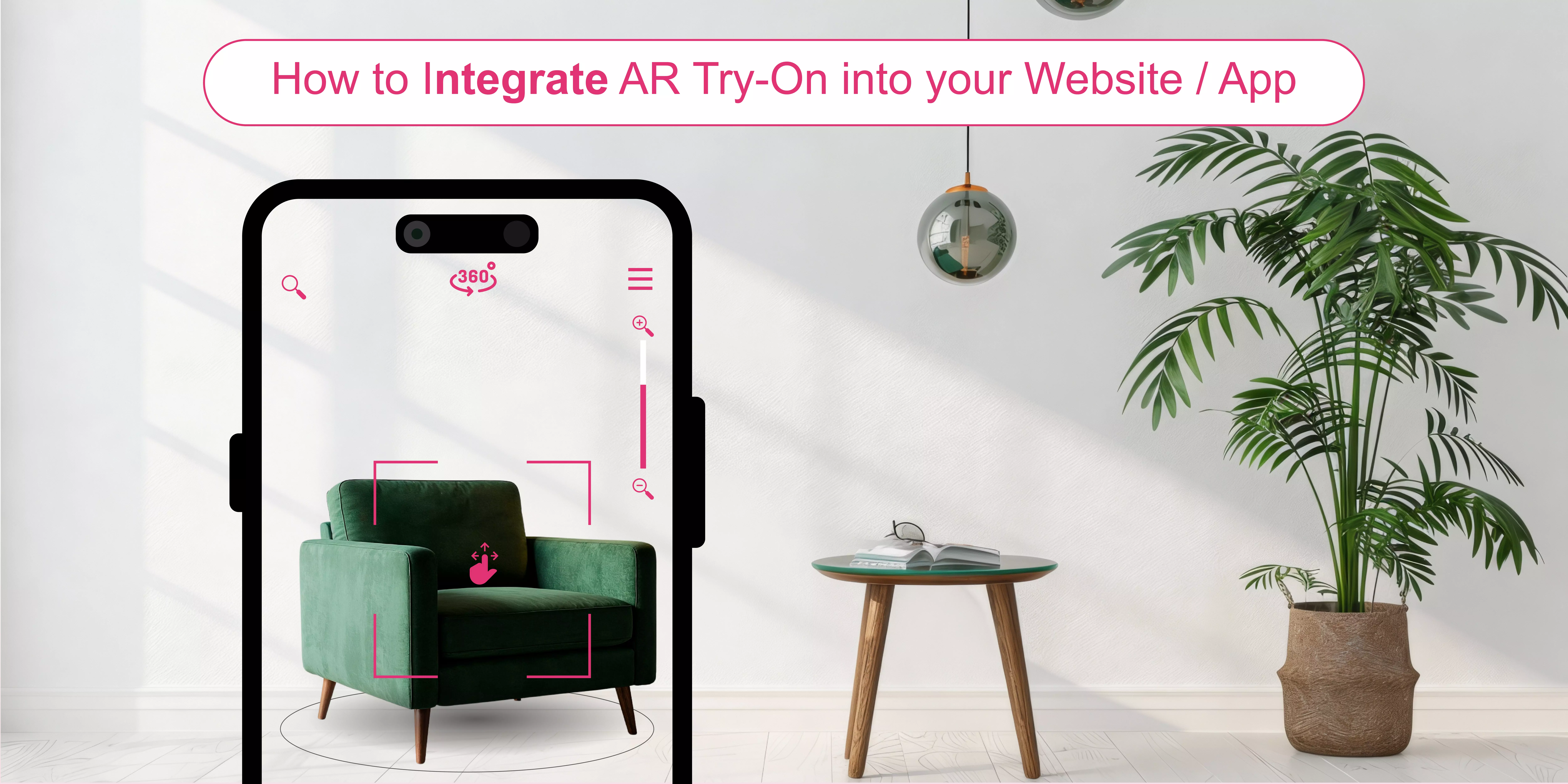
Let your customers imagine a store where they can virtually try on shoes, makeup products, sunglasses, etc., all without physically trying on the item. Virtual try-ons help turn this imagination into reality by offering realistic visualizations, with accuracy depending on device capabilities and implementation quality. It can help you meet the evolving expectations of consumers in the present day.
"Brands are asking us how to target the right product to the right person and improve the return experience. Consumers want choice, but they don't want every choice in the world. They want intelligent choice, and that creates loyalty," says Graham Best, CEO of Rebound Returns, in an interview with a BBC article published in March 2021.
As a brand owner, if you are struggling with high return rates due to the wrong product size or fit, integrating AR try-on technology into your website or app can help you deal with this issue. The virtual try-on solutions allow your customers to see how the products would look on them before making a final purchase. It can enhance buying confidence and may help reduce return rates when implemented effectively.
On the other hand, many retailers, developers, and business owners face challenges while developing and integrating AR try-on solutions. It requires technical expertise, customization, etc. According to Statista, the global mobile augmented reality market will reach more than $21 billion in 2028.
In this blog, I am going to reveal the essentials of embedding AR try-on solutions with your website or app. Let’s get started:

What is an AR try-on solution?
An AR try-on system uses augmented reality and computer vision technologies. It allows your customers to experience the products on their own or in their environments. It can merge real-world imagery captured by their camera with realistic or virtual objects rendered by advanced software. Thus, an AR virtual try-on can generate a realistic illusion by accurately aligning virtual overlays with the user or their physical environment.
Using their smartphone or desktop camera, consumers can see clothing, jewelry, accessories, or beauty products instantly. The technology adjusts the virtual product to match the user’s lighting conditions, angles, and movements. In this way, it can provide a simulated AR shopping experience in real time. Your customers can choose colors or styles—and in some cases size or fit options—and see the changes within seconds. Therefore, AR try-ons can deliver an interactive, in-store-like shopping experience from the comfort of home.
How to integrate an AR try-on into your website or app?
Here I am presenting a step-by-step guide for developers and brand owners. It may help them create an AR try-on experience:
1. Research & set your AR try-on goals
It is essential to conduct market research. Thus, you can learn consumers’ expectations, competitors’ offerings, and recent AR trends in e-commerce. Then, you should define your business goals through AR integrations. It means that you need to define clear goals.
The goals may be improving conversion rates, reducing return rates, enhancing customer experience, and strengthening brand engagement. Thereafter, you need to focus on the product categories for which you require AR experiences.
2. Pick the right AR try-on platform for integrations
Next, you will have to go for a reliable virtual try-on platform for your e-commerce integrations. You can choose a SaaS-based platform, which typically reduces development effort and upfront investment compared to building a custom AR solution.
You need to check the compatibility, mobile responsiveness, and data privacy policy of that platform. Most importantly, you can pick a web-based or app-based AR platform. It should be based on your target audience and the AR experiences you want to offer.
3. Create 3D product models for AR integrations
If you want your customers to see your products from different angles, you will need to invest in high-quality 3D models. It can give consumers a detailed visual understanding of product shape, design, and key attributes.
You can hire professional 3D modeling services or use specialized software to create your 3D product models. The best part is that you can improve the models for AR to enhance performance on mobile devices.
4. Design an interactive AR experience
Developers need to map touchpoints for an interactive retail experience online. In this stage, they should focus on the user experience (UX). Choosing the right virtual try-on platform allows you to add advanced AR features to your website or app.
For example, the platform should offer real-time interaction, personalization, size visualization, or fit guidance (where supported), accessibility, and a user-friendly interface. These features can help improve customer engagement.
5. Implement AR experiences on your website or app
You can use AR plugins or SDKs for e-commerce to add AR to your website or app. It may vary based on what type of platform (web-based or app-based) you choose. You should employ professional developers and designers for developing custom or advanced AR experiences.
6. Test and launch AR try-ons
After integrations, you need to test AR try-ons across devices. For a good reason: you should address technical issues, such as slow loading times, tracking errors, or rendering glitches, to optimize performance. Apart from this, you should collect feedback from your customers.
Thus, you can make necessary adjustments to enhance their experiences. It's time to start your augmented reality try-on. Then, promote it through your website, app, social media platforms, etc.
Best AR try-on SDKs
Of course, this is not a complete list of AR try-on platforms. But they are the ones you should keep your eye on. Let’s have a look at them:
1. GlamAR

If you are a developer or a business owner, you can find GlamAR’s virtual try-on solutions pretty amazing. It can help you offer your customers an indicative product experience. Consumers can try on jewelry, eyewear, makeup, and selected accessories before making a final purchase. They can visualize how different products look on them in real time using live video, uploaded photos, or diverse virtual models.
Recently, I explored its virtual try-on tools. I found the customization features useful during the try-on session. Thus, its AR try-on system can help consumers find the right products with ease, which may help reduce return rates and improve conversion performance. Following the step-by-step guide, you can integrate its AR try-on SDK into your website or app.
The good news is that your customers can achieve the virtual try-on experiences through supported web and mobile browsers. Also, you can implement its AR try-on solutions through compatible in-store devices such as smart mirrors or kiosks. It can deliver an innovative and hygienic shopping experience. With advanced facial tracking and 3D rendering, it may ensure accuracy in product visualization and virtual sizing and fitting across devices.
{{component="/internal/widgets"}}
2. Banuba
Integrating Banuba’s AR try-on technology into your online store allows consumers to test cosmetics and accessories with their electronic devices. Banuba’s TINT solution focuses primarily on virtual makeup try-ons. It allows your customers to try on makeup, jewelry, hair color, glasses, contact lenses, hats, etc., in real time. Thus, Banuba’s AR SDK can potentially support higher engagement, add-to-cart rates, and lower returns. It can be integrated with eCommerce platforms such as Shopify, WooCommerce, and WordPress.
Banuba gives you a quick and simple e-commerce integration solution. For this, minimal technical knowledge is required for basic integrations. You can test it during the free trial. Basic integrations may be possible via CMS plugins with minimal or no coding. Thereafter, you need to upload SKUs. Finally, you can select AR features—colors, textures, shapes, etc.—for a customized product experience.
AI face analysis and personalized recommendations empower Banuba’s easy-to-integrate virtual try-on plugin. It is accessible across various platforms, including web, mobile, and in-store devices. Most importantly, you can obtain regular updates and improvements as part of an active subscription. Plus, Banuba can facilitate you with detailed usage analytics and a multilingual user interface.
3. Perfect Corp
Developers and business owners can find Perfect Corp an all-in-one platform for AR and AI-powered beauty tech solutions. You can integrate its makeup, hair, and selected accessory try-on solutions into both your online and in-store platforms. It can give consumers a virtual mirror-like experience while shopping. Its web SDK is compatible with major modern browsers and supported platforms.
In addition to web integrations, you can also develop your own mobile app for virtual makeup try-ons to ensure a consistent customer experience. Regardless of your business size, you can choose from a range of flexible pricing options to fulfill your brand’s custom needs. You can quickly create virtual SKUs with the aid of Perfect Corp’s streamlined onboarding tools. Finally, you can activate the AR "try & shop" experience on every channel.
The 3D AR engine of Perfect Corp uses face detection technology that can deliver lifelike simulations and accurate try-on results on live cameras. I experimented with its makeup try-on tool. On this platform, I discovered ‘comparison,’ ‘zooming,’ and ‘download’ options and found them convenient. In this manner, you can create a realistic AR try-on experience with less development effort compared to building a custom AR solution.
4. Modiface
Modiface offers a range of beauty technology solutions. It can help you engage, educate, and empower your customers. Developers or brand owners can add their makeup VTO, nail try-on, or hair VTO solutions to their website or app. Consumers can preview all lip, eye, cheek, face, and brow products on your live video or image with ease. Your customers can get different features during the try-on session: before and after comparisons, options to save and then share, etc.
Using SDKs and platform-specific modules, including mini programs for supported ecosystems, you can create a variety of virtual try-on experiences. It includes product page integrations, standalone instant looks, or a buildable makeup experience. For configuring your products, you need to upload your SKU, product name, shade name, and an optional photo. Then, you can use simple sliders to set up a rendering in no time. It will allow you to see how the product will look on the virtual try-on window.
Modiface works with hair, face, and nail tracking technology. Its real-time AR experience is lightweight and quick. It can give accurate and realistic results on the web. Many tracking features process images locally on users’ devices, enhancing privacy. This means their images never leave their devices, keeping their data safe.
5. Zakeke
Are you finding web AR solutions for e-commerce? Zakeke can provide you with 3D and AR-based product visualization and customization without requiring an app. You can integrate it into your website with QR codes, links, or iframes. You will need little to no coding for standard integrations. In this way, you are able to give your customers a smooth and immersive shopping experience with highly realistic details on any device.
Consumers can mix live customization with Zakeke’s instant try-ons. Let them design, preview, and share their creations. Thus, using real-time 3D experiences, you can boost their purchasing confidence and decrease return rates. Shoppers can preview items like glasses, jewelry, or hats in AR by scanning a QR code.
No matter if you aim for 3D/AR visualization or in-depth customization options, Zakeke can meet your demands. The interesting part is that you can integrate Zakeke's interactive features using an iframe. It allows your customers to engage with Zakeke's user interface. So, they can personalize your products before proceeding with the purchase.
Popular brands that are integrating and using AR try-on solutions
Nowadays, leading fashion, beauty, and eyewear brands are using AR try-on technology to solve the age-old pain point of customers in online shopping: "Will this actually fit me or suit me well?" Learn how they are proving that virtual try-ons can reflect measurable business impact when implemented effectively, beyond just creating hype:
1. L'Oréal
L'Oréal Paris offers a virtual makeup try-on tool. It is an immersive makeup simulator that allows consumers to try on makeup virtually. Using ModiFace’s patented face detection, tracking, and AR simulation technology aims to transform the way consumers discover, interact, and shop for L'Oréal Paris products. It uses AR technology to create a highly realistic virtual makeup application to enhance their virtual makeup experiences. An advanced face tracking technology detects dozens of facial landmark points for precise makeup placement.
Then, the makeup tester tool uses those to overlay lifelike computer-generated virtual makeup onto consumers’ selfies or live images. It can automatically adapt to their skin tones and generate realistic makeup finishes. For a good reason: the tool processes images in accordance with L’Oréal’s privacy and data-protection policies. The makeup simulator can perform a color match and help shoppers find their suitable foundation shades.
"Our consumers are at the heart of all our innovations. We continually strive to create bespoke experiences that add value for them in new ways," says Anne Marie Nelson-Bogle, SVP of Marketing at L'Oréal Paris. "With this launch, we are excited to transform the way people can experience beauty with a new tool that offers a convenient, instant, and personalized way to test L'Oréal Paris products."
2. Sephora
Sephora offers the Virtual Artist feature within its mobile app. They can experiment with various lip colors, eyeshadows, false lashes, etc., to find their desired shades without stepping outside. The app uses face detection and tracking technology to allow customers to try on products anywhere.
It scans their faces and detects their eyes, lips, and cheeks for product placement. Consumers can click on the Virtual Artist tab within Sephora’s app. Upon opening, their mobile devices’ forward-facing cameras will automatically configure a virtual lipstick shade on their faces.
3. Warby Parker
Warby Parker provides an AI-powered virtual try-on tool in its iOS app. Consumers can try on different sunglasses and eyeglasses with realistic details primarily through their mobile devices.
They can receive fit guidance and frame recommendations based on facial analysis and preferences. Apart from this, they can see how the frames look and fit with the help of this virtual try-on tool.
4. Estée Lauder
It offers a virtual try-before-you-buy experience on its website. Shoppers can try on foundation, lipstick, etc., in various shades & formulas. They can experiment with and find the right makeup products through its website, mobile experience, or QR-enabled activations.
Estée Lauder has introduced its iMatch Virtual Shade Expert tool, created in partnership with Perfect Corp. With the tool, customers can detect their best foundation shade using the YouCam Makeup virtual try-on feature. Then, they are directed to purchase their recommended product.
5. Adidas
Adidas has launched AR-powered sneaker try-on experiences through partnerships such as Snapchat and in-app activations. It aims to engage young, native mobile users through this tool. It will help consumers shop before making a purchase. They can try on its most iconic models, including the Alpha Edge 4D, during select AR campaigns. To launch this feature, Adidas is in collaboration with Vyking (now part of Snap AR).
Consumers need to download the Adidas app and go to any of the product pages of the Alphaedge shoes. Then, they can point their smartphones towards their feet, and they will see the virtual models appear. Vyking’s software can track foot position and movement in real time to enable the AR try-on experience.
How to choose the best AR try-on SDK to integrate into your website or app?
Most of the virtual try-on platforms on this list offer free trials, demos, or evaluation options to help you assess their features. If you couldn’t find the right one at first sight, take the most interesting ones out for a spin and see how they adapt to your brand’s needs. Whatever you pick, ensure it is capable of enhancing customer experience and supporting sales performance. So, you can focus on your ultimate goals.
Test shortlisted tools through available trials or demos to evaluate how well they fit your technical and business requirements. Finding the right AR try-on system can be challenging due to the growing number of solutions available in the e-commerce market. To choose the best AR try-on system for your brand, you should check its integration process and compatibility features. This helps ensure smoother integration with your website or app.
Among them, GlamAR is in the first rank on my list, as it offers a user-friendly interface along with a step-by-step guide to integrate its AR try-on features. Developers or business owners may find it easy to embed their virtual try-on solutions.
Conclusion
As we move toward 2026, emerging AR trends in e-commerce suggest that virtual try-on is becoming increasingly important for forward-thinking brands. For many brands, this may be an opportune time to consider investing in AR solutions. With AR try-on tools, brands are not only showcasing products but also creating more interactive and engaging shopping experiences.
It can help them visualize dreams and embrace the future of shopping. You can merge personalized recommendations, reduced returns, and improved conversions into a single shopping journey. If you plan to integrate AR try-on features into your website or app, choosing a reliable and well-supported platform is essential.
{{component="/internal/widgets"}}
AR try-on uses the device cameras of your customers to detect and track their faces or bodies. Then, it overlays digital glasses, makeup, clothes, etc., on their live videos or images. As they move, the product can move with them. Thus, it can provide realistic visualizations when implemented effectively. In this way, you can offer an in-store-like experience without physical contact. AR technology helps improve visual accuracy and personalization, depending on the product and technology used. Thus, it can help customers shop online with greater confidence.
You don’t always have to build an AR try-on from scratch. Instead, you can use ready-made tools: SDKs, Shopify apps, or open-source platforms for basic features. The tools can reduce development time, cost, and complexity in a significant manner. You should develop a custom AR try-on to add advanced features. It takes more time, money, and expert skills in 3D modeling and AR development. In short, existing solutions are excellent for saving time and cost. Most importantly, you will require custom development to create unique and comprehensive experiences.
Many platforms support AR try-on today. E-commerce platforms, for example, Shopify, support AR-ready product pages, often through third-party AR try-on apps. AR solution providers such as Banuba, mirrAR, and Geenee offer virtual try-on solutions for selected product categories. Mobile apps like YouCam Makeup, Sephora, and Warby Parker allow consumers to try on products using their phone camera. Social media platforms like Snapchat support AR try-on filters for brands. Also, developers can use tools like ARKit, ARCore, or Vuforia. The tools can help them build custom AR try-on experiences.
AR try-on allows consumers to see how products will look before making a purchase. Fashion and beauty industries use it widely. Using virtual try-ons, customers can try on makeup, glasses, jewelry, watches, shoes, clothes, accessories, etc. AR can also be used for home visualization, such as previewing furniture and décor in a space. So, buyers can see how items fit. It can help your customers understand the look, size, and style of a product. So, they can make better online shopping decisions.
You will need high-quality 3D models for AR try-ons. They are the digital versions of products shown on the consumer’s camera screen. They need to look realistic while still loading quickly. The models can help visually represent how an item may look, including its texture and proportions, all with the help of AR software and tools.
You can face many challenges while integrating AR try-ons. They should work well on different devices, which can affect performance and how realistic the experience feels. Also, consumers cannot feel the product, may not fully trust the results, and can have privacy concerns. On top of this, building AR try-on features can be expensive and time-consuming, especially for custom-built solutions.
Discover how AR, VR and 3D can drive revenue growth in 2026
Schedule a call with our team

.avif)