


Best virtual try-on tools for e-commerce (SDK)


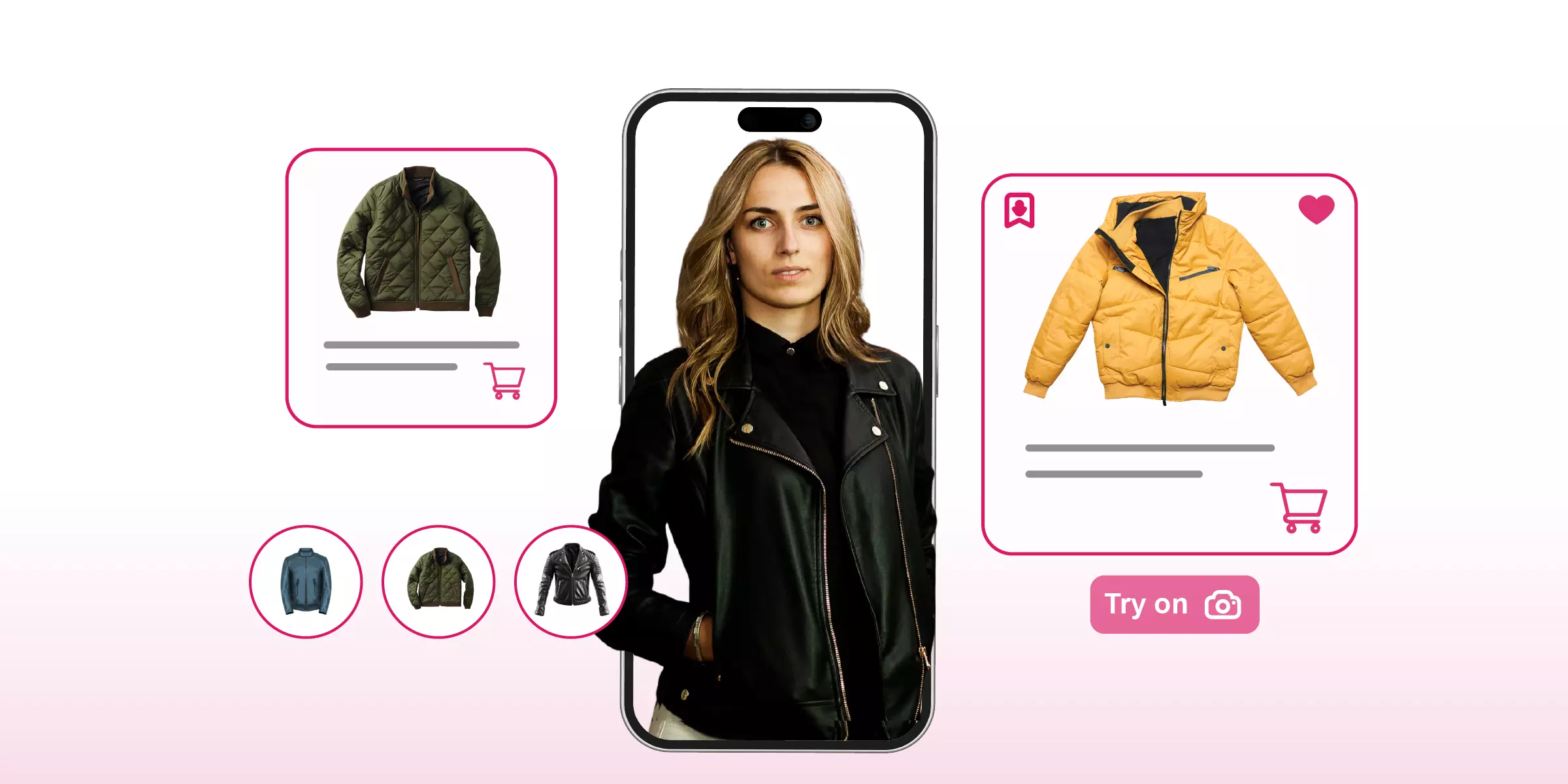
Virtual try-on for ecommerce lets shoppers preview how a product will look on them, using AR, computer vision, and 3D rendering, before they add it to cart. Below is a comparison of 10 platforms brands are using in 2026, what each one actually does well, and how to shortlist the right fit for your catalog.
Static product photos leave a gap between what a shopper sees and what they get. That gap is where cart abandonment and returns come from. Virtual try-on (VTO) closes it by putting a realistic version of the product on the shopper's own face, wrist, hand, or room, so the decision to buy is based on something closer to reality.
According to Grand View Research, the global virtual try-on market was valued at roughly $9.17 billion in 2023 and is projected to reach $46.42 billion by 2030, growing at a CAGR of around 26%. Augmented reality already accounts for the majority share of that market. The growth is being driven by rising return rates in online apparel, better smartphone cameras, and shoppers who now expect an interactive product page rather than a static one.
In this blog, I'll explain virtual try-ons and how to choose one for your business.

What are virtual try-on tools for e-commerce?
A virtual try-on tool is software that maps a customer's face, hand, wrist, feet, or room using their device camera, then overlays a 3D or AR version of a product onto that live image or an uploaded photo. It works the same way whether the product is a lipstick shade, a pair of glasses, a ring, or a sofa: detect the relevant points, place the product, and keep it aligned as the customer moves.
For an ecommerce brand, the tool typically sits on the product page as a widget. The shopper opens it, tries a few variants, and either continues browsing or adds the item to cart - all without leaving the page.
Core features to expect from most VTO tools:
- Live tracking - the product stays correctly positioned as the customer moves their face, hand, or camera.
- Realistic rendering - lighting, shadow, and texture that make the product look like it belongs in the scene, not pasted on top.
- Variant switching - customers can flip between colors, styles, or sizes in the same session.
- Product-page embedding - the try-on sits inside the existing shopping flow, so trying a product doesn't interrupt buying it.
The better tools are also fast to load, work across mobile and desktop browsers, and don't require an app download - because any added friction defeats the point of a "try before you buy" feature.
10 best virtual try-on tools for e-commerce
Here I will be sharing with you the 10 virtual try-ons that I have tested and experimented with. Let's get started.
1. GlamAR's virtual try-on

GlamAR is an AR and 3D commerce platform built for brands across beauty, eyewear, jewelry, fashion, watches, and furniture. It's built specifically for ecommerce rather than as a general AR toolkit, so the try-on sits directly on product pages instead of requiring a separate app.
Confirmed features:
- Real-time AR try-on that keeps products correctly positioned as the shopper moves, turns, or smiles.
- Web-based delivery - no app download; the experience runs in the mobile or desktop browser.
- High-fidelity 3D rendering, so products show texture, shine, and true proportions rather than a flat overlay.
- Multi-product try-on, letting shoppers combine items - for example, testing a lipstick shade alongside a necklace - in one session.
- An analytics dashboard that shows which products get tried on most, how long shoppers engage, and which try-ons convert to purchases.
- Shopify, WooCommerce, and Magento compatibility, with a code snippet or custom integration for brands that need developer support.
Brands using GlamAR's virtual try-on have reported up to 45% higher conversion, a 40% drop in returns, and a 94% lift in product-page engagement after adding the feature. You can see it running on a live catalog through the virtual try-on demo store.
{{component="/internal/widgets"}}
2. Banuba virtual try-on
Modiface has been in the beauty AR space since 2007 and focuses heavily on makeup, hair color, and nail shade try-on. Its "look" feature lets a brand's tool pull a reference image - a celebrity look, a magazine photo - and match the closest products in the catalog to it. It's available as an SDK across web, iOS, and Android.
Key features
- Seamless integration: The tool offers flexible integration options for websites, apps, and in-store stores. It is also compatible with multiple platforms, including popular browsers, smartphones, tablets, PCs, and other modern devices.
- Customizable experience: While using the tool, users can adjust shades, styles, and product options depending on what you made available in your store. This will generate a personalized experience for your customers.
- Virtual try-on solution for major e-commerce: The tool is designed to enable major e-commerce retailers to display products, including glasses, make-up, hats, jewelry, and hair color. This is to help build their trust through the presentation of personalized and realistic visuals.
3. Modiface
Modiface has been in the beauty AR space since 2007 and focuses heavily on makeup, hair color, and nail shade try-on. Its "look" feature lets a brand's tool pull a reference image - a celebrity look, a magazine photo - and match the closest products in the catalog to it. It's available as an SDK across web, iOS, and Android.
Key features
- Virtual try-on for makeup: The tool has a display interface for showcasing your various makeup products to customers. Engaging with the demo, I preview and experiment with all the colors of the lipstick to get my desired result via my device’s camera feed.
- Option to change hair color: This enables users to try on and experiment with your available hair colors. It has the option of making your users compare their current hair color with the available hair colors on the tool.
- Live scan: This is an amazing feature of their virtual try-on experience. This will enable your customers to recreate the makeup experience they love. These might be makeup looks gotten from a friend, a celebrity, or magazines. The technology will extract the look from the source and match it to your product catalog, and then apply it to the user's facial appearance. Hence, it helps to replicate the supposed look on your user's face.
- Compatibility: It has a customizable SDK that can be integrated into your e-commerce platform, website, and mobile apps. And it is compatible with web and smartphone devices.
4. Orbo
Orbo targets salons and beauty retailers with AR- and AI-based try-on for makeup and hairstyles. It includes a hairstyle recommendation engine that suggests styles based on facial structure, and it can be deployed across kiosks, tablets, and mobile apps.
Key features
- Personalized experiences: Engaging with the tool, I was able to personalize each makeup element in a way that suits my desire. The interface of the tool is flexible for easy customization and mixing of the makeup elements to enable me to get the desired results.
- API & SDK integration: You can integrate the virtual try-on solution into your kiosks, in-store, website, tablet, and mobile application (iOS & Android), which can be accessed across different modern devices, e.g, modern smartphones, tablets, and browsers.
- Personalized recommendations: Based on the user's facial structure, the technology will suggest a suitable hairstyle from over 1000+ extensive databases of hairstyles available on the tool.
5. Perfect crop
Perfect Corp's AR try-on covers a wide range of makeup categories - lip color, foundation, eyeshadow, blush - plus accessories like watches. It offers ready-made plugins for Shopify and SDK-based integration for other platforms like WooCommerce and Wix.
Key features
- Standard 3D models: The tool presented the wristwatch in a standardized 3D model format, which enabled me to view the watch on my wrist with AR-based rotation following my wrist movement.
- Seamless integration with major e-commerce platforms: The tool has a ready-to-use plugin option for popular e-commerce platforms such as Shopify. It offers SDKs/APIs for integration with platforms like WooCommerce, Wix, and Squarespace.
- Multi-channel compatibility: You can integrate the solution into your e-commerce platform, in-store, apps, or websites. Also, it can work effectively across mobile and desktop platforms without affecting its functionality.
6. Reactive reality: Pictofit (Best for AI virtual clothing styling try-on)
Pictofit, from Reactive Reality, is built for apparel rather than face or wrist try-on. It drapes 2D garment images onto 3D avatars that shoppers can build using their own body measurements, so the use case is closer to a virtual fitting room than a face filter. It integrates with retailer stock and pricing data so shoppers can add items to cart directly from the try-on.
The try-on widget can integrate with your e-commerce platform, which then displays product details such as price or stock level. Pictofit is a virtual try-on using AI and AR technologies to turn 2D product photos into photorealistic 3D models, which can help to create a personalized and convenient online clothing shopping experience for your users.
Key features
- Realistic product customization: The tool enables me to combine and realistically adjust the selected outfits to suit my preferences in real time. For instance, I mix and match tops and bottoms and preview them realistically on a 3D avatar.
- Personalized 2D & 3D avatars: The tool enables me to create a personalized avatar after inserting some personal measurement details, like my height, age, weight, and other related details. I got a personalized avatar in which I can place all my selected outfits and see how each outfit would look on me.
- Add to cart option: The try-on interface integrates with the retailer’s e-commerce system so users can add items directly to their cart. This option will help fashion businesses to get more sales conversions, as customers don't just get to know all the needed information about the product, but they can make purchase decisions on the spot.
7. MirrAR
MirrAR provides AR try-on across beauty, jewelry, eyewear, and watches, with support for both live camera and uploaded-photo try-on. It's positioned for retail brands that want one vendor covering multiple product categories rather than a beauty-only or eyewear-only tool.
Key features
- Real-time customization: Users can try on products in real-time via camera or uploaded photos, depending on the product type. While engaging with the makeup elements, I was able to upload a photo of the appropriate item that would complement each aspect of my facial appearance in a realistic way. I did all the makeovers without leaving the page and still got my result.
- Available for most e-commerce: Whether you are into skincare, beauty, fashion, or the lifestyle industry. You can equally display your jewelry, makeup elements, watches, and eyewear products using the MirrAR virtual try-on.
- View from every angle: Products will be represented in 3D visuals, which will enable the audience to interact, visualize, and preview the details of the selected product from every angle. Engaging with the product in 360° views will enable users to preview products in a more realistic manner.
8. Zakeke
Zakeke is a broader 3D commerce platform — product configuration and 360° visualization sit alongside AR try-on, which is more limited in scope depending on the product category. It's web-based and integrates with Shopify and WooCommerce through QR codes, links, or iframes.
Key features
- 3D models: They help to create realistic and customizable 3D models for e-commerce to present or display their products in real-time to the audience.
- Web-based: It can be accessed via the user's browser. There is no need to download or install an app before they can access it. It can be integrated using any of their custom integration options, such as QR codes, links, or iframes, for a smooth Integration experience.
- Adaptable for popular e-commerce: The tool can work and be integrated into most popular e-commerce platforms, such as Shopify and WooCommerce.
9. DeepAR.ai
DeepAR is an SDK-first company offering cross-platform AR for eyewear, makeup, and select accessories. Categories like jewelry or watches typically need custom development on top of the base SDK, and footwear try-on isn't a standard feature. It's a good fit for teams with in-house developers who want to build a custom experience rather than use an off-the-shelf widget.
Key features
- 3D assets: The tool supports 3D AR product visualization. It uses and places the 3D models of the product into the user's real-time space, helping users to see how the product will fit.
- Customization option: The tool gives users the opportunity to personalize their experience. After checking through their demo for makeup's virtual try-on, I change and alternate between colors to suit my preferences in real time. Besides, customers can customize the color as well as the shade to pick the right choice for their real-time preferences.
10. Tryndbuy (Best for virtual apparel try-on)
TryndBuy focuses on apparel try-on, using computer vision to show how a garment will look on a shopper based on body measurements and shape. It's a narrower tool than the platforms above - apparel only - which can work well for a brand that doesn't need beauty or accessories try-on at all.
Key features
- Suitable for fashion e-commerce: The TryndBuy uses AI technology to enable your user to see how a particular garment will look on them in real-time via their phone or desktop camera. There are personalized virtual fit recommendations for users based on their personal body measurements, shapes, and preferences.
- 3D models: The tool is powered by computer vision and neural networks to build scalable and interactive product models. Hence, users can interact with the 3D product of your products for effectiveness.
Tips for choosing the right virtual try-on tool for e-commerce
Below are the steps to consider before selecting the right virtual try-on tool for your e-commerce platform:
1. Match the tool to what you sell
Beauty and eyewear need face tracking. Jewelry and watches need wrist or hand tracking. Apparel needs body segmentation or 3D draping. A tool built for one category rarely does another category well, so don't buy a beauty-first SDK and expect it to handle footwear.
2. Test the realism before you commit
Ask for a live demo on your own products, not a canned one. Rendering quality and tracking accuracy vary more between vendors than the marketing pages suggest, and a shopper who spots a misaligned overlay will trust the feature less, not more.
3. Check the integration path
Make sure that the tool fits perfectly with your e-commerce store (Shopify, WooCommerce, or custom stacks). A good SDK/API is a good factor to consider.
4. Ask what analytics you'll get
A tool that only shows the try-on but not which products get tried on, how long, and whether that leads to a purchase leaves you guessing about ROI. Look for a dashboard, not just a widget.
5. Confirm data handling
Camera access and photo uploads touch sensitive data. Ask how images are processed, whether they're stored, and whether the vendor meets GDPR and CCPA requirements for your target markets.
Why virtual try-on for ecommerce works
1. Effectiveness
Virtual try-on enhances the effectiveness of e-commerce because it helps to decrease doubts and build confidence among customers. When your customers have an opportunity to see products such as cosmetic shades, glasses frames, earrings, and shoes on themselves, they can make a faster purchase decision especially when the product category is supported by the VTO platform.
2. Reduce return rate
When a shopper can preview fit, shade, or scale before buying, fewer purchases are based on guesswork - and fewer packages come back.
3. Product engagement
Shoppers who are interacting with a product - swapping colors, comparing styles - spend longer on the page than shoppers scrolling static images, and that engagement correlates with intent.
4. Better brand perception
VTO helps to improve the shopping experience of users and make them perceive your brand as a modern and innovative brand.
5. Analytics advantage
Which shades get tried on most. Which try-ons never convert. That's product and merchandising signal that a static PDP can't give you. Analytics is also often provided by many VTO providers to assist brands in gauging impact (try-on usage, add-to-cart lift, and popular product variants). This will help you use the data to step up your marketing and product inventory for more possible sales.
Where virtual try-on shows up across categories
- Makeup: lipstick, foundation, eyeshadow, and blush applied to a live camera feed or uploaded photo. See it in action via GlamAR's makeup virtual try-on.
- Jewelry: rings, earrings, necklaces, and watches placed on the hand or wrist with AR tracking. Compare options in this guide to virtual jewelry try-on for online retailers.
- Eyewear: frames rendered on the face with real-time tracking as the shopper turns their head, covered in more depth in 7 AR eyewear try-on SDKs for optical stores.
- Footwear and apparel: AR foot tracking or body segmentation for a closer preview of fit before checkout.
Getting started
If you're evaluating virtual try-on for the first time, don't start by comparing every vendor on this list side by side - start with your product catalog. Pick your highest-return or highest-consideration category first (usually eyewear, jewelry, or makeup), demo two or three tools against that exact catalog, and check the analytics each one gives you before signing anything. For a step-by-step look at what integration actually involves, see how to add GlamAR virtual try-on to your ecommerce store.
Example of a virtual try-on tool for e-commerce
Virtual try-on can be used across different e-commerce platforms:
1. Virtual try-on makeup
This allows your customers to virtually apply the makeup products, such as lipstick, blush, foundation, or eyeliner, on their live camera feed or an uploaded photo.
2. Virtual try-on jewelry
This implies that the virtual tryout technology can be used to display your jewelry, including rings, earrings, necklaces, bracelets, and watches, more realistically and engagingly. And in return, your audience gets to preview them in AR superimposition.
3. Virtual try-on glasses
VTO enables your buyers to put on the glasses with face-tracking and realistic placements on their faces. Via their smart devices' camera, they will be able to see how the eyeglasses would look on them in real time.
4. Virtual try-on shoes
Some VTO tools enable visualization of footwear through AR foot tracking, allowing users to preview shoes before purchase.
Conclusion
Virtual try-on technology is being adopted as it is becoming increasingly important among e-commerce brands of appearance-driven products. As the market is expected to increase at a 14.1% CAGR from $5,902.1 million (2025) to $22,101 million (2035), it will keep on increasing at a rapid pace in the beauty, eyewear, jewelry, footwear, and fashion industries.
With virtual try-on technology, brands might be able to engage their customers more, get more conversions, and reduce returns as their customers get to preview products in a realistic manner before purchasing. Moreover, the virtual try-on can be a quantifiable volume driver, rather than a feature. Choose a VTO tool that aligns with your product category, integrates well with your e-commerce stack, and provides a fast, seamless user experience.
{{component="/internal/widgets"}}
It's software that lets online shoppers preview a product on themselves — face, wrist, hand, or room — using AR, computer vision, and often 3D models, before they buy.
Pricing varies by vendor and depends on catalog size, product category, and traffic volume. Most providers, including GlamAR, offer tiered plans; request a quote based on your specific catalog rather than relying on a published starting price.
Beauty, eyewear, jewelry, watches, and apparel see the strongest impact because appearance and fit drive the purchase decision. Furniture and home decor also benefit through room-placement AR rather than face or body tracking.
Visual accuracy is generally strong for color, shape, and placement, but fit-related nuances — especially for eyewear and footwear — can still vary from the physical product. Lighting conditions and camera quality on the shopper's device also affect the result.
Yes. Most providers offer native plugins for Shopify and SDK or API-based integration for WooCommerce, Magento, and custom stacks. Some categories require light developer support depending on the platform.
Brands using GlamAR's virtual try-on have reported return reductions of up to 40%, since shoppers make more informed choices before checkout rather than after the product arrives.
Discover how AR, VR and 3D can drive revenue growth in 2026
Schedule a call with our team

.avif)