


Virtual Try-On for Watch Brands: How to Increase Online Sales and Reduce


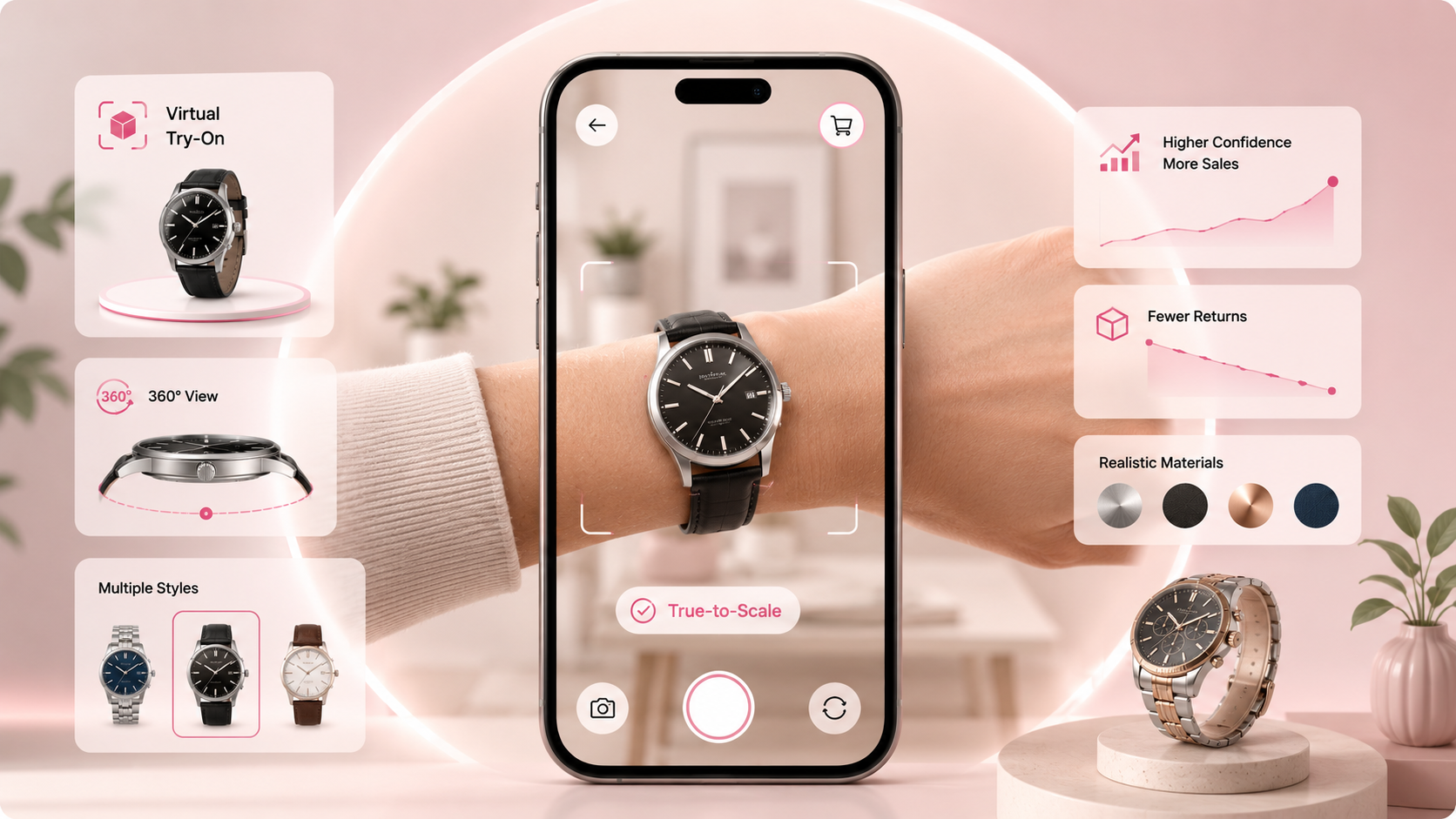
Virtual try-on for watches lets a customer preview how a specific watch looks on their own wrist, using just their phone camera, before they buy. For watch brands selling online, it addresses the single biggest reason watches are still bought in person: a shopper cannot judge case size, proportion, or wrist presence from a product photo, no matter how good that photo is.
This guide covers why that gap matters specifically for watches, what real data exists on the impact of fixing it, how to implement virtual try-on step by step, and how to measure whether it's actually working on your own catalog rather than assuming results from someone else's case study will transfer directly to yours.
Why watches are still a mostly in-person purchase
Deloitte's 2025 Swiss Watch Industry Study found that more than 60 percent of consumers still buy watches in a physical store, and 51 percent name the chance to try the watch on as their main reason for doing so. That's a striking number for a product category where online retail has otherwise made deep inroads, and it points to a specific, structural problem rather than general consumer caution.
Case diameter, lug-to-lug length, case thickness, dial-to-wrist ratio, strap or bracelet width: these are the details that determine whether a watch looks right or wrong on an individual wrist, and none of them translate reliably from a flat product photo, even a well-lit one shot on a wrist model. A 40mm case can look modest on a photographed model's wrist and oversized on a customer's own, and there's no way for a shopper to know that difference until the watch arrives.
For a watch brand selling online, this shows up as a predictable pattern. Shoppers spend real time on product pages, comparing specs and photos, but leave without buying because they can't resolve the uncertainty a photo leaves open. The customers who do buy return watches at a higher rate than in most other categories, citing size and proportion mismatches specifically. Customer service teams field repeat pre-sale questions asking, in effect, "will this look right on someone my size," a question no amount of written spec detail fully answers.
What virtual try-on for watches actually needs to do well
Not every AR try-on implementation handles a wrist the same way a face is handled, and the differences matter more for watches than they might first appear.
Wrist detection and scale accuracy
The system needs to detect the customer's wrist and map the watch to it at genuinely accurate scale, so a 44mm case renders as a 44mm case relative to that specific wrist, not as a generically sized overlay. This is a harder tracking problem than face-based AR in one specific way: a wrist is smaller, moves more unpredictably, and offers fewer stable reference points than a face does, which is why wrist-tracking quality varies more between vendors than face-tracking quality does.
Real-time repositioning
A customer should be able to adjust where the watch sits, higher or lower on the wrist, at a slight angle, the way they'd naturally reposition a physical watch while trying it on in a store. A tool that only shows one fixed placement misses a meaningful part of how people actually evaluate fit.
Multi-angle viewing
Letting a customer rotate their wrist to see the dial face, crown, strap or bracelet, and clasp from different angles matters more for watches than for most accessories, since case thickness and profile, a common point of dissatisfaction with in-person purchases, is nearly invisible from a single front-facing angle.
Material rendering
Metal finish (brushed versus polished), dial texture, strap material (leather grain, rubber, metal link), and details like lume plots on the hands and indices all need enough fidelity that a customer can actually evaluate them, not just recognize the general shape of the watch.
Web-based delivery
Requiring an app download meaningfully reduces how many shoppers ever try the feature at all. Fossil's own rollout of virtual try-on with Tangiblee, for instance, was built specifically as a markerless, web-based AR experience precisely to avoid that adoption barrier, letting a customer try on a watch directly from a product page in a couple of taps.
What the actual data shows, and what it doesn't
This is the section where it's worth being precise about what's actually been measured, rather than repeating a vague claim that virtual try-on "increases conversion" without a number or a source attached.
Fossil and Tangiblee reported that Fossil's original Virtual Watch Try-On tool made customers three times more likely to purchase a product after interacting with it, a figure reported by WWD when covering the tool's expansion into a stackable, cross-category experience. Separately, Tangiblee's own published results across its jewelry and watch clients show shoppers who engaged with its tools converting at 3.8 times the rate of those who didn't, with the subset who specifically used virtual try-on seeing a 284.7 percent conversion rate uplift and a 9.74 percent increase in average order value.
What this data does and doesn't establish is worth stating plainly. These are real, specific, sourced figures, not vague industry color, and they show a strong relationship between try-on engagement and purchase behavior for the brands that measured it. What they don't establish is that any specific brand will see an identical lift, since Fossil and Tangiblee's own client base, price point, and existing traffic quality all shape those numbers in ways that won't transfer identically to a different watch brand's catalog. Treat these figures as evidence that the mechanism works, not as a guaranteed outcome to plug into your own revenue forecast.
On returns specifically, it's worth being equally careful. The general logic connecting virtual try-on to lower returns is sound: a shopper who has already seen a watch's approximate scale and proportion on their own wrist has resolved much of the uncertainty that drives a "looked different than expected" or "didn't fit right" return. But this is a distinct claim from a conversion lift, and needs its own measurement rather than being assumed automatically from a conversion statistic, which is exactly why the measurement section later in this guide treats conversion and returns as two separate metrics to track independently.
How to implement virtual try-on for your watch brand
Establish your baseline first
Before changing anything, record your current conversion rate on watch product pages, your return rate and the reasons cited for returns, and which specific models or price tiers show the highest abandonment or return rates. This baseline is what you'll compare against after launch, and it's also what tells you which products deserve try-on first.
Choose a platform built for wrist-based try-on specifically
Confirm four things directly rather than taking a vendor's general AR claims at face value: wrist tracking accuracy under real movement, not just a static pose; true-to-scale case rendering; realistic material and finish rendering rather than flat color textures; and genuinely web-based delivery with no app requirement. GlamAR's watch virtual try-on solution is built around these four specifically, with real-time wrist mapping, accurate case scaling, 360-degree viewing, and fully web-based delivery. You can test it directly on the watches demo store, and for a broader vendor comparison, see our comparison of AR watch try-on software and apps.
Prepare accurate 3D models
Virtual try-on needs a 3D model of each watch, not standard product photography. If you don't have existing assets, confirm whether your chosen platform offers 3D model creation from product images or technical specifications, and prioritize your top 20 SKUs by sales volume or return rate for the first batch rather than attempting your full catalog at once. Models need to be built to accurate case diameter, thickness, lug width, and strap dimensions, since inaccurate proportions in the model itself will undermine the entire premise of the feature. If you already have 3D assets in GLB, glTF, or OBJ format, confirm compatibility with your chosen platform before committing.
Integrate directly on the product page
Virtual try-on converts best when it's a prominent button near the main product image or the add-to-cart button, launching inline or as a modal so the customer never leaves the product page, and returning them directly to that page once they're ready to buy. For a Shopify store, GlamAR integrates through a dedicated app. For a custom storefront, integration typically runs through a lightweight JavaScript snippet, a few lines of code embedded on the product page template.
Track outcomes from day one, not after the fact
Set up analytics before launch, not as an afterthought once the feature is already live, so you have a genuine baseline to compare early results against. The specific metrics worth tracking are covered in detail in the next section.
A measurement framework for your own catalog
Rather than assuming Fossil or Tangiblee's published figures apply directly to your brand, build a measurement approach that tells you what's actually happening on your own site.
Track try-on engagement rate first
What share of product page visitors actually use the try-on feature. If this sits below roughly 10 percent, the problem is more likely button placement or awareness than the technology itself, and it's worth ruling that out before drawing any conclusion about the feature's value.
Compare conversion for try-on users against non-users, controlled by product and traffic source
Run this comparison within a single price tier or model line at a time rather than across your entire catalog blended together, since a luxury and an entry-level watch line likely respond differently to the same feature.
Track return rate separately, by return reason where possible
A drop in size- or appearance-related returns specifically, without a corresponding change in returns from damage or unrelated causes, is a much stronger signal that the feature is doing its job than a single blended return-rate number.
Set your measurement window before you start
Define a pre-launch baseline period and a post-launch comparison period in advance, and hold to that window regardless of what the early numbers look like, to avoid unintentionally cherry-picking a favorable stretch of data.
Be explicit about what your data actually shows
A straightforward before-and-after comparison shows correlation. Controlling for traffic source and seasonality gets you to a more confident directional read. Only a genuine randomized test, showing the feature to a random subset of visitors and not others, establishes causation. Report your own results at whichever of these levels they actually support, rather than borrowing the confidence level of someone else's published case study.
Brands with verified virtual try-on for watches
Bulgari offers a virtual try-on experience directly on its watch product pages, letting customers use their phone camera to preview a piece on their own wrist alongside a 3D model, with a stated privacy commitment that images are processed for the session only and not retained by Bulgari or any third party.
Cartier runs a dedicated virtual try-on section of its site covering both watches and jewelry, letting customers try on and directly compare different case sizes, designs, and materials online before deciding.
Fossil, through its partnership with Tangiblee, built a two-step, markerless AR experience: a customer first measures wrist width using their phone screen, then uploads a photo of their wrist for the watch to be placed onto, with the ability to slide the watch along the wrist and zoom into dial details. The tool launched across more than 1,800 Fossil products and later expanded into a stackable format letting customers combine a watch with rings or bracelets in one view.
The pattern across all three is consistent: virtual try-on shows up first on higher-consideration, higher-price-point products, exactly where the gap between browsing confidently and buying confidently is widest.
Mistakes that undermine a watch brand's try-on rollout
Limiting try-on to a handful of SKUs indefinitely
A small pilot is a reasonable way to start, but if most of the catalog never gets try-on, most shoppers never encounter it. Set an actual timeline for expanding coverage rather than letting a pilot quietly become the permanent scope.
Placing the try-on option somewhere customers won't notice it
If the option isn't roughly as visible as the product photos themselves, adoption stays low regardless of how good the underlying technology is.
Assuming customers will find the feature without being told about it
Product page placement alone under-promotes a new feature. Referencing it directly in product emails, collection pages, and social content gives it a real chance to be discovered by shoppers who aren't already deep into a specific product page.
Shipping an inaccurate 3D model
A model that doesn't represent a watch's true case size, finish, or strap detail will actively damage trust rather than build it, and a customer who tries on a watch that looked different from what arrived is arguably worse off than one who never had access to a try-on tool at all, since the tool itself implied a confidence that wasn't warranted. Model accuracy is not a place to cut corners to save time or cost.
Conclusion
The core problem for watch brands selling online is structural: a customer cannot feel a watch's weight, place it on their own wrist, or judge how a dial reads against their own skin tone from a product photograph, however well it's shot. Virtual try-on is the most direct available fix for that specific gap, and the data that exists, Fossil and Tangiblee's reported conversion lifts chief among it, shows the underlying mechanism working when it's implemented well.
The honest caveat is that those figures describe what happened for specific brands under specific conditions, not a guaranteed outcome for any catalog that adds the feature. The more reliable path is establishing your own baseline, choosing a platform built specifically for accurate wrist tracking and scale, launching on your highest-consideration products first, and measuring your own results with the same rigor this guide applies to everyone else's data. Brands that do this consistently see the improvement in conversion and returns the mechanism promises, because they've actually confirmed it rather than assumed it.
To see watch virtual try-on running on a live catalog, visit the watches demo store, or talk to the GlamAR team about scoping an implementation and measurement plan for your own brand.
Virtual try-on for watch brands is an augmented reality feature that lets customers see a photorealistic 3D model of a watch on their own wrist in real time through their smartphone camera, before making a purchase decision.
Most watch returns are driven by customers receiving a watch that looks or fits differently than expected from photographs, case too large, proportion off, strap doesn't look right. Virtual try-on lets customers verify these details on their actual wrist before buying, eliminating the mismatch that causes returns.
Not with web-based AR solutions. GlamAR's virtual watch try-on works directly in a mobile browser, customers tap "Try On" on the product page and the experience launches instantly without any download.
With a platform that includes wrist tracking and accurate 3D model specifications, the sizing is true-to-life. A 40mm case appears as a 40mm case. The key is using accurate 3D models built to the watch's real specifications, this is where quality matters most.
For brands without existing 3D assets, implementation typically takes 2–4 weeks: 1–2 weeks for 3D model creation and 1–2 weeks for integration and testing. Brands with existing 3D assets in compatible formats can deploy faster. GlamAR integrates with Shopify in days.
Yes. GlamAR's watches virtual try-on solution includes real-time wrist detection, accurate case scaling, 360-degree viewing, zoom, and downloadable try-on images - delivered web-based with no app required. Visit the watches demo store or contact the GlamAR team to get started.
Discover how AR, VR and 3D can drive revenue growth in 2026
Schedule a call with our team

.avif)