


12 Best 3D Model Viewer Software Providers for Ecommerce in 2026


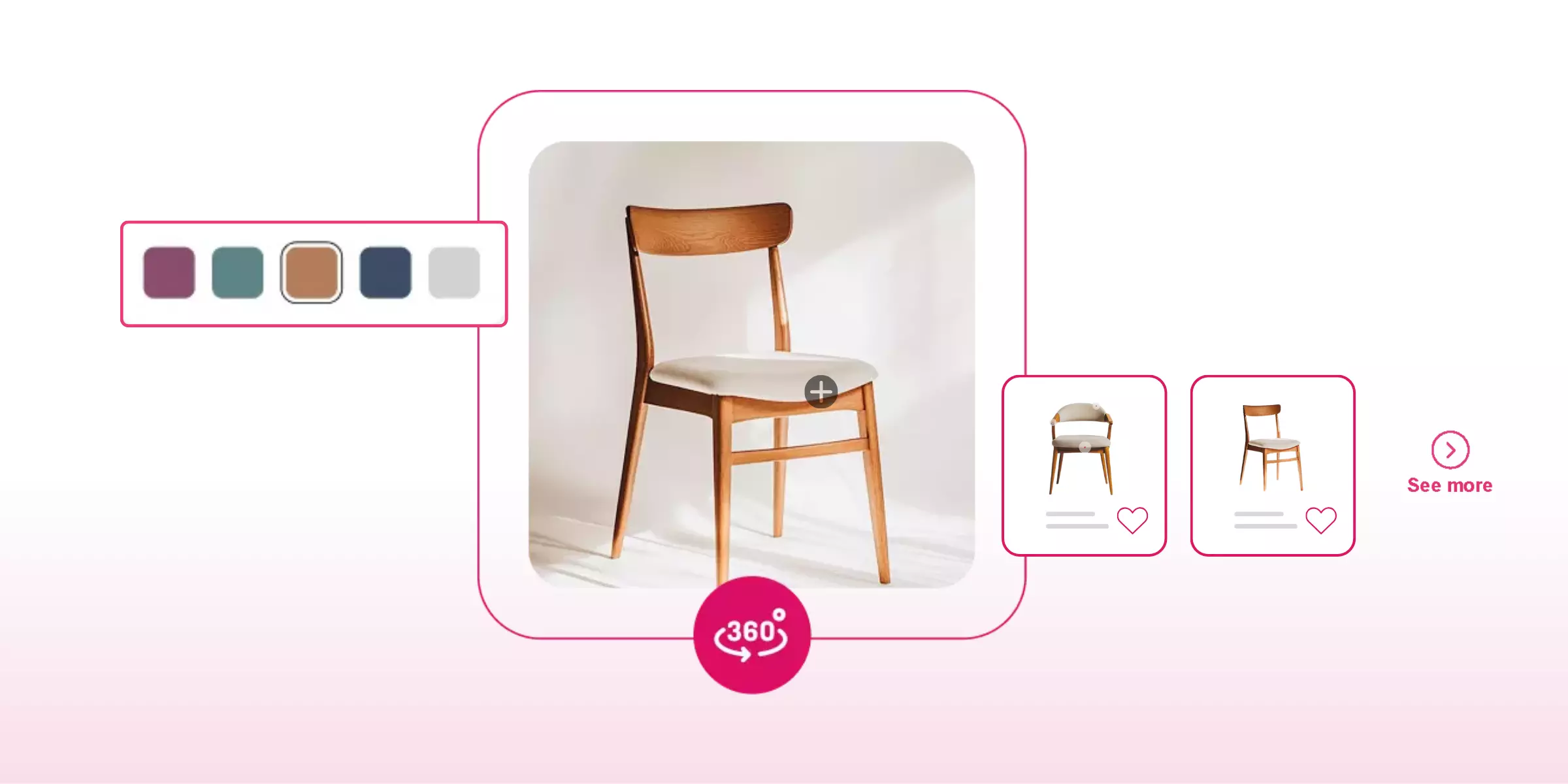
3D model viewer software is a web-based tool that lets shoppers rotate, zoom, and inspect a product as an interactive 3D object directly in a browser, replacing static photos with something closer to holding the product in their hands. Below is a comparison of 12 providers, plus the technical details that actually determine whether a 3D viewer performs well in production: file format support, WebGL rendering considerations, AR mode on mobile, embed and plugin options, mobile performance, analytics, and accessibility.
The global 3D digital asset market was estimated at USD 28.3 billion in 2024 and is projected to reach USD 51.8 billion by 2029, growing at a compound annual growth rate of roughly 12.9 percent. That growth reflects a genuine shift in how ecommerce brands present products: a 3D model turns a passive, flat image into something a shopper actively manipulates, rotating a shoe to check the sole, zooming into a watch face to see the dial detail, or spinning a chair to check the upholstery from every angle. This guide is written for the person actually evaluating and implementing this technology, not just comparing marketing claims, since the technical details below are what separate a 3D viewer that performs well in production from one that looks good in a demo and struggles once real traffic and real devices are involved.
Most comparisons of 3D model viewer software stop at feature checklists, AR support, rotation controls, customization options, without ever addressing the technical layer that determines whether those features actually work reliably for your specific catalog and your specific traffic. File format compatibility, WebGL rendering behavior, mobile device performance, and accessibility are rarely covered in vendor marketing pages at all, yet they're exactly the details that show up as support tickets, abandoned sessions, or compliance risk after launch if they're skipped during evaluation.
This guide treats those technical questions as first-class considerations alongside the more familiar product visualization and engagement comparisons, since a beautiful demo on a new flagship phone in a controlled office environment tells you very little about how a 3D viewer will actually perform for a shopper on a three-year-old Android device with a spotty mobile connection.

What is 3D model viewer software, and what are its key features?
3D model viewer software is a tool that renders a 3D representation of a product directly in a web browser or app, letting a shopper interact with it through rotation, zoom, panning, and sometimes real-time material or lighting changes, all without requiring specialized CAD or modeling software on the customer's end. Brands across footwear, clothing, furniture, electronics, jewelry, and other categories use this technology to give online shoppers a level of product inspection that static photography simply can't match.
Most 3D model viewers are built on standard web technologies, HTML, CSS, and JavaScript, which is exactly why they can run inside a normal browser tab rather than requiring a plugin or a separate application. This also means the same underlying model can typically be embedded across a product page, a marketing microsite, and sometimes a native mobile app, from one source asset.
Understanding this shared technical foundation matters even for a buyer with no development background, since it explains why the deeper technical considerations covered later in this guide, file formats, WebGL, mobile performance, and accessibility, aren't optional extras layered on top of a 3D viewer. They're the actual mechanics determining whether the interactive product experience a vendor demonstrates in a sales call will hold up once real shoppers, on real devices, with real network conditions, start using it.
Key features
- Interactive manipulation - Pan, spin, zoom, and rotate controls let a shopper explore a product from every angle, which is the core feature separating a 3D viewer from a static image gallery.
- Format support - A capable viewer accepts multiple 3D file formats (covered in detail below), which affects how easily you can bring your existing assets into a new platform or move between vendors later.
- Measurement and inspection tools - Some viewers let a customer measure distances, volumes, or surface areas directly on the model, which is particularly useful for furniture, electronics, or any product where physical dimensions matter to the purchase decision.
- Visual customization - Real-time shader, material, and lighting adjustments let a shopper preview a product in different finishes or environments, a feature that becomes especially valuable when paired with a configurator.
- Cross-platform sharing - Shareable links and embeddable players let a 3D model travel beyond the original product page, into social media, marketing emails, or a colleague's screen during a purchase discussion.
- Annotation - The ability to attach notes or callouts to specific parts of a model gives brands a way to highlight a stitching detail, a material spec, or a feature callout directly within the interactive view rather than in a separate paragraph of copy.
Not every viewer on the market offers all six of these features at a genuinely useful depth, and it's worth treating this list as an evaluation checklist rather than assuming any vendor claiming "3D viewer" support delivers each one equally well. Ask specifically which of these capabilities are included by default versus available as a paid add-on or custom development request, since the gap between a baseline viewer and a fully featured one can be substantial even among platforms that market themselves similarly.
-
Top 12 3D model viewer software providers at a glance
12 Leading 3D model viewer software providers for online brands and businesses
In the previous sections, I provided you with information about the features and benefits of using 3D model viewer software, which will also help online brands to provide their customers with a better experience by using 3D models and 360-degree viewers for realistic product visualizations. However, the market of 3D assets and models is increasing and growing, due to which there are several 3D model viewer software providers available in the market, and selecting the best ones from them is a cumbersome task because it consumes lots of time in research and analysis.
Therefore, to help you select the best 3D model viewer software provider for your business, I will provide you with a list of the 12 best 3D model viewer software providers and their features, which you can use to compare different models and their offerings to understand which will work the best for your brand.
1. GlamAR

GlamAR provides a 3D and 360-degree viewer alongside AR try-on, positioned specifically for beauty, eyewear, jewelry, and fashion brands, though its underlying technology extends to furniture, watches, and luggage as well. Reported figures show a 30 percent sales increase and boosted user engagement for brands using its 3D viewer and publishing SDK, with a single solution covering multiple product categories rather than requiring a separate vendor per category.
The platform integrates across web browsers, mobile and tablet devices, and immersive hardware, giving shoppers a consistent experience regardless of how they access a product page. Its confirmed feature set includes augmented reality integration for real-world product placement, customization options spanning color, specification, and material configurations, and a 360-degree viewer with rotation, zoom, and spin controls. For a brand already using GlamAR for virtual try-on, extending into 3D viewing and configuration reuses the same underlying 3D assets rather than requiring a second production pipeline.
For a buyer specifically weighing GlamAR against a category-specialist viewer, the practical case for consolidation is straightforward: a beauty brand that also sells accessories or eyewear can extend the same vendor relationship, the same 3D asset pipeline, and the same analytics dashboard across every category it sells, rather than managing separate contracts and separate technical integrations for each product line.
Features
- Augmented reality integration: It helps e-commerce brands to provide their customers with realistic product visualizations in a real-world environment by enabling them to integrate the 3D viewer with augmented reality technology, which will help them to make more informed and confident purchase decisions during online shopping.
- Customization options: It helps e-commerce brands to provide their customers with a customizable shopping experience by enabling them to tailor products according to their needs and preferences by showcasing a wide range of configurations, including colors, specifications, and materials.
- 360-degree viewer: It provides users with the ability to explore every intricate detail of products using the 360-degree viewer, enabling them to zoom, rotate, and spin the products from different angles and perspectives, which will help brands to bridge the gap between online and offline user experiences.
{{component="/internal/widgets"}}
2. SelfCAD
SelfCAD is a browser-based CAD and CAM platform aimed at individuals and brands building 3D models from scratch, offering sketching, sculpting, and rendering tools alongside step-by-step tutorials for various object categories. It's positioned more toward 3D creation than as a pure ecommerce viewer, making it a reasonable fit for a brand wanting to build models in-house rather than commissioning them from a specialized vendor.
Its short learning curve and flexible storage options across web, desktop, and hybrid setups make it accessible for teams without dedicated 3D artists, though brands should weigh this DIY approach against the time investment required compared to a fully managed 3D asset service.
Because SelfCAD is fundamentally a modeling tool rather than a packaged ecommerce viewer, a brand choosing this path should plan for a separate deployment step once models are built, whether that means exporting to a dedicated viewer platform or handling web embedding in-house. This two-step workflow can be worth it for a brand with genuine in-house 3D capability wanting full creative control, but it's a meaningfully different commitment than a single vendor handling both creation and display.
Features
- End-to-end 3D modeling tools: It provides developers and e-commerce brands with a suite of interactive tools, including sketching, sculpting, and rendering, which they can use to create a fully fledged design from scratch using a simple sketch by accessing all tools in one place with ease.
- Short learning curve: It provides developers and e-commerce brands with interactive tutorials that they can use to create 3D models from scratch by using the step-by-step guide for different categories, including LEGO sets, lanterns, flash drives, and planes, enabling them to reduce the time-to-market.
- Flexible storage options: It provides e-commerce brands and developers with various storage options, such as web browsers, desktop, and hybrid, which will help them store their work with ease while enabling them to access it anytime and anywhere by syncing their projects for both offline and online projects.
3. Sketchfab
Sketchfab is a web-based 3D viewer and marketplace with AR and VR support, an embeddable player, and one of the largest public 3D asset libraries online. Brands can buy and sell 3D assets through its Fab marketplace or embed models directly on their own site, and its cross-platform compatibility spans multiple operating systems, browsers, and devices.
Its API integration lets developers connect the viewer to an existing ecommerce platform, and its support team specifically serves enterprise users needing ongoing assistance. Sketchfab's broader positioning as a general 3D content platform, rather than an ecommerce-first tool, means a brand evaluating it specifically for product pages should confirm how well its analytics and commerce integrations match a dedicated ecommerce viewer's feature set.
Sketchfab's origins as a community platform for 3D creators, rather than a purpose-built commerce tool, is worth understanding before committing to it as a primary product-page solution. Its large public library and social features are genuine strengths for discovery and portfolio use cases, but a brand should confirm directly whether its ecommerce-specific tooling, catalog sync, conversion tracking, and configurator depth, matches platforms built from the ground up around retail use cases.
Features
- API integration: It allows developers to integrate the software into the pre-existing e-commerce platform with the help of an API. It will make the integration process easier and enable the brand to provide cross-platform compatibility and accessibility.
- Custom-made 3D configurator: It provides the customization of different elements of the product, such as pattern, texture, color, and components, which will help the users to have a personalized experience and build their trust towards the brand.
- Support team: It helps developers to integrate the SDK into their e-commerce platforms with a support team for enterprise users. It also helps them to stay updated with the updates and provides them with excellent after-sales services for a smooth experience.
4. Blueberry AI
Blueberry AI is a digital asset management platform supporting over 100 professional 3D file formats, including 3ds Max, Maya, and Blender files, viewable directly in-browser without additional software downloads. Reported figures include a 53 percent faster search speed compared to standard file browsing, a 40 percent reduction in preview time, and up to 74 percent improved review and response efficiency compared to traditional file-sharing methods.
Its AI-powered search and tagging, secure file transfer, and version control are aimed specifically at teams managing large volumes of 3D assets across multiple projects or departments, making it a strong fit for a brand with an established but disorganized 3D asset library rather than a brand just starting its first 3D model.
Its emphasis on internal team efficiency, faster search, faster review, faster collaboration, distinguishes it from customer-facing viewer platforms elsewhere on this list. A brand considering Blueberry AI specifically should be clear that its core value is operational (organizing and managing 3D assets internally) rather than a shopper-facing rendering experience, and may need to pair it with a separate customer-facing viewer for the actual product page.
Features
- AI-powered search: It helps businesses to optimize their workflows by offering them AI-powered search and tagging options, which will help them to secure file transfer for easy sharing while offering them strong version control for better access to the latest assets.
- Effortless team collaboration: It provides e-commerce businesses with a centralized platform for asset management, which they seamlessly integrate with design and collaboration tools, enabling them to simplify their workflows and boost productivity among different team members.
- Web-based viewer: It reduces the need for additional downloads by enabling businesses to support more than 100 professional 3D file formats, which will help them to view and explore 3D models in various formats in web browsers while enabling them to share them by creating a collaborative link.
5. AutoDesk
Autodesk, through products like 3ds Max, offers professional-grade 3D modeling, rendering, and animation tools used across architecture, media, entertainment, interior design, and product manufacturing. Its retopology tools and modifier stack workflow let designers refine complex meshes and iterate non-destructively, capabilities aimed at professional 3D artists rather than a self-service ecommerce audience.
For a brand with in-house 3D design capacity or an agency relationship already using professional tools, Autodesk's output can feed into a separate ecommerce viewer downstream. It's worth being clear-eyed that Autodesk itself is a modeling and animation suite, not a packaged ecommerce viewer, so most brands will pair it with a separate web viewer platform for the actual customer-facing experience.
Autodesk's pricing and licensing model, built around professional creative and engineering teams rather than ecommerce marketing budgets, is also worth factoring into any evaluation. A brand without existing 3D design expertise on staff is more likely to find value in a vendor offering managed 3D asset creation as part of an ecommerce package than in licensing a professional-grade modeling suite directly.
Features
- Cost and time effectiveness: It helps brands and businesses to save their time and money by enabling them to bring their vision into reality with the help of 3D simulation, models, and visualization before finalizing the project or product for the final output.
- Multiple industry use cases: It can be used for multiple industries, such as architecture, media, entertainment, interior design, and product manufacturing, which makes it a useful tool for businesses that work in multiple industries, making it more useful for them.
- Advanced technologies: It uses various advanced technologies, including virtual reality, animation, augmented reality, and 3D modeling, which help engineers and architects to customize and realize concepts at any scale and iterate faster on designs.
6. Zolak
Zolak is an AI-powered 3D visualization platform supporting real-time customization and photorealistic rendering across categories including home decor, clothing, footwear, jewelry, sporting goods, and electronics. Its 3D showrooms let shoppers swap, rotate, move, and customize items within a virtual space or their own room, with product bundling features that help brands present coordinated collections.
Its focus on closing the gap between product dimensions and a customer's actual space is a genuine differentiator for furniture and home goods specifically, reducing the uncertainty that drives returns tied to a product simply not fitting where a customer expected.
Zolak's category breadth, spanning home decor, apparel, footwear, jewelry, sporting goods, and electronics from one platform, is worth weighing against more narrowly focused competitors on this list. For a brand selling across several of these categories, that breadth reduces vendor sprawl, while a brand focused on just one category might find a specialist tool offers deeper category-specific features in exchange for narrower scope.
Features
- Dynamic visuals: It helps online brands to display their products interactively and seamlessly on their e-commerce website or app by enabling them to showcase different variations of products in various colors, sizes, designs, and styles.
- Hyper-realistic visualization: It helps businesses to provide their customers with unparalleled realism in the 3D models of their products, which they can use to visualize products during online shopping while offering them advanced customization settings for a customizable experience.
- Immersive module: It helps businesses to provide their customers with engaging features, such as 360-degree viewers and 3D models, which will enable them to explore products from different angles and perspectives, along with a try-before-you-buy experience with AI integration.
7. Threekit
Threekit combines 360-degree product previews with 3D configuration, using photorealistic WebGL rendering to generate interactive thumbnails and marketing images from the same underlying model. Reported figures include a 94 percent increase in page views for brands using its immersive 3D models, tied to a faster path from product selection through configuration to quote or purchase.
Its AR integration extends 3D previews into a fully immersive experience, letting shoppers place products in their own space, and its backend connectivity for complex product configuration positions it toward brands with elaborate, multi-attribute catalogs rather than simple, fixed-variant products.
Threekit's positioning toward complex configuration, letting a shopper build a product from many possible combinations rather than choosing among a small, fixed set of variants, is its clearest differentiator from simpler viewer platforms on this list. This depth is genuinely valuable for a brand with configurable furniture, apparel, or equipment, but represents more implementation complexity than a brand with a simple, non-configurable catalog would need to take on.
Features
- Spin and zoom: It provides easy spinning and zooming options for users to keep them engaged on the website and deliver a closer preview of the product. It helps the brand to increase the user experience and their session time on the website.
- Product updates: It enables the business to offer detailed and updated information about the products' features and specifications. It helps them to provide easy and seamless updates of the items to reflect the latest version on the website.
- AR integration: It bridges the gap between in-store and online shopping experiences for users by integrating the 3D product previews with augmented reality technology, which will help them try and explore different products using 3D models and AR overlays from different angles and perspectives in real-world environments.
8. Cylindo
Cylindo focuses specifically on furniture and home goods, offering photorealistic 3D models and 360-degree viewers with customizable material, color, and configuration options updated instantly. Reported benefits include improved consumer confidence, engagement, average order value, and conversion, driven by letting shoppers see the exact configured product before purchasing.
Its behavioral analytics, tracking zoom interactions and device usage specifically, give brands direct insight into how customers actually engage with 3D content, which is a meaningfully deeper analytics layer than several competitors on this list offer by default. Its integration with Shopify, WooCommerce, and Magento supports straightforward workflow management for brands already running on those platforms.
Cylindo's furniture-specific focus means its feature set, photorealistic material rendering, room-context awareness, configuration depth, is tuned specifically for the problems furniture and home goods brands actually face, rather than a general-purpose viewer applied across unrelated categories. A brand outside furniture and home goods should weigh this specialization against a more category-agnostic platform elsewhere on this list.
Features
- Data-driven decisions: It provides businesses with behavioral analytics, such as zoom-in interactions and device usage, which will help them to track customer interaction with 3D content while enabling them to make data-driven decisions to perform product development and offer customers better experiences.
- AR-integrated support: It helps online businesses to provide their customers with the ability to try products before buying, which will enable them to make more informed and satisfactory decisions during online shopping with increased confidence.
- Improves product experience: It helps businesses to improve user experience by using 3D models and 360-degree viewers on the product pages, which will make them more engaging and interactive while leaving a strong and powerful customer experience, which will also help them to increase their conversion rates.
9. Zakeke
Zakeke is a cloud-based 3D product configurator with no-code integration into Shopify, WooCommerce, and BigCommerce, letting brands personalize products with material changes, color variants, component swapping, and live pricing updates. Reported figures show a 60 percent reduction in product returns for brands using its 3D and AR technology to reduce mismatch uncertainty.
Its advanced CPQ (configure, price, quote) capabilities are built for brands with genuinely complex customization options, spanning fashion, jewelry, furniture, sports gear, and automotive accessories, and its single-click integration approach is aimed at reducing the technical barrier for teams without dedicated developers.
Zakeke's no-code positioning is worth taking seriously as a genuine differentiator rather than a marketing phrase, since a brand without in-house development resources can realistically launch and manage a configurator without ongoing developer involvement, a meaningful advantage over platforms requiring custom code for basic catalog updates.
Features
- No-code integration: It allows the brands to seamlessly integrate the configurator into the e-commerce platform without any code or technical knowledge. It shows smooth compatibility with various tools and e-commerce platforms, which allows brands to reach a wider audience and provide them with better services.
- Reduced return rates: It helps the customers to customize or visualize the products during online shopping using 3D and AR technology, which reduces their uncertainty of mismatch and reduces the product return rate by 60% for the brand.
- Advanced configuration: It allows the brand to tackle the complex requests at ease with their advanced CPQ software and also helps them to streamline operations, address unique needs, and turn every interaction into a win to provide a better user experience.
10. Vectary
Vectary offers a no-code, web browser-based 3D configurator with floating UI elements, letting brands add menus, color and material selectors, and interactive triggers directly onto a 3D model. Its real-time rendering and quick setup process are aimed at industries beyond typical ecommerce as well, including vehicles, electronics, and fashion accessories.
Its API integration connects 3D projects to databases, spreadsheets, and website interfaces, useful for syncing inventory data with the visual configurator, and its interactive hotspot feature supports pop-ups, material switches, and annotations for product information delivered directly within the 3D view.
Vectary's reach beyond typical ecommerce categories into vehicles and electronics specifically suggests a platform built with broader configuration use cases in mind rather than one narrowly tuned to a single retail vertical. This generalist design can be an advantage for a brand spanning multiple product types, though a highly specialized catalog might still find more tailored tooling in a category-specific competitor.
Features
- API integration: It allows brands to perform API integration of the 3D projects to databases, Excel sheets, and website interfaces so that they can optimize the virtual store and track the inventory details quickly and seamlessly.
- Real-time rendering: It allows brands to offer a realistic shopping experience to users by offering them real-time rendering of the 3D models on the website and allowing them to explore products using 3D models from different angles.
- Animated guide: It provides brands with an animated instructional guide to help them assemble and manufacture workflows easily and quickly. It will also help them to understand and follow the integration process seamlessly.
11. Modelry
Modelry generates 3D models from as few as 3 reference images, reducing the need for a full photography session, and supports 3D product visualization, virtual photography, and 3D lifestyle scenes from the same underlying asset. Its ability to generate multiple product variations in different colors, materials, and patterns makes it a scalable option for brands with frequently changing catalogs.
Its emphasis on brand consistency, using a single 3D model across ecommerce, AR and VR, and digital marketing, is a genuine advantage for a brand wanting visual coherence across channels without maintaining separate asset pipelines for each one.
Modelry's low-input requirement, generating a workable model from just a few reference images, lowers the barrier to entry for a brand without an existing 3D pipeline or dedicated photography setup, though fidelity from a small number of reference images can vary depending on product complexity and surface detail, worth testing against your specific catalog before committing at scale.
Features
- Streamlined workflow: It allows brands to streamline their workflow by creating a 3D visualization of the products with the help of reference images of the product. It will help them to reduce the photography session time and cost-effectively.
- Brand consistency: It provides brand consistency, as they can use the single 3D model for multiple channels such as e-commerce, AR/VR, and digital marketing. It will help them to build customer trust and enhance their satisfaction rate towards the brand.
- Easy updates: It provides easy and flexible updates of the 3D models on the e-commerce platform. It generates adjustable 3D visuals that brands can generate quickly with minimal cost.
12. Expivi
Expivi is a 3D product configurator built around drag-and-drop setup requiring minimal programming knowledge, aimed at increasing average order value by encouraging shoppers to explore more expensive options and accessories. Its real-time 3D rendering updates pricing instantly as a customer customizes a product, and its detailed data insights help brands understand customer preferences at a granular level.
Its focus on transparency in the buying process, making customization options and their price implications clear as a shopper explores them, is aimed specifically at reducing cart abandonment tied to pricing surprises late in the purchase flow.
Expivi's emphasis on encouraging upsells through visible, interactive customization is a distinctive commercial angle compared to platforms on this list positioned primarily around visual realism or category specialization. For a brand whose business model depends heavily on add-on accessories or premium configuration options, this upsell-oriented design is worth weighing as a genuine differentiator rather than a secondary feature.
Features
- Detailed data insights: It offers detailed analysis about the user behavior and preferences that help businesses to gain a deep understanding of the consumer needs and help them to create tailored products according to their requirements.
- Faster buying decisions: It helps users to modify products according to their choices and preferences. It helps the customers to make faster buying decisions by providing them with a 3D model preview, which increases the brand's conversion rate and reduces their cart abandonment rate.
- Reduced product returns: It reduces the uncertainty of product mismatch among users by providing them with a 3D model preview, which reduces the product return rate for the brands and helps them become sustainable.
File format support: glTF, GLB, USDZ, and others
File format support is one of the most consequential technical details in this category, since it determines how easily your existing 3D assets move into a new platform and how well your models perform once deployed.
glTF and GLB
These two formats, often described together since GLB is essentially a compressed, binary-packaged version of glTF, are the closest thing to a modern standard for real-time 3D on the web. They're optimized for fast loading and small file size, which directly affects page load performance, and they're the format GlamAR's own documentation identifies as best-supported for its platform. If a vendor's marketing material doesn't clearly state glTF or GLB support, that's worth asking about directly, since it's foundational to good web performance.
The distinction between the two is worth understanding at a practical level even if you're not the one doing the file conversion. glTF is a text-based JSON format that references separate texture and binary data files, which can be useful during development and debugging since individual components remain human-readable and separately editable. GLB packages all of that same data into a single binary file, which is generally preferred for production deployment since it's a single file to upload, cache, and serve, reducing the number of separate network requests a browser needs to make to load a complete model.
USDZ
This format, developed by Pixar and adopted by Apple, is specifically important for AR viewing on iOS devices, since Apple's native AR Quick Look feature requires USDZ rather than glTF. A brand targeting iOS shoppers specifically for AR should confirm whether a vendor can export or convert to USDZ, since a platform that only supports glTF or GLB may not deliver a native AR experience on Apple devices without an additional conversion step.
OBJ and FBX
These older, more established formats remain common, particularly for models coming from traditional 3D modeling or CAD software, but they're generally heavier and less optimized for real-time web rendering than glTF or GLB. A vendor accepting OBJ or FBX as input while converting internally to glTF or GLB for actual web delivery is a reasonable and common architecture, worth confirming during evaluation.
STL, 3DS, and Collada (DAE)
These formats appear more often in manufacturing, 3D printing, and legacy CAD workflows than in ecommerce specifically, but some platforms, including Blueberry AI with its support for over 100 professional formats, accept a much broader range for asset management purposes even if final web delivery still relies on glTF or GLB.
Texture resolution and compression add another layer worth confirming. Beyond the container format itself, the texture images embedded in or referenced by a 3D model carry their own resolution and compression tradeoffs. High-resolution textures produce sharper, more detailed surfaces but increase file size and load time substantially, particularly on mobile. Ask any vendor what texture compression techniques they apply automatically, since manual optimization at scale across a large catalog isn't realistic for most teams.
Ask which formats you can bring in versus what gets delivered to shoppers. These are two different questions. A vendor might accept a wide range of input formats for convenience, while all shoppers actually experience an optimized glTF or GLB render regardless of the source file. Confirm both ends of this pipeline, since input flexibility matters for onboarding your existing assets, while output format matters for actual site performance and AR compatibility.
WebGL considerations
WebGL is the browser technology that makes real-time 3D rendering possible without a plugin, and understanding its constraints helps set realistic expectations for what a 3D viewer can and can't do smoothly.
WebGL support is nearly universal but not absolute. Every major modern browser supports WebGL, but very old browser versions, certain locked-down enterprise environments, and some low-end devices may have it disabled or unavailable. A production-ready 3D viewer should detect WebGL availability and gracefully fall back to a static image rather than showing a broken or blank viewer when it's unsupported.
Polygon count and scene complexity directly affect rendering performance. A highly detailed model with excessive geometry can render slowly or stutter on less powerful devices, even though it might look impressive on a high-end desktop during a sales demo. Confirm any vendor's guidance on target polygon counts for your specific product categories, since a jewelry piece with fine detail has very different requirements than a simple, geometrically basic product.
Lighting and material complexity trade visual fidelity against performance. Physically based rendering (PBR), which simulates how light interacts with different materials, produces more realistic results than simpler shading models but costs more in rendering overhead. This tradeoff matters more on mobile devices with weaker graphics processors than on desktop, which connects directly to the mobile performance considerations covered further below.
WebGL context loss is a real, if uncommon, failure mode. Browsers can reclaim WebGL resources under memory pressure, particularly on mobile devices with many tabs open, which can cause a 3D viewer to go blank mid-session. Ask any vendor how their implementation handles this scenario, since a graceful recovery (reloading the model) is a meaningfully better experience than a viewer that simply stops working with no explanation.
WebGL versioning matters for feature availability, not just basic support. WebGL 1 and WebGL 2 differ in the rendering capabilities they expose, and WebGL 2 supports more advanced techniques that can improve visual quality and performance simultaneously. Most modern devices support WebGL 2, but a vendor's platform should be built to detect available capability and adjust rendering quality accordingly rather than assuming universal WebGL 2 support and failing ungracefully on older hardware that only supports WebGL 1.
Consider whether a vendor uses a well-established rendering library or a fully custom engine. Libraries like three.js have years of community testing and bug fixes behind them, which generally translates to more predictable cross-browser behavior than a newer or fully proprietary rendering engine. This isn't a hard rule against custom engines, some are excellent, but it's a reasonable question to ask during technical evaluation, particularly if your team will need to troubleshoot rendering issues after launch without direct vendor support on hand.
AR mode and viewing on mobile
Extending a 3D viewer into AR, letting a shopper place the product in their own physical space using their phone's camera, is one of the more compelling capabilities in this category, but it comes with platform-specific considerations worth understanding.
iOS uses AR Quick Look, built around USDZ. Apple's native AR viewing capability, accessible directly from Safari or from a supported app without a separate AR app download, specifically requires a USDZ file. This is the format consideration flagged above, and it's worth testing directly on an actual iPhone before assuming your 3D assets will trigger this native experience.
Android uses Scene Viewer, typically built around glTF or GLB. Google's equivalent capability works through Chrome and supports the glTF and GLB formats already recommended above for general web performance, which means a well-optimized glTF or GLB asset can often serve both standard 3D viewing and Android AR without a separate export.
WebXR is an emerging alternative to native platform AR viewers. Rather than relying on each platform's built-in AR viewer, WebXR is a web standard that allows AR and VR experiences to run directly within a browser across platforms. Support is still uneven across browsers and devices compared to the more established native AR Quick Look and Scene Viewer paths, so confirm current WebXR support specifically for your target devices rather than assuming universal compatibility.
Test AR mode on the actual devices your customers use, not just a demo unit. AR performance depends on a device's camera quality, processing power, and sensor accuracy for surface detection and tracking. A model that places convincingly on a flat surface in a controlled demo environment may behave less predictably in a customer's actual home, with imperfect lighting and less ideal surfaces.
Scale accuracy is a specific detail worth verifying directly, not assuming. For AR placement to be genuinely useful, particularly for furniture where "will this fit" is the whole point, the rendered object needs to appear at true, real-world scale relative to the customer's actual space. Test this specifically with a tape measure against a known-dimension object rather than trusting a vendor's general claim of accurate scaling, since scale errors are a common and easily overlooked failure mode.
Not every product category benefits equally from AR placement. Furniture and home decor see some of the clearest AR value, since "will this fit in my space" is a common purchase hesitation AR directly addresses. Smaller accessories or products where scale and room context matter less may see AR as a nice-to-have rather than a core purchase driver, which is worth factoring into how much you prioritize AR-specific format support and testing for a given product line.
Plan for the discovery step, not just the AR experience itself. A shopper needs to know an AR option exists and how to activate it, which usually means a clearly labeled button or icon on the product page rather than an assumption that customers will find a hidden feature on their own. This is a small design detail, but it directly determines whether your AR investment actually gets used by real shoppers rather than sitting unused behind an unclear interface.
Embed and plugin options
How a 3D viewer actually gets onto your product pages matters as much as the viewer's underlying capability, since even the best rendering technology delivers no value if it's difficult to deploy.
Platform-specific plugins. Several vendors on this list, including GlamAR, Cylindo, and Zakeke, offer direct plugins or apps for major ecommerce platforms like Shopify, WooCommerce, and Magento, letting a non-developer upload models and enable viewing through a standard admin interface rather than custom code.
JavaScript and HTML embed codes. For platforms without a dedicated plugin, or for brands wanting more control over placement and styling, a JavaScript or HTML snippet copied into a theme file is the standard fallback integration method, requiring some comfort editing theme code but not a full custom development project.
iFrames. A simpler, if less flexible, embed option lets a 3D viewer run inside an embedded frame on a page, which can be easier to implement but sometimes carries limitations around how well the embedded content communicates with the surrounding page (for things like passing SKU data or triggering add-to-cart actions).
API-level integration. For brands wanting the deepest control, an API lets a development team build a fully custom viewer interface rather than using a vendor's default embed, at the cost of more engineering time. This mirrors the broader API versus SDK distinction that applies across most AR and 3D commerce tools, not just viewers specifically.
Consider how each embed option affects page load and Core Web Vitals. Search engines increasingly weigh page performance metrics in ranking, and a poorly implemented embed, whether a heavy iFrame or an unoptimized script, can measurably hurt page load scores. Ask any vendor specifically how their embed method affects metrics like largest contentful paint and cumulative layout shift, since these are concrete, measurable numbers you can request rather than a vague assurance of good performance.
Bulk deployment matters as much as single-product embed simplicity. A brand with a handful of hero products can tolerate a more manual, one-at-a-time embedding process. A brand with hundreds or thousands of SKUs needs a bulk upload and mapping workflow, similar to the SKU mapping steps described in the Shopify integration guide later in this piece, rather than a process requiring individual manual configuration per product.
Confirm inventory and pricing sync, not just visual embed. A 3D viewer that displays a product correctly but doesn't reflect current stock status or pricing changes creates a disconnect that actively undermines shopper trust. Ask specifically whether a vendor's plugin syncs with your catalog automatically or requires manual updates each time your product data changes, and get a clear answer on how frequently that sync actually runs rather than assuming real-time updates by default.
Mobile performance considerations
Since a meaningful share of ecommerce traffic arrives on mobile devices, and 3D content is inherently heavier than a static image, mobile performance deserves focused attention rather than an assumption that desktop performance automatically translates.
1. Load time is the first performance hurdle
A 3D model that takes several seconds to load risks losing a shopper before they ever interact with it. Confirm what file size and loading strategy a vendor uses (progressive loading, showing a lower-fidelity placeholder while the full model streams in, for instance) rather than assuming a single large file load is acceptable.
2. Device tier matters more for 3D than for static images
A flagship phone from the past year and a budget device several years old can have dramatically different graphics processing capability. Test any 3D viewer specifically on mid-range and older devices, not just the newest hardware used in a sales demo, since a meaningful share of mobile ecommerce traffic still comes from devices well below flagship specifications.
3. Battery and thermal impact are real considerations for sustained use
Rendering complex 3D scenes, particularly with AR camera access active, draws more power and generates more heat than typical browsing. A shopper spending several minutes exploring a configurator on their phone shouldn't experience a device that becomes noticeably warm or drains battery unusually fast, and this is worth testing directly rather than assuming it's a non-issue.
4. Network conditions vary far more on mobile than desktop
A 3D asset that loads quickly on a strong office WiFi connection may behave very differently on a spotty mobile network. Ask any vendor how their platform handles slower or intermittent connections, whether through compression, adaptive quality, or a clear fallback to a static image if 3D content can't load reliably. Testing on a throttled connection profile, which most browser developer tools support simulating, is a practical way to check this behavior directly rather than relying on a vendor's description alone.
5. Touch interaction design deserves its own testing pass
Rotation and zoom gestures that feel natural with a mouse can behave awkwardly on a touchscreen if not specifically designed for touch input, particularly around distinguishing a deliberate rotation gesture from an accidental scroll of the surrounding page. Test the actual touch behavior directly on a phone rather than assuming a desktop-tested interaction pattern translates cleanly.
6. Consider your traffic's actual device and connection mix before setting performance expectations
Pull your own analytics on device type, OS version, and connection quality for your existing mobile traffic before evaluating a 3D viewer's mobile performance claims, since a vendor's stated benchmarks may reflect a more favorable device mix than your actual customer base represents. Setting realistic performance targets based on your own traffic data, rather than a vendor's best-case marketing figures, leads to a more honest evaluation of whether a given platform will actually perform well for your specific shoppers.
Analytics
A 3D model viewer that isn't measured is a visual feature, not a growth lever, and analytics depth varies significantly across the providers compared in this guide.
Basic engagement metrics should be a baseline expectation: how many shoppers open the 3D viewer, how long they spend interacting with it, and which specific products get the most 3D engagement relative to total product page views.
Interaction-level detail goes further, tracking specific actions like zoom events, rotation patterns, or which product angle or configuration a shopper spent the most time viewing. Cylindo's behavioral analytics specifically calling out zoom interactions and device usage is a good example of this deeper tracking layer, and it's worth confirming whether a vendor you're evaluating offers this level of granularity or only a general engagement summary.
Conversion attribution connects 3D viewer engagement to actual purchase behavior, ideally letting you compare conversion rates for shoppers who engaged with the 3D view against those who didn't, and further segmenting by product category or configuration choice.
Device and browser segmentation matters given the mobile performance considerations covered above. If 3D engagement or conversion looks weaker on a specific device category or browser, that's a strong signal of a technical performance issue specific to that segment rather than a genuine lack of shopper interest, and segmented analytics are what let you tell the difference.
Configuration and customization tracking deserves separate attention for configurable products. Beyond simple viewing engagement, track which specific colors, materials, or components shoppers actually select during configuration, since this is direct merchandising signal independent of sales data. A color option that gets selected frequently in the configurator but rarely appears in completed orders may indicate a pricing or availability issue worth investigating separately from the viewer experience itself.
Confirm whether analytics integrate with tools you already use. A 3D viewer's own isolated dashboard is less useful than analytics that feed into your existing reporting stack, whether that's Google Analytics, your ecommerce platform's native reporting, or a business intelligence tool your team already relies on for other decisions. A vendor whose analytics live entirely in a separate, disconnected dashboard forces your team to manually cross-reference data that would otherwise flow naturally into existing reporting workflows.
Set a baseline before launch so any post-launch analytics actually mean something. Record your current product-page engagement and conversion metrics without 3D viewing enabled, then compare against the same metrics after launch across a comparable time window, rather than only looking at 3D-specific numbers in isolation with nothing to measure them against.
Accessibility considerations
Accessibility is one of the most consistently overlooked aspects of 3D viewer implementation, and it deserves direct attention both because it affects real shoppers and because it increasingly carries legal and compliance weight in many markets.
Keyboard navigation should be a baseline requirement. A shopper who can't or doesn't use a mouse or touchscreen should still be able to rotate, zoom, and interact with a 3D model using keyboard controls. Confirm this directly with any vendor, since it's a feature that's easy to overlook in a viewer built primarily around mouse-drag and touch-swipe interaction patterns.
Screen reader compatibility requires deliberate design, not an assumption. A 3D canvas element is, by its visual nature, opaque to a screen reader unless the surrounding interface provides meaningful alternative text, labeled controls, and a text-based description of what the model shows. Ask specifically how a vendor's viewer handles this, since a purely visual, canvas-only implementation with no accessible fallback excludes a real segment of your shopper base.
Color and contrast matter for viewer controls, not just the product itself. Rotation buttons, zoom controls, and other UI elements surrounding the 3D model should meet standard contrast guidelines just like any other interface element, which is sometimes overlooked when design attention focuses entirely on the product render itself.
Provide a meaningful fallback for shoppers who can't or don't want to use the 3D viewer. This includes shoppers on devices without WebGL support, shoppers using assistive technology poorly served by the interactive viewer, and shoppers who simply prefer static images. A well-designed product page keeps standard photography available alongside the 3D option rather than replacing it entirely, which serves both accessibility and simple user preference.
Motion and vestibular considerations for auto-rotating or animated views. Some 3D viewers include an auto-rotate feature that spins the model continuously without user input. For a subset of shoppers with vestibular sensitivities, unexpected or uncontrollable motion can be genuinely uncomfortable. Providing a clear way to pause or disable auto-rotation is a small design detail worth confirming, not just a nice-to-have.
Focus order and interactive element labeling affect usability for assistive technology users specifically. Beyond basic keyboard operability, confirm that interactive controls have a logical tab order and clear, descriptive labels (not just an unlabeled icon button), since assistive technology depends on this underlying structure to convey what each control does, not just whether it can technically be activated.
Accessibility isn't just an ethical consideration, it's increasingly a legal one. Depending on your target markets, web accessibility standards like WCAG carry real compliance weight, and an ecommerce site facing legal action over accessibility gaps is a genuine business risk, not a hypothetical one. Building 3D viewer accessibility in from the start is meaningfully cheaper than retrofitting it after a complaint or legal notice, and it's worth asking any vendor directly whether their platform has been evaluated against a specific accessibility standard rather than accepting a general assurance of good practice.
Treat accessibility testing as a required step before launch, not an optional polish item to revisit later if time allows. A quick manual pass, navigating the viewer using only a keyboard, checking whether a screen reader announces anything meaningful about the product, and confirming a static fallback exists, takes far less time than a full audit and catches the most common gaps before they reach real shoppers.
Benefits of using 3D model viewer software
Increased conversions and sales. Interactive exploration through rotation, zoom, and spin keeps shoppers engaged with a product page longer, which correlates with more informed and more confident purchase decisions.
Reduced product return rates. Letting customers examine a product from every angle before buying reduces the uncertainty that leads to mismatch-driven returns, while also reducing the need for physical samples in some workflows.
Enhanced customer experience. High-quality 3D visuals and, when paired with AR, the ability to try or place a product in a real-world context give shoppers an experience closer to physical inspection than static photography can offer.
Efficient product customization. When paired with a configurator, a 3D viewer lets shoppers personalize color, pattern, or style choices and see the result instantly, adding a layer of engagement and ownership to the purchase decision that a fixed product listing can't replicate.
Extended asset reuse across marketing channels. A single 3D model built for the product page can typically generate marketing renders, social content, and even print materials, reducing the need for separate photography for each channel a brand markets through.
Faster iteration on product presentation. Changing a background, lighting setup, or camera angle on a 3D model takes a fraction of the time a new physical photoshoot would require, letting merchandising teams refresh product presentation for seasonal campaigns or promotions far more quickly than a traditional photography workflow allows.
How does a 3D model viewer work for ecommerce brands?
Implementation workflow
Start by selecting high-value or high-return products where 3D visualization delivers the clearest benefit, rather than attempting to convert an entire catalog at once. Create or outsource a 3D model for those products using dedicated 3D design software or a specialized service provider. Optimize the resulting asset into a web-friendly format, generally glTF or GLB, to keep file size manageable for fast loading. Finally, embed and test the viewer across both mobile and desktop devices before making it live to real shoppers.
This staged approach lets you validate real performance, real shopper engagement, and real technical behavior on a manageable subset before committing to a full-catalog rollout, and it gives you a chance to catch format, performance, or accessibility issues while the stakes and scope are still small enough to fix cheaply.
Core technologies
Rendering engines and graphics APIs, commonly built on WebGL, the three.js library, or custom rendering engines, handle the actual display of 3D scenes, lighting, and cameras directly in the browser without requiring a plugin. Data optimization and format handling convert precise CAD surfaces into polygon-based representations while keeping file size low enough for practical web delivery. Supporting technologies like scene graph management, physically based rendering, and interaction handlers work together to organize 3D elements and simulate realistic lighting and surface behavior. Content delivery networks and WebXR support round out the technology stack, ensuring fast global asset delivery and, where supported, cross-platform AR and VR compatibility.
Understanding this technology stack at a high level, even without needing to implement it yourself, gives you a more informed basis for evaluating vendor claims. A platform that can clearly explain which rendering library it uses, how it handles format optimization, and what its content delivery strategy looks like is generally further along in engineering maturity than one that describes its technology only in marketing terms without technical specifics.
Applications of 3D model viewer software
Ecommerce and retail
Brands across footwear, clothing, jewelry, and beauty use 3D viewers to create realistic product showcases, often paired with configurators and AR to let shoppers try or place products directly in a real-world context. This is the application most directly tied to the technical considerations covered throughout this guide, since ecommerce traffic spans the widest range of devices, connections, and accessibility needs of any application on this list.
Furniture and interior design
Combining a 3D viewer with a configurator lets shoppers customize furniture in real time, while interior designers use the same 3D models in room planning and home decor projects to discuss changes with clients without physical samples. AR placement is particularly valuable in this category specifically, since scale and room fit are central purchase concerns that a static image simply cannot address.
Manufacturing and engineering
Teams use 3D viewers for internal design reviews and collaboration, sharing, annotating, and measuring designs without requiring expensive CAD software licenses for every reviewer, alongside virtual prototyping that reduces the need for physical test builds. This internal, B2B use case has different priorities than customer-facing ecommerce, generally favoring precision and measurement tools over AR or configurator features.
Automotive and aerospace
Brands let customers customize colors, interiors, and accessories through 3D configurators, and use 3D models for virtual vehicle tours that support both consumer research before a dealership visit and B2B sales presentations. The complexity of these products, with dozens or hundreds of possible configuration combinations, makes robust configurator tooling more important than in simpler retail categories.
Difference between 2D images, 360-degree viewers, and 3D models
Understanding where 3D models sit relative to simpler visualization options helps set realistic expectations for cost, setup effort, and the actual customer experience each format delivers, rather than assuming more advanced technology is automatically the right choice for every product in your catalog.
Tips to select the best 3D model viewer software provider
Performance and speed. Prioritize a provider that loads 3D assets quickly and runs smoothly across devices, since a slow-loading viewer increases bounce rate rather than reducing it. Request actual load-time benchmarks against your own sample assets rather than relying on a vendor's general performance claims.
Seamless ecommerce integration. Look for a ready-made plugin, API, or SDK for your specific platform, whether Shopify, Magento, or WooCommerce, that syncs with your existing product catalog rather than requiring manual duplication of product data. Confirm this sync includes both inventory status and pricing, not just the visual 3D asset itself.
Support for augmented reality. Confirm both the underlying format support (glTF, GLB, USDZ) and actual device testing for AR viewing, since this is where many vendor claims and real-world performance diverge most. Test on both iOS and Android devices specifically rather than assuming parity across platforms.
Rendering and texture accuracy. Look specifically for physically based rendering support, which produces more realistic material representation than simpler shading approaches, particularly important for products where texture and finish drive the purchase decision.
Customization and configuration options. If your catalog includes configurable products, confirm the depth of color, material, and component customization a viewer supports, along with how instantly pricing updates reflect a shopper's choices.
Scalability and workflow. For a catalog of meaningful size, confirm bulk upload capability and how efficiently the platform handles ongoing updates, rather than assuming a workflow that works for ten products will scale cleanly to a thousand.
Analytics depth and accessibility support. As covered in detail above, these two areas are frequently under-addressed in vendor marketing but carry real business consequences, ranging from missed merchandising insight to genuine compliance risk. Push for specifics on both during evaluation, rather than treating them as secondary to the core viewing experience.
How to integrate a 3D model viewer with Shopify using the GlamAR SDK
3D asset preparation and hosting
Prepare your 3D models in GLB or glTF format, the best-supported formats for web delivery. If you don't already have 3D assets, GlamAR's 3D model creation feature can generate them from 2D images. Once ready, upload the assets directly to your Shopify product pages through GlamAR's Shopify app, available from the Shopify app store.
Integrate the GlamAR SDK
Register with GlamAR to obtain SDK or API access, then copy the provided JavaScript or HTML embed code from the GlamAR console. Navigate to Online Store, then Themes, then Edit Code in your Shopify admin, and paste the embed code into the theme file responsible for product rendering.
Configure and activate
Link your uploaded 3D models to specific products on your Shopify store to sync the assets with your catalog. Customize the viewer's color scheme, logos, and buttons to match your brand identity, then enable the browser-based AR feature so customers can visualize products in their own space using their device's camera.
Test before a full rollout
Once the viewer is live on a handful of test products, check load time, rendering quality, and AR placement across the actual device types your traffic uses, referencing the mobile performance and AR testing guidance covered earlier in this guide, before expanding the integration across your full catalog.
You can review GlamAR's 3D viewer solution directly to see the underlying technology, and if you want to test this against your own catalog before a full rollout, talk to
the GlamAR team about generating a sample SKU as a starting point.
Brands using a 3D model viewer
Crate and Barrel uses 3D models with 360-degree previews and AR integration across its furniture catalog, letting shoppers explore products from different angles and place them in their own space, alongside real-time color and material customization during preview.
BOSTONtec lets customers build customized workstations using 3D models, 360-degree previews, and product configurators, adjusting base type, depth, width, and surface and feet materials with instant visual updates reflecting each change.
Hangout Lighting offers 3D models and 360-degree viewers for its lighting products, letting customers adjust finishes and lengths through a 3D configurator and see the results in real time before finalizing a purchase decision.
Across all three examples, the common thread is that 3D viewing is paired directly with configuration, not offered as a standalone visual feature. This reflects a broader pattern worth carrying into your own evaluation: the strongest use cases for 3D viewer technology tend to combine visual inspection with some form of personalization, rather than treating 3D as a pure upgrade to static photography alone.
Conclusion
3D model viewer software helps ecommerce brands close the gap between a flat product photo and the kind of hands-on inspection a shopper would get in a physical store, and the technical details covered in this guide, file format support, WebGL behavior, AR compatibility, embed options, mobile performance, analytics depth, and accessibility, are what actually determine whether that promise holds up in production. Selecting the right provider means looking past a polished demo and confirming these specifics against your own catalog, your own traffic's device mix, and your own performance and compliance requirements.
The providers compared in this guide span a wide range of positioning, from full-service platforms like GlamAR that bundle 3D viewing with AR try-on and configuration, to specialized furniture-focused tools like Cylindo, to professional modeling suites like Autodesk that serve as an upstream source for assets displayed elsewhere. There isn't a single universally correct choice among them. The right fit depends on your product category, your existing 3D asset maturity, your in-house technical capacity, and how deeply configuration and AR need to be woven into the customer experience you're building. Working through the technical checklist in this guide, rather than a feature list alone, is what turns that decision from a guess into an informed evaluation.
Most support glTF, GLB, OBJ, and FBX, with some also accepting STL, 3DS, or Collada files. glTF and GLB are generally best for web-based use due to their optimized size and fast loading, while USDZ is specifically required for Apple's native AR Quick Look experience on iOS.
A modern web browser with WebGL support and a stable internet connection cover most desktop and mobile viewing. For AR specifically, an updated iOS or Android device is required, though no unusually high-end hardware is typically necessary for standard 3D viewing.
Yes. Most providers offer embedding through simple scripts, dedicated plugins, or iFrames, syncing 3D models with your existing product catalog so they display directly on product pages without a full site rebuild.
Not exactly. iOS uses Apple's AR Quick Look, built around the USDZ format, while Android uses Google's Scene Viewer, typically built around glTF or GLB. A well-optimized glTF or GLB asset can often serve Android AR directly, while iOS AR generally requires a separate USDZ export or conversion.
3D content is heavier than static images, and mobile devices vary far more in processing power than typical desktop hardware. Test any viewer specifically on mid-range and older mobile devices, not just flagship phones, since load time, rendering smoothness, and battery impact can all differ meaningfully by device tier.
Yes. Most platforms let brands modify viewer colors, logos, buttons, and UI elements to match their site design, in addition to product-level customization like colors, materials, and finishes for configurable products.
Discover how AR, VR and 3D can drive revenue growth in 2026
Schedule a call with our team

.avif)